
Content 2026 Rank: #892
ViralCanvas.ai ✓
What used to take 20 prompts now takes one
Trial; then from $10/mo
Verdict
A quick read before you dig into the full page.
- Best if
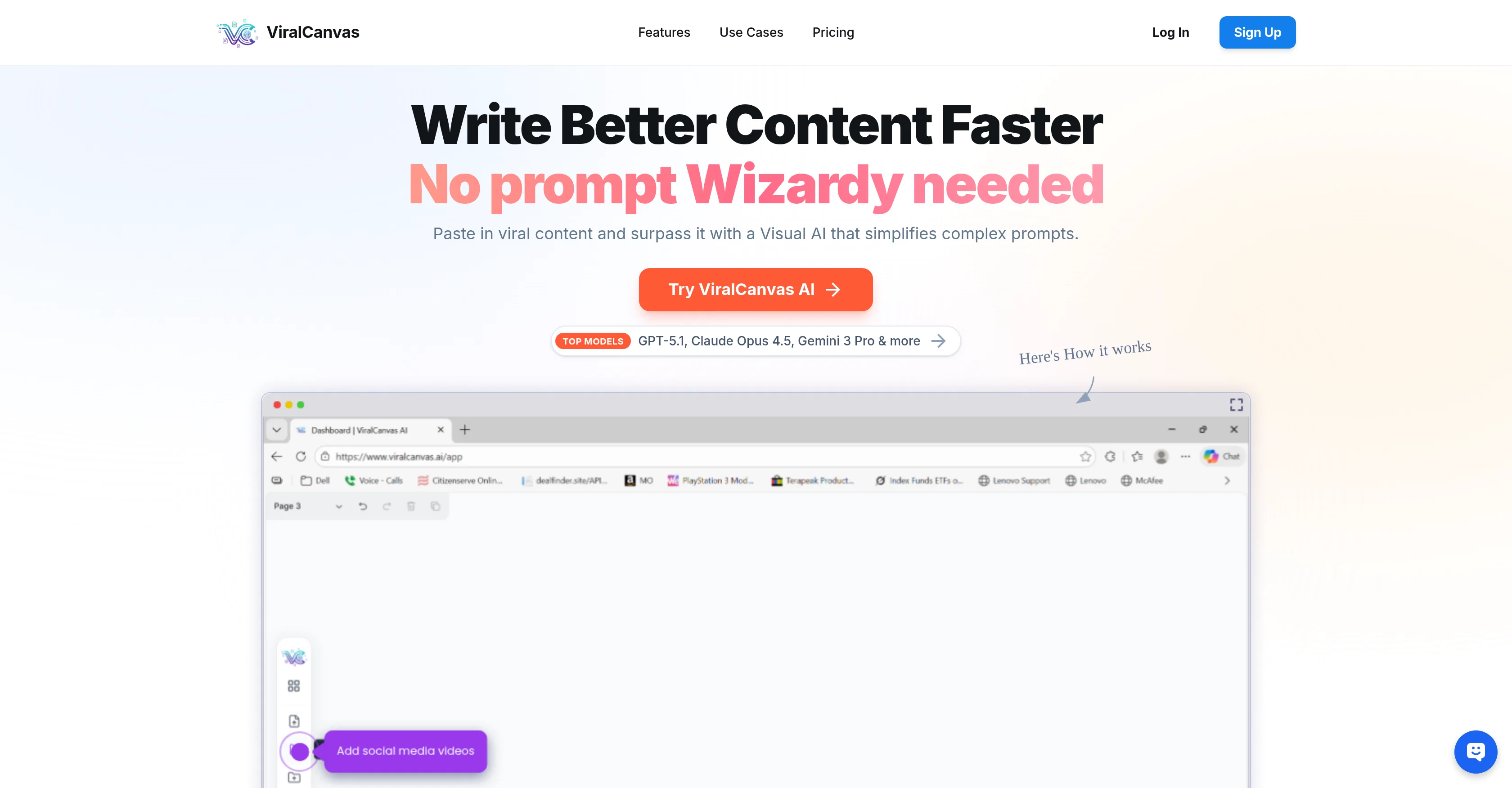
- What used to take 20 prompts now takes one
- Skip if
- Cannot extract text from images
- Pick this when
- Flexible file upload
Considering FlowPost instead? Compare side by side
Overview

The Core Concept: Context is King
Traditional AI chatbots force you to work linearly—one prompt, one response, one context at a time. ViralCanvas takes a fundamentally different approach.
Imagine a digital whiteboard where you can drag in a YouTube tutorial, a competitor's website, a PDF brand guide, a spreadsheet of audience research, and a blog post about best practices. Now imagine connecting all of those elements to an AI chat window and asking: "Based on everything here, create a content strategy for the next 30 days."
That's ViralCanvas.
The platform understands that real creative work doesn't happen in isolation. Content creators don't just need AI to write—they need AI that understands their brand voice, their audience insights, their industry trends, and their strategic goals all at once. ViralCanvas makes that possible by letting users build rich context visually before ever typing a prompt.
Key Features
Visual Whiteboard Interface
The whiteboard is the heart of ViralCanvas. Users can arrange, group, and connect different content elements visually—making it easy to see relationships between sources and organize complex projects. For visual thinkers and neurodiverse creators who struggle with linear text-based workflows, this spatial approach to AI collaboration is transformative.
Create groups for different aspects of a project: one for brand assets, one for competitor research, one for content inspiration. Then connect exactly what you need to each chat conversation for precise, contextually-aware outputs.
Multi-Source Content Import
ViralCanvas can ingest content from multiple formats and platforms:
YouTube Videos — Paste a URL and ViralCanvas automatically transcribes the content, making it available for AI analysis and reference
TikTok Videos — Import short-form content for trend research and inspiration
Instagram Content — Bring in posts and reels for competitive analysis
PDF Documents — Upload brand guides, research papers, templates, and reference materials
Word Documents — Import existing content, SOPs, and written materials
Text Boxes — Add your own notes, prompts, frameworks, and instructions directly on the whiteboard
Dual AI Model Access
Users can choose between Claude 4.5 Opus, Claude 3.5 Sonnet and GPT-4o (plus GPT-4o mini for lighter tasks) directly within the chat interface. This flexibility matters because different models excel at different tasks:
Claude tends to produce more natural, human-sounding written content
GPT-4o excels at data analysis, list-making, and structured outputs
Switch between models mid-conversation based on what you're trying to accomplish—no need to maintain separate subscriptions or copy-paste between platforms.
Connected Context Chat
The magic happens when you connect whiteboard elements to a chat window. Unlike traditional AI where you're limited by what you can paste into a single prompt, ViralCanvas lets you attach entire groups of content—multiple videos, documents, and websites simultaneously—giving the AI comprehensive context to work with.
Ask questions like:
"What are the common themes across these five competitor videos?"
"Create a blog post outline based on my brand guide and these industry articles"
"Generate 20 video titles in my brand voice based on what's performing for these channels"
The AI responds with outputs that actually understand your full context, not just a snippet.
Use Cases
Content Planning & Strategy
Plan weeks or months of content in a single session. Import top-performing videos from your niche, add your brand guidelines, connect audience research, and ask the AI to generate content calendars, video concepts, and posting strategies that align with what's actually working in your space.
Research & Synthesis
Stop watching hours of videos and reading dozens of articles. Import everything into ViralCanvas, connect it to a chat, and ask for summaries, key takeaways, and actionable insights. Perfect for staying current on industry trends, preparing for podcast interviews, or conducting competitive analysis.
Script & Copy Creation
Feed the AI your brand voice documentation, successful past content, and topic research. Generate scripts, captions, email sequences, and long-form content that sounds like you—not generic AI output.
Course & Curriculum Development
Educators and course creators can import teaching resources, learning objectives, and existing materials to generate lesson plans, worksheets, assignments, and student resources that follow their exact templates and standards.
Client & Agency Work
Agencies can create boards for each client containing brand assets, past campaigns, audience data, and strategic documents. Generate client-ready deliverables that stay on-brand without re-explaining context for every request.
Who It's For
ViralCanvas is built for:
Content Creators planning YouTube videos, podcasts, newsletters, and social content
Entrepreneurs developing marketing strategies, sales materials, and business plans
Marketers conducting research, creating campaigns, and managing multiple brands
Educators building curriculum, lesson plans, and learning materials
Freelancers & Agencies managing client work with consistent brand alignment
The Bottom Line
ViralCanvas.ai eliminates the friction between having ideas scattered across videos, documents, and websites—and turning those ideas into polished, strategic content. It's not just another AI writing tool. It's a visual thinking environment that makes AI genuinely useful for complex creative work.
For creators tired of copying and pasting between tabs, re-explaining context with every prompt, and getting generic outputs that miss the mark—ViralCanvas offers a smarter way to work with AI.
Website: viralcanvas.ai
Best for
Short scenarios where ViralCanvas.ai tends to shine.
-
What used to take 20 prompts now takes one
Example outputs 1
Sample generations and before/after results for ViralCanvas.ai.
Access & connections
Where you can use ViralCanvas.ai, and what it plugs into.
Platforms
Capabilities
What this tool accepts, produces, and is strongest at.
Input
- Image
- Text
- Video
Output
- Video
- Text
- Image
Highlights
- Use code TAAFT
- 20% OFF
Supported features
- Assistant
- Deep Research
- Memory
- Transcription
- Video Understanding
- Text Generation
- Social Media
Pros & cons
Pros
- Flexible file upload
- Interactive Objects Integration
- Seamless Organization of Items
- Native Note-taking facilities
- Dynamic linking between items
- Persistent Knowledge Graph Creation
- Enhances productivity across profiles
- Safe file uploading
Show 29 more
- Interactive Canvas workspace
- Items containerization for projects
- Use of videos in workspace
- Non-linear, item-aided thinking
- Robust security features
- Government-grade encryption
- No user data training
- Different file types support
- Concepts visual grouping
- Productive tool for students
- Creative Workspace for Writers
- Useful for product teams
- Data Patterns summarization
- Draft-writing and Inspiration Connection
- Range of user suitability
- Visual Relationship Mapping
- Different plans availability
- No hidden costs
- Credit-based Billing
- Video Content Analysis
- Unlimited Canvases Access
- High-Priority Support
- Plans for heavy users
- Model and File-based tasks
- Additional Credits Purchase
- Direct Concierge Support
- Advanced Knowledge Graph building
- Visual relationship mapping
- Precision tools for creatives
Cons
- Cannot extract text from images
- Files can't be grouped automatically
- No version control or history feature
- No collaborative features
- Doesn't support all file types
- No mobile application
- No offline mode
- No text-to-speech functionality
Compare alternatives
Similar tools in the catalog — with a clear reason to open each one.


EasyAI – AI Flow - No Code Content (Video/Image) Ge... ✓
Free TrialChain AI tasks with no-code into workflows for chatbots, video, documents, and
Why look Offers a public API
Full comparison
RightBlogger ✓
FreemiumAutomate blogging, SEO, and publishing in one simple platform
Free + from $17.99/mo
Full comparison


People also view
Tools that often show up alongside ViralCanvas.ai in collections and comparisons.

Unite - Gen AI Platform for Marketing Teams ✓
Free TrialBreak creative barriers with AI for marketing teams.

ThreadlyApp.co ✓
Free Trial10x your LinkedIn growth effortlessly.

Reelyze ✓
Free TrialKnow why your reels flop before you post.

PitchGhost ✓
Free TrialFind, engage, and close leads on social media, scary fast.

NoimosAI ✓
Free TrialYour Personal AI Marketing Team Taking Initiative 24/7

Logicballs ✓
FreemiumAI writer for high-quality content creation

Inpodcast AI ✓
FreemiumAI Podcast Generator & Document to Podcast

Gummy Search ✓
FreemiumReddit insights for market research & audience analysis.
Releases 1
FAQ 12
What is ViralCanvas AI?
How does the 'Intelligent AI Chat' in ViralCanvas AI work?
What type of files can I upload to ViralCanvas AI?
Can I move files around freely on the ViralCanvas AI workspace?
How does ViralCanvas AI organize related items?
What is native note-taking on ViralCanvas AI?
Can I embed videos next to my notes in ViralCanvas AI?
What does it mean to draw dynamic links in ViralCanvas AI?
How can ViralCanvas AI help in managing several PDFs uploaded?
How can ViralCanvas AI help in linking my drafted content with relevant research papers?
Can ViralCanvas AI help me find supporting quotes within a document?
Can ViralCanvas AI check for contradictions in my research?
Related tools
Recommended

Voila ✓
Free TrialSeamless AI assistant to help you create, write, brainstorm, and research.

Denovo ✓
FreemiumTurn your idea into a real business in minutes.

ContentPod ✓
FreemiumThe everything app for content creation

Superapp ✓
PaidTurn app ideas into iPhone apps with AI.

MakerSuite ✓
FreemiumFrom idea to launch: professional AI-generated content in one place.

B12 AI Website Builder ✓
FreemiumAI-powered website builder