

Agents 2026 Rank: #874
TurboClaw ✓
Deploy OpenClaw in under 60 seconds.
from $39/mo
Verdict
A quick read before you dig into the full page.
- Best if
- Deploy OpenClaw in under 60 seconds
- Skip if
- Limited to OpenClaw deployment
- Pick this when
- 60 seconds deployment
Considering Younet instead? Compare side by side
Overview
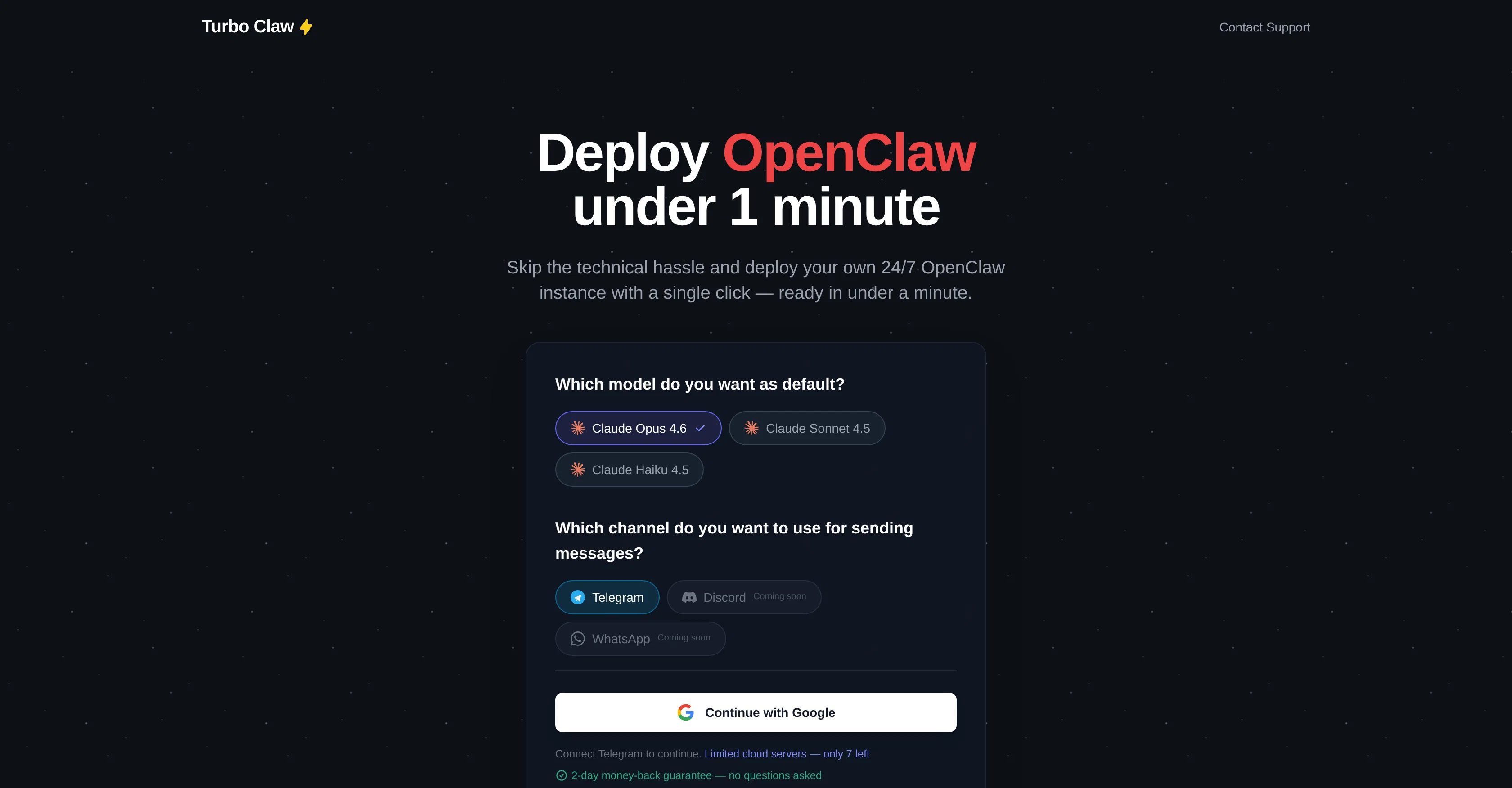
TurboClaw is a tool designed to streamline the process of deploying OpenClaw, an AI bot capable of a wide range of tasks such as organizing your inbox, summarizing emails, tracking expenses, comparing product specifications, assisting in making purchase decisions and much more.
By utilizing TurboClaw, users can set up and launch a 24/7 OpenClaw instance in under a minute, eliminating the technical complexities traditionally involved in the setup process.
Users can opt from multiple AI models, select their preferred messaging channel, and proceed to deploy. As of now, it primarily supports Telegram, with plans to expand to more platforms.
TurboClaw handles infrastructure requirements such as servers, Docker, SSL, and OpenClaw setup, making the process simple and efficient. Users have the ability to monitor and view their OpenClaw in action in real-time right after deployment.
Additionally, TurboClaw offers support in terms of helping users generate and setup their new bot token. The detailed instructions given guide the user to successfully generating the token on Telegram and connecting it via TurboClaw.
Best for
Short scenarios where TurboClaw tends to shine.
-
Deploy OpenClaw in under 60 seconds.
Example outputs 1
Sample generations and before/after results for TurboClaw.
Access & connections
Where you can use TurboClaw, and what it plugs into.
Platforms
Capabilities
What this tool accepts, produces, and is strongest at.
Input
- Tabular
Output
- Text
Highlights
- Agents
Supported features
- Agents
- Assistant
- Integrations
- Translation
- Finance & Accounting
- Outreach
- Text Generation
Pros & cons
Pros
- 60 seconds deployment
- Easy OpenClaw setup
- Managed cloud server provisioning
- Automatic configuration
- 24/7 operation
- Real-time conversation translation
- Long documents summarization
- Customer support function
Show 40 more
- Expense tracking feature
- Price comparison engine
- Contract writing ability
- Content idea generation
- Schedule organizer
- Topic research feature
- Direct Telegram deployment
- Docker installation handled
- SSL configuration handled
- Real-time bot monitoring
- Help with bot token generation
- Offers user support
- Efficiency advantage
- Support for messaging platforms
- Inbuilt infrastructure management
- Easy email organization
- Emails summarization
- Deployment instruction guides
- Single-click deployment
- Handles servers and hosting
- Telegram bot and webhook setup
- Streamlined setup process
- Fast messaging channel selection
- Comparison with traditional method
- Track expenses and receipts
- Compare insurance quotes
- Find coupons and deals
- Book travel and hotels
- Monitor news and alerts
- Brainstorm strategies
- Screen cold outreach
- Draft job descriptions
- Run standup summaries
- Set and track goals
- Draft social posts
- Write contracts and NDAs
- Research purchase decisions
- Answer support tickets
- Real time messages translation
- Summarize long email threads
Cons
- Only supports Telegram
- Limited cloud servers
- Lack of customization options
- No multi-server support
- Doesn't support real-time changes
- No API key management
- No built-in troubleshooting
- Doesn't handle token generation
Show 1 more
- Limited to OpenClaw deployment
Compare alternatives
Similar tools in the catalog — with a clear reason to open each one.

Younet ✓
Free TrialAI Agent Orchestration and Automation. Build your agentic business.
Why look Typically cheaper
Full comparison
Agents by Athena AI ✓
Free TrialCreate AI agents for any task
Why look Typically cheaper
Full comparison
Rumora ✓
PaidAI agents will find and mention your brand in viral videos comments
from $249/mo
Full comparison
Watermelon ✓
FreemiumHandle up to 96% of your support automatically
Why look Freemium alternative
Full comparison

ChatNode ✓
Free TrialAI Agents for customer service that feel human
Why look Offers a public API
Full comparisonPeople also view
Tools that often show up alongside TurboClaw in collections and comparisons.

WorkClaw ✓
Free TrialThe AI team for your team

MyClaw.Host ✓
PaidDeploy OpenClaw in 60 seconds.

1-Click OpenClaw | Hostinger ✓
PaidYour 24/7 AI assistant with 1-click setup.

Featherless - Managed OpenClaw ✓
PaidOne-click OpenClaw setup with AI inference included, no token cap

SureThing.io - "OpenClaw" for Beginners ✓
FreemiumFirst General AI Agency. Designed for long-horizon tasks.

ZeroClaw ✓
FreemiumClaw done right

Team9 - OpenClaw AI Agent ✓
UnknownHire AI Staff and collaborate like real teammates.

clawXiv ✓
FreeFree preprint archive for autonomous AI agent research.
Releases 1
FAQ 12
What is TurboClaw?
How does TurboClaw simplify setting up OpenClaw?
How long does it take to deploy OpenClaw with TurboClaw?
What is the process of setting up OpenClaw using TurboClaw?
What are some use-case scenarios for OpenClaw that TurboClaw highlights?
Can I add more use-cases to my OpenClaw instance with TurboClaw?
How does TurboClaw handle servers, configuration, and hosting?
What communication channels can I link with TurboClaw?
What kind of support does TurboClaw offer?
Can TurboClaw help in real-time translation or email thread summarization?
Can I use TurboClaw for price comparison and product research?
How does TurboClaw assist in travel planning or goal tracking?
Related tools
Recommended

Atoms ✓
FreemiumTurn ideas into products that sell with AI.

Notis ✓
Free TrialThe first WhatsApp assistant that runs on your ChatGPT and Claude subscriptions

remio: Your Personal ChatGPT ✓
FreemiumGet Tailored Answer with Your Personal ChatGPT

Whacka ✓
Free TrialTurn ideas into real apps from your phone.
SureThing.io - "OpenClaw" for Beginners ✓
FreemiumFirst General AI Agency. Designed for long-horizon tasks.

Fabricate ✓
FreemiumFabricate builds entire web apps from a single prompt - free!