

Triplo AI ✓
Unlock AI power for OS-wide productivity.
Trial; then from $4.24/mo
Verdict
A quick read before you dig into the full page.
- Best if
- Unlock AI power for OS-wide productivity
- Skip if
- Limited integration with other software
- Pick this when
- OS-wide productivity enhancement
Considering leania.ai instead? Compare side by side
Overview





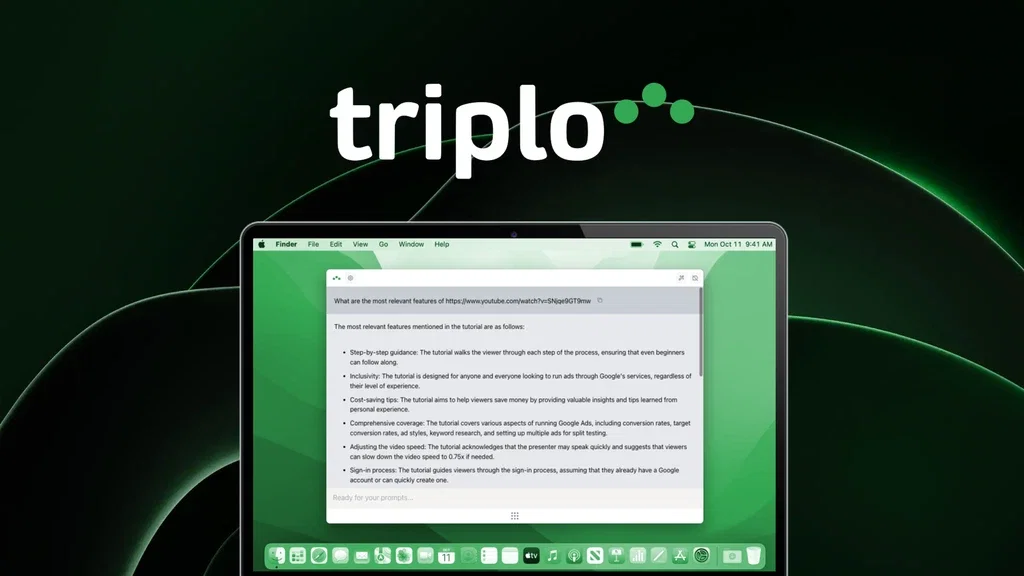
Triplo AI is an AI-powered productivity tool designed to enhance workflow efficiency. It is an all-in-one AI tool that helps users connect with AI capabilities directly from any window of their Operating System.
The tool aids in organizing workflow, generating insights, and making decisions faster. Triplo AI offers a variety of features, from real-time assistance to content generation.
Real-time assistance allows users to obtain insights, answers, or content from AI anytime and anywhere. The content generation feature helps in creating diverse content such as emails, articles, blog posts, and Social Media posts.
The tool also provides pre-defined AI prompts for easier and more effective operation. The AI can be trained with specific information to produce contextually accurate results.
Beta features include capabilities for automation and translations. Automation enables the collection of data from external APIs as well as content distribution to third-party platforms.
The translation feature supports numerous languages and dialects. Triplo AI can be accessed by simply pressing specific keys on your device, after which users can input requests and receive results ready for use.
The tool is practical for various users including students, researchers, writers, and business professionals.
Access & connections
Where you can use Triplo AI.
Platforms
Pros & cons
Pros
- OS-wide productivity enhancement
- Workflow organization
- Diverse content generation
- Email creation feature
- Social media post generator
- Contextually accurate results
- Automation capabilities
- External API integration
Show 33 more
- Content distribution to third-party
- Supports numerous languages
- Accessed via keyboard shortcuts
- Suitable for students
- Useful for researchers
- Ideal for writers
- Targeted for business professionals
- Generates blog posts
- Multilingual support
- Easily accessible on any OS
- Advanced translation features
- Context-aware translations
- Insights and content generation
- Web scraping feature
- Custom SmartPrompts
- Range of subscription plans
- Option to Bring Your Own Key
- Automations and translations beta features
- Free trial available
- Supports cross-platform (Windows, Mac, Linux)
- Available on iOS and Android
- Regular product updates
- Email support and tutorials available
- Ensures data security and privacy
- Works with ARM/M1/M2 Macs
- Accessible on Chromebooks
- Generates ideas, explanations, FAQs
- Risk-free trial without credit card
- Does not store PII data or tokens
- Generates code snippets
- Interactive on any text field
- No keystrokes monitoring
- Consulting for Google Sheets formulas
Cons
- Limits on tokens/month
- Inactive tokens cannot rollover
- Limited historical data access
- Reliance on specific key presses
- Possibility of inaccurate translations
- Not all features in full release
- Premium features at higher cost
- Constantly evolving product
Show 1 more
- Limited integration with other software
Compare alternatives
Similar tools in the catalog — with a clear reason to open each one.

leania.ai ✓
Free TrialMRI scan for Businesses: Find What to Cut, Replace, Automate with AI
Free + from $29.99/mo
Full comparison

Tecmate ✓
FreemiumAI recommendations for digital transformation workflows.
Why look Higher community rating
Full comparison
CollaborativeAI ✓
UnknownOpen source AI assistant platform for seamless collaboration
Why look More privacy-focused
Full comparisonReleases 1
FAQ 12
What is Triplo AI?
How does the real-time assistance feature in Triplo AI work?
Can Triplo AI help generate content for my blog?
Is Triplo AI capable of automatically collecting data from external APIs?
Can Triplo AI distribute content to third-party platforms?
What languages does the translation feature of Triplo AI support?
How can I access the Triplo AI tool?
What type of content can Triplo AI generate?
Can Triplo AI be trained with my specific information?
What are the beta features in Triplo AI?
Which Operating Systems is Triplo AI compatible with?
Is Triplo AI suitable for students?
Related tools
Recommended

Flexclip ✓
FreemiumCreate stunning videos effortlessly online.

ZeroWork ✓
Free TrialAutomate tasks with AI-powered TaskBots

Vocable ✓
Free TrialAI-powered content marketing automation

LearningStudioAI ✓
Free TrialAI-powered authoring tool for effortless online course creation.

VenturusAI ✓
FreemiumBusiness idea analysis and reporting.

GPTExcel ✓
FreemiumGenerate spreadsheet formulas with AI