

Traycer ✓
AI coding assistant that works on large codebases.
Free + from $10/mo
Verdict
A quick read before you dig into the full page.
- Best if
- You are developers and need: Adding new sections to application settings, such as 'Accessibility' or 'Time & Locale', including UI, local persistence, and…
- Skip if
- Requires large codebases
- Pick this when
- Effective with large codebases
Considering Cursor instead? Compare side by side
Overview




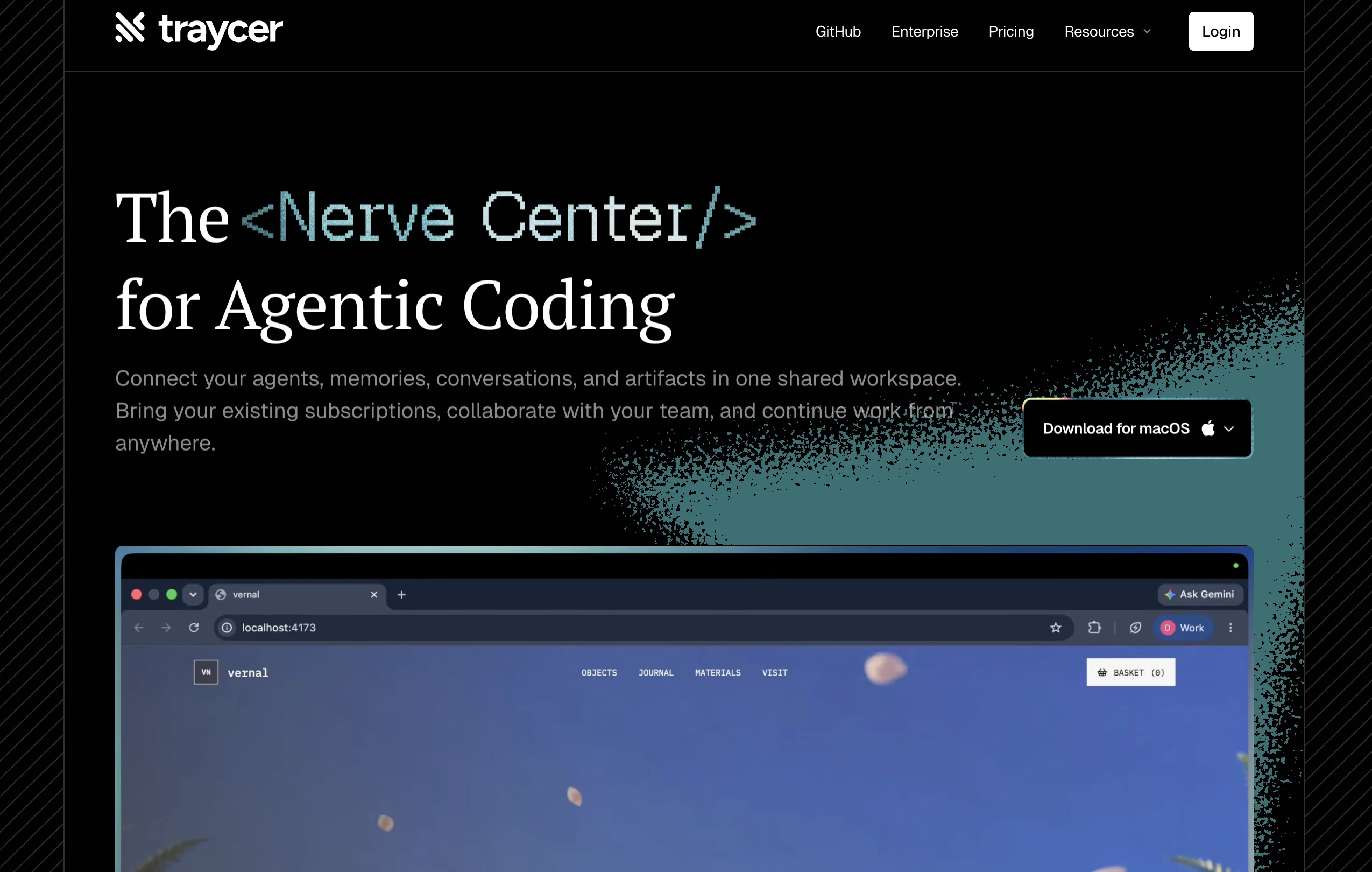
Traycer is a sophisticated AI-powered coding assistant, designed to make coding AI agents more effective. It is particularly adept at working with large codebases and is purportedly recognized and trusted by engineers.
One of Traycers core features is its innovative approach to project planning. For each task, Traycer begins with a comprehensive and action-oriented plan, thus allowing users to iterate with AI, focusing on ideas rather than deciphering cryptic code differences.
In addition to effective planning, the Traycer tool also offers a feature called 'Parallel Agents', enabling users to initiate multiple planners simultaneously to maximize productivity.
Another standout trait is Traycer's emphasis on iterative perfection. This involves making precise updates to the plan, allowing Traycer to maintain a coherent plan artifact that stays grounded in the actual codebase.
With the click of a button, users can initiate the generation of code from their preferred AI agent, such as Cursor, Claude Code, or Windsurf once they are satisfied with the plan.
While avoiding any specific metrics due to their fluid nature, user testimonials suggest that Traycer can significantly enhance productivity and speed up development times for complex tasks.
Best for
Short scenarios where Traycer tends to shine.
-
Adding new sections to application settings, such as 'Accessibility' or 'Time & Locale', including UI, local persistence, and live preview.
Best for Developers
-
Implementing new navigation components like a top bar with links to settings and home pages.
Best for Engineers (Senior, Fullstack)
-
Integrating timing constants and adjusting window dimensions for game development.
Best for Heads of Engineering
-
Deploying complex features like a search feature with filters in a React app without writing manual code.
Best for CTOs
-
Streamlining workflow for tasks estimated to take days into a few hours.
Best for Non-technical Founders
Example outputs 1
Sample generations and before/after results for Traycer.
Access & connections
Where you can use Traycer, and what it plugs into.
Platforms
Integrations
Capabilities
What this tool accepts, produces, and is strongest at.
Input
- Code
Output
- Code
Pros & cons
Pros
- Effective with large codebases
- Specialized project planning
- Comprehensive, action-oriented task plans
- Promotes idea focus
- Offers 'Parallel Agents' feature
- Maximizes productivity
- Adheres to iterative perfection
- Accurate plan updates
Show 12 more
- Maintains coherent plan artifacts
- In-sync with actual codebase
- Generates code with one click
- Enhances speed of development
- User-friendly interface
- Can shorten complex tasks'
- Facilitates planning then coding
- Ideal for complex tasks
- Guardrails for quality control
- Capable for technical applications
- Aids in directory management
- Aids in setting up external services
Cons
- Requires large codebases
- Planning focus may hinder
- Possibly overcomplicated
- Dependent on user point-of-satisfaction
- Less ideal for simpler tasks
- No specified metrics
- Potential information overload
Compare alternatives
Similar tools in the catalog — with a clear reason to open each one.

OnSpace.AI - No Code App Builder ✓
FreemiumBuild Apps with AI, No Code
Free + from $20/mo
Full comparison
Github Copilot ✓
FreemiumAI-powered coding assistant for faster development
Free + from $10/mo
Full comparison
CodingFleet ✓
FreemiumAI wizard transforms instructions into code snippets.
Why look Typically cheaper
Full comparisonPeople also view
Tools that often show up alongside Traycer in collections and comparisons.

Programming Helper ✓
UnknownGenerate code from text descriptions instantly.
OnSpace.AI - No Code App Builder ✓
FreemiumBuild Apps with AI, No Code

Kilo Code ✓
Free TrialAI-powered coding assistant for VS Code
Github Copilot ✓
FreemiumAI-powered coding assistant for faster development

Cursor ✓
FreemiumAI-powered IDE for faster coding
CodingFleet ✓
FreemiumAI wizard transforms instructions into code snippets.

Rift-code ✓
Free TrialStop reading code. Start seeing it.

Junie by JetBrains ✓
FreemiumStop switching tools. Start shipping.
Releases 1
Imported reviews 1
Traycer is so goddamn amazing, It gives an amazing plan which I can then simply feed into my Cursor, and then boom, I vibecode so easily. I've been using it for over 3 weeks now and its more than value for money Do not buy Cursor Alone, I'm building my startup with $20 Cursor Pro $25 Traycer Pro subscription
FAQ 12
What is Traycer?
How does Traycer make coding AI agents more effective?
Can Traycer work with large codebases?
Why do engineers trust Traycer?
Can Traycer be used for project planning?
What are Traycer's Parallel Agents?
How does Traycer promote productivity?
What is Iterative Perfection in Traycer?
How does Traycer handle code generation?
Does Traycer work with AI agents like Cursor and Claude Code?
Does Traycer improve development speed?
What is the specific use of Traycer in complex tasks?
Related tools
Recommended

Autocoder.cc ✓
Free TrialAll-in-One Code Automation: Ul. Backend. Database & More

TheLibrarian.io ✓
Free TrialYour WhatsApp AI assistant for instant productivity.

PrompTessor ✓
FreemiumAI Prompt Workspace for Better AI Results

Base44 ✓
FreemiumLet’s make your dream a reality. Right now.

biela.dev ✓
Free TrialIf you can imagine it, Biela can code it!

OnSpace.AI - AI Mobile App Builder ✓
FreemiumAI Generate iOS & Android Apps, No Code