
Short dramas 2026 Rank: #1572
Topview Drama Studio ✓
Turn any story idea into a short drama video.
Verdict
A quick read before you dig into the full page.
- Best if
- Turn any story idea into a short drama video
- Skip if
- Limited textual input formats
- Pick this when
- Creates short drama videos
Considering Aniv AI instead? Compare side by side
Overview
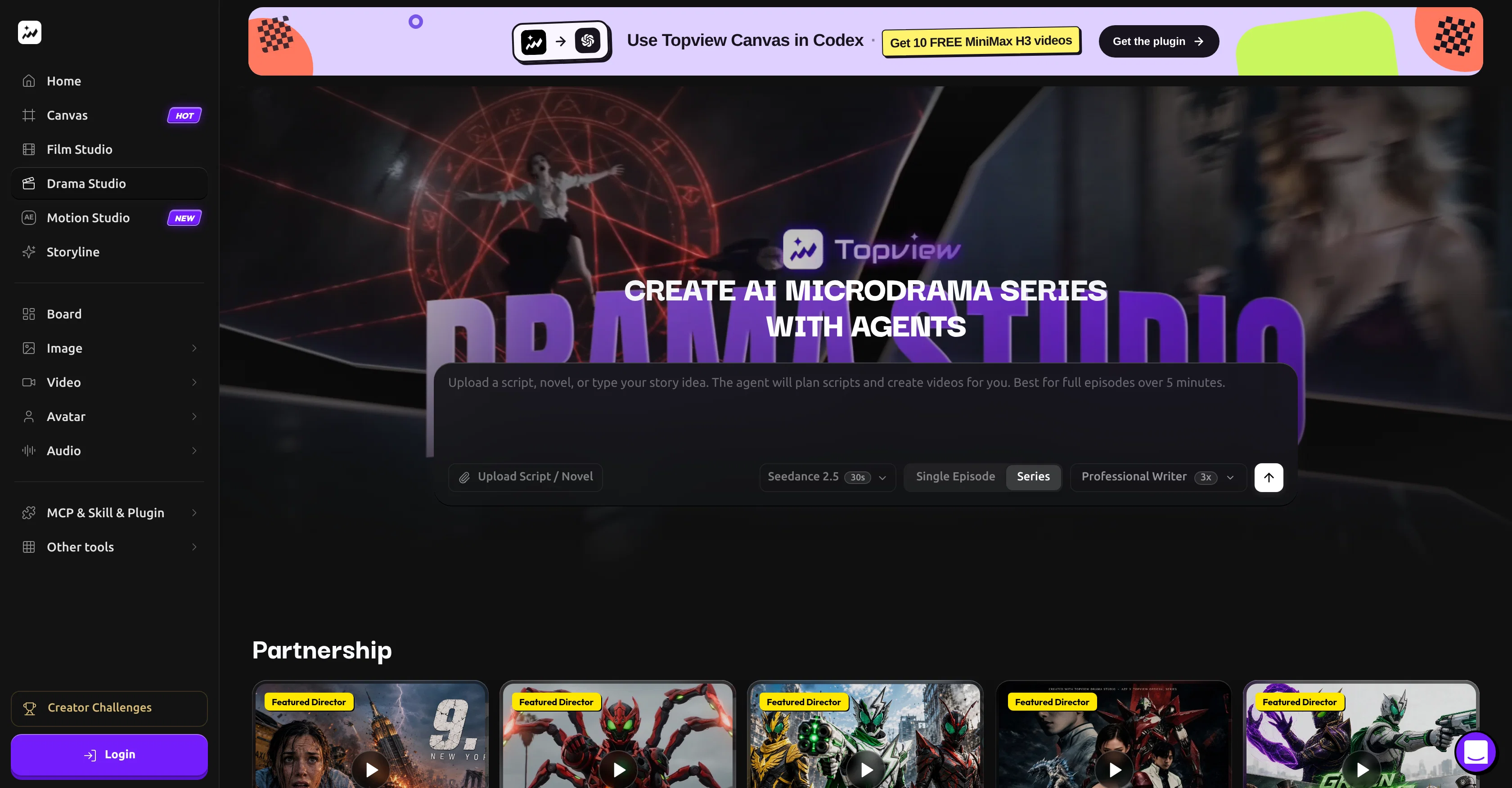
Topview Drama Studio is an AI tool that facilitates the creation of short and micro dramas using text-based inputs such as scripts, novels, or story ideas.
The tool enables the generation of scripts, characters, storyboards, voiceovers, subtitles, and vertical drama videos. The platform simplifies the process of dramatizing a story, allowing you to start with a single-line idea or a complete novel, and providing structured output including scene breakdowns, dialogue, voiceovers, captions, and AI-generated video scenes.
The tool is equipped with a Drama Studio AI agent alongside a structured workbench. Its AI agent assists in clarifying the story direction, adaptation choices, and next production tasks, while the workbench serves as storage for editable outlines, characters, locations, props, scripts, episodes, and beat sheets.
The Drama Studio also incorporates an editable outline and script feature, which includes scene details, dialogues, and production-ready scripts, as well as character, location, and prop records that can be reused across a replication of story beats and generated versions.
Furthermore, the platform provides a storyboard and an asset workflow that converts scene ideas into multi-panel storyboard images. To ensure user-friendliness, the tool includes a beat-to-video production workspace with prompt editing, reference assets, generated video versions, continuation, post-processing, and export functions.
Built for a range of users including solo creators, writers, content teams, social media creators, and creative studios, it distinguishes itself from generic AI video tools by offering a unique, seamless, and comprehensive workflow from idea or script to final video production.
Access & connections
Where you can use Topview Drama Studio.
Platforms
Capabilities
What this tool accepts, produces, and is strongest at.
Input
- Text
- Structured data
Output
- Video
Pros & cons
Pros
- Creates short drama videos
- Generates scripts and characters
- Provides storyboards and voiceovers
- Generates subtitles and vertical dramas
- Clarifies story direction
- Assists in adaptation choices
- Provides structured workbench storage
- Offers editable outlines and scripts
Show 41 more
- Replicates story beats and versions
- Converts scene ideas into storyboards
- Includes beat-to-video production workspace
- Offers prompt editing and reference assets
- Customizable characters and locations
- Supports both pre-production and post-production
- Built for diverse user base
- Generates multi-panel storyboard images
- Facilitates text to video transition
- Helps in character creation and setup
- Manages location and prop records
- Has script adaptation capabilities
- Creates short and micro dramas
- Ensures visual continuity
- Maintains pacing and structure
- Includes auto captions for videos
- Built for serialized content
- Supports emotional and conflict-driven videos
- Provides storyboard-based drama generation
- Supports Musical Content Producers
- Scriptwriting and dramatization
- Story beats and preparation
- Story idea to video production
- Storage for scripts and episodes
- Post-processing and export functions
- Supports episodic planning and breakdowns
- Capable of prototyping drama concepts
- Allows novel and story adaptation
- Creativity and plot development
- Storyboard and panel designing
- Scene description and setting
- Automatic beat sheet creation
- Social media content production
- Customizable story development stages
- Supports solo and team creators
- Assists in story visualization
- Facilitates audio asset generation
- Supports vertical drama video creation
- Automated dialogue generation
- Includes prompt editing features
- Scene-by-scene pacing control
Cons
- Lacks mobile optimization
- Limited language support
- Can't import existing storyboards
- No real-time collaboration
- No offline capabilities
- Limited pre-production tools
- No video editing
- Lacks multi-user support
Show 2 more
- No multi-platform sharing
- Limited textual input formats
Compare alternatives
Similar tools in the catalog — with a clear reason to open each one.

Aniv AI ✓
FreemiumTurn story ideas into short dramas with an AI-powered, end-to-end production workflow.
Why look Typically cheaper
Full comparison
Dramily - AI Short Drama Generator ✓
PaidAll-in-One Al Short Drama Platform, From Spark to Hit Series.
from $49.00/mo
Full comparison



Releases 1
FAQ 12
What is Topview Drama Studio?
How does the AI agent within Topview Drama Studio assist me?
What is the function of the structured workbench in Topview Drama Studio?
Can Topview Drama Studio help with script adaptation?
What does the editable outline and script feature include?
How does the storyboard and asset workflow function?
Who is the target audience of Topview Drama Studio?
In what ways is Topview Drama Studio different from generic AI video tools?
How does Topview Drama Studio facilitate the creation of short and micro dramas?
Can I use a novel or a single-line idea as a starting point in Topview Drama Studio?
What kind of output does Topview Drama Studio provide?
Can I edit outlines, characters, locations, props, and scripts within Topview Drama Studio?
Related tools
Recommended

UniMusic AI ✓
Free TrialCreate professional music in seconds with AI.

SkillDrift ✓
FreemiumNames your skill gaps, closes them, scores every job out of 100.

Backlog.cloud ✓
Free TrialYour meeting ends. The work is ready.

MagicSlides.app AI PPT Maker ✓
FreemiumCreate Stunning PPTs in Seconds with the AI PPT Maker

GetLogit ✓
FreemiumArtificial intelligence, available for everyone.

ChatGPT ✓
FreemiumAsk anything, create anything, and move from idea to action.