

Teaching 2026 Rank: #2836
TeachQuill ✓
AI tools that save teacher prep time.
Verdict
A quick read before you dig into the full page.
- Best if
- AI tools that save teacher prep time
- Skip if
- Limited subject coverage
- Pick this when
- Creates lesson plans
Considering IRL PLAYground instead? Compare side by side
Overview
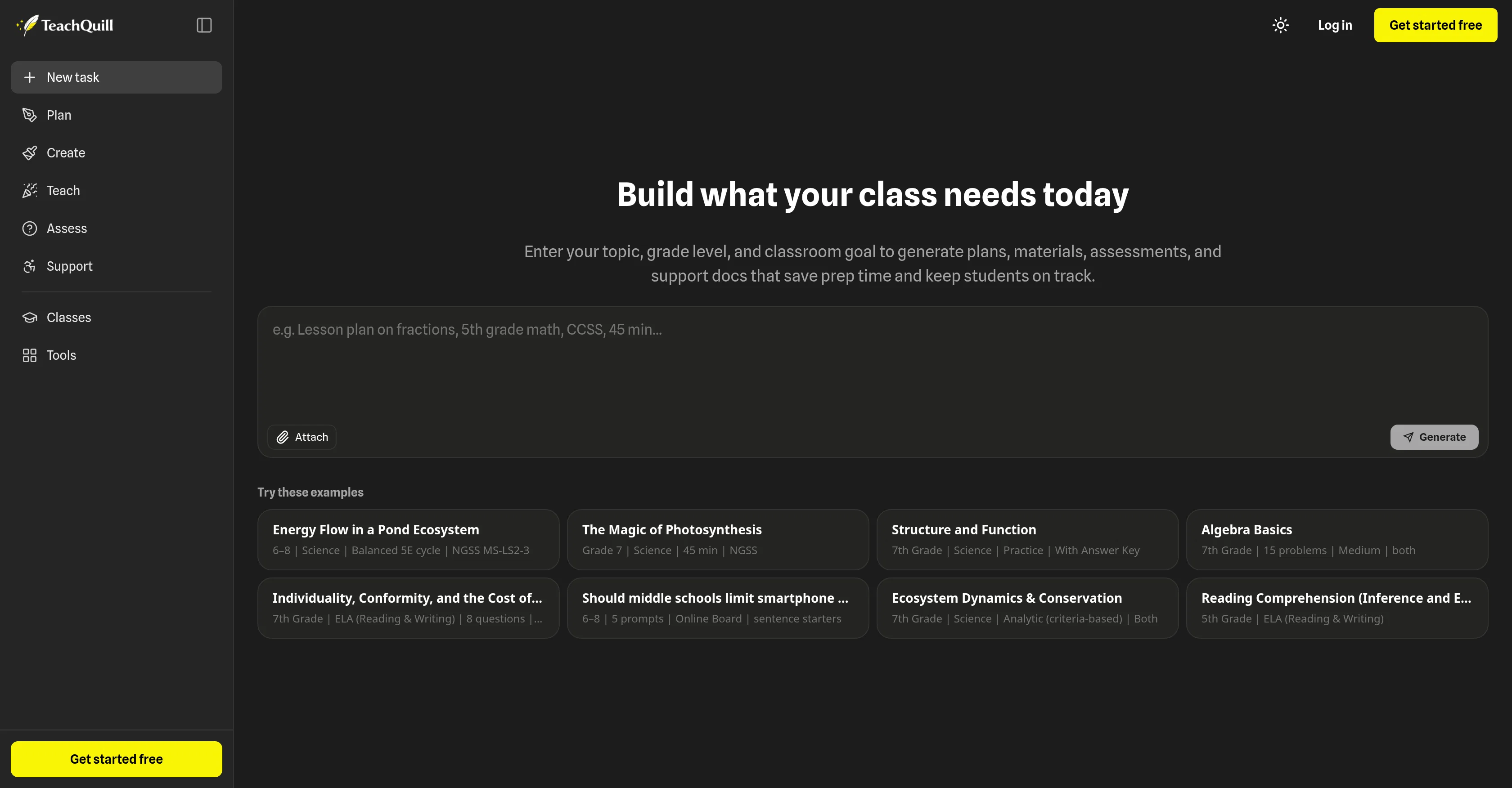
TeachQuill is an artificial intelligence (AI)-enabled tool for educators, designed to greatly enhance productivity. The tool supports teaching staff in creating lesson plans, worksheets, quizzes, rubrics, and feedback.
By entering the topic, grade level, and classroom goals, educators are able to generate plans, materials, assessments, and supporting documents. This helps to reduce preparation time and keep students on track.
TeachQuill offers a variety of toolsets, organized in stages, to assist teachers throughout different phases of delivering classes. It comprises planning tools (like lesson plan generators), creation tools (like worksheet and quiz generators), teaching facilitators (such as game generators), assessment tools including rubric and feedback generators, and support tools for individual education plans.
These assist teachers in creating customized, standards-aligned drafts and resources, ready to be used in the classroom in a matter of seconds. The tool is also designed for flexibility, accomodating a diverse range of subjects across various grade levels.
The finalized teaching materials cab be exported to numerous formats such as PDF and Google Docs, making it a versatile solution for diverse teaching requirements.
Access & connections
Where you can use TeachQuill.
Platforms
Capabilities
What this tool accepts, produces, and is strongest at.
Input
- Tabular
- Text
Output
- Tabular
- Text
Supported features
- Education
- Docs
- Writing
- Assistant
Pros & cons
Pros
- Creates lesson plans
- Generates quizzes
- Supports creating rubrics
- Provides IEP and SPED support
- Generates class materials
- Generates assessments
- Customize lessons according to grade
- Classroom management support
Show 43 more
- Creates customized teaching planners
- Generates differentiated worksheets
- Generates different questions types
- Create visually engaging teaching materials
- Creates specialized support materials
- Efficient parent communication material creation
- Implementation across all grade levels
- Generates curriculum maps
- Creates syllabi
- Generates sub plans
- Generates flashcards
- Generates slides
- Generates graphic organizers
- Generates various game types
- Generates multiple assessment tools
- Creates tailored lesson goals
- Generates social stories
- Produces visual schedules
- Supports differentiation
- Generates 504 school plans
- Generates essay feedback
- Generates rubrics
- Generates daily school plans
- Provides teaching facilitators
- Generates debate topics
- Generates review games
- Generates logic puzzles
- Generates unit plans
- Generates practice quizzes
- Generates exit tickets
- Generates report card comments
- Generates curriculum maps
- Generates class slides
- Generates differentiated instruction
- Generates flashcards
- Generates syllabuses
- Generates study gap analyzers
- Generates choice boards
- Generates math worksheets
- Generates parent emails
- Generates icebreakers
- Generates learning objectives
- Generates behavior charts
Cons
- Lacks offline functionality
- Limited customization options
- Lack of integrations
- No mobile application
- No multi-language support
- No user community for support
- No option for bulk uploads
- Limited file export formats
Show 2 more
- Limited subject coverage
- No inbuilt student management system
Compare alternatives
Similar tools in the catalog — with a clear reason to open each one.

IRL PLAYground ✓
FreemiumYour Early Learning AI Co-Teacher. Calm, Creative, and (Finally) Useful.
Why look Typically cheaper
Full comparison

Learnt ✓
FreemiumAI-powered tools for education professionals.
Why look Typically cheaper
Full comparison
Teachology ✓
Free TrialAI-powered lesson planning for educators
Why look Typically cheaper
Full comparison
TeacherMatic ✓
FreemiumAI-powered assistant to revolutionize teaching and reduce workload
Why look Typically cheaper
Full comparison
Fobizz ✓
FreeAI-powered digital tools for schools, made simple and secure.
Why look Fully free option
Full comparisonReleases 1
FAQ 12
What is TeachQuill?
How does TeachQuill assist in lesson planning?
Can TeachQuill facilitate the creation of student assessments?
What grade levels does TeachQuill cater to?
Can TeachQuill assist with special education plans and resources?
What types of teaching materials can be created with TeachQuill?
How does TeachQuill aid in classroom planning?
Are there any tools in TeachQuill to aid parent communication?
Can Teachquill generate differentiated worksheets and quizzes?
How does TeachQuill support personalized learning?
Can TeachQuill be used to create materials for different subjects?
What is the process to create a lesson plan with TeachQuill?
Related tools
Recommended

Mind Map Wizard ✓
FreemiumGenerate mind maps with AI: free, no sign-up, no ads

Moments ✓
FreemiumDeepen relationships with thoughtful, timely gestures.

AppDeploy ✓
FreeDeploy real apps directly from ChatGPT or Claude

WriteABookAI ✓
PaidThe AI-Native Book Writing Platform

Movie Maker Create ✓
FreeGenerate watermark-free AI videos with your xAI key

esotericAI ✓
FreemiumAI-powered tarot readings for your spiritual journey.