Writing assistant

Superinbox

AI email assistant for drafting replies and organizing inboxes.

Source rating 5.0 (65) 0 views 0 saves Paid
More categories (7)

Verdict

A quick read before you dig into the full page.

Best if
AI email assistant for drafting replies and organizing inboxes
Skip if
You need a free plan with no credit card
Pick this when
Paid · From $25 / month

Overview

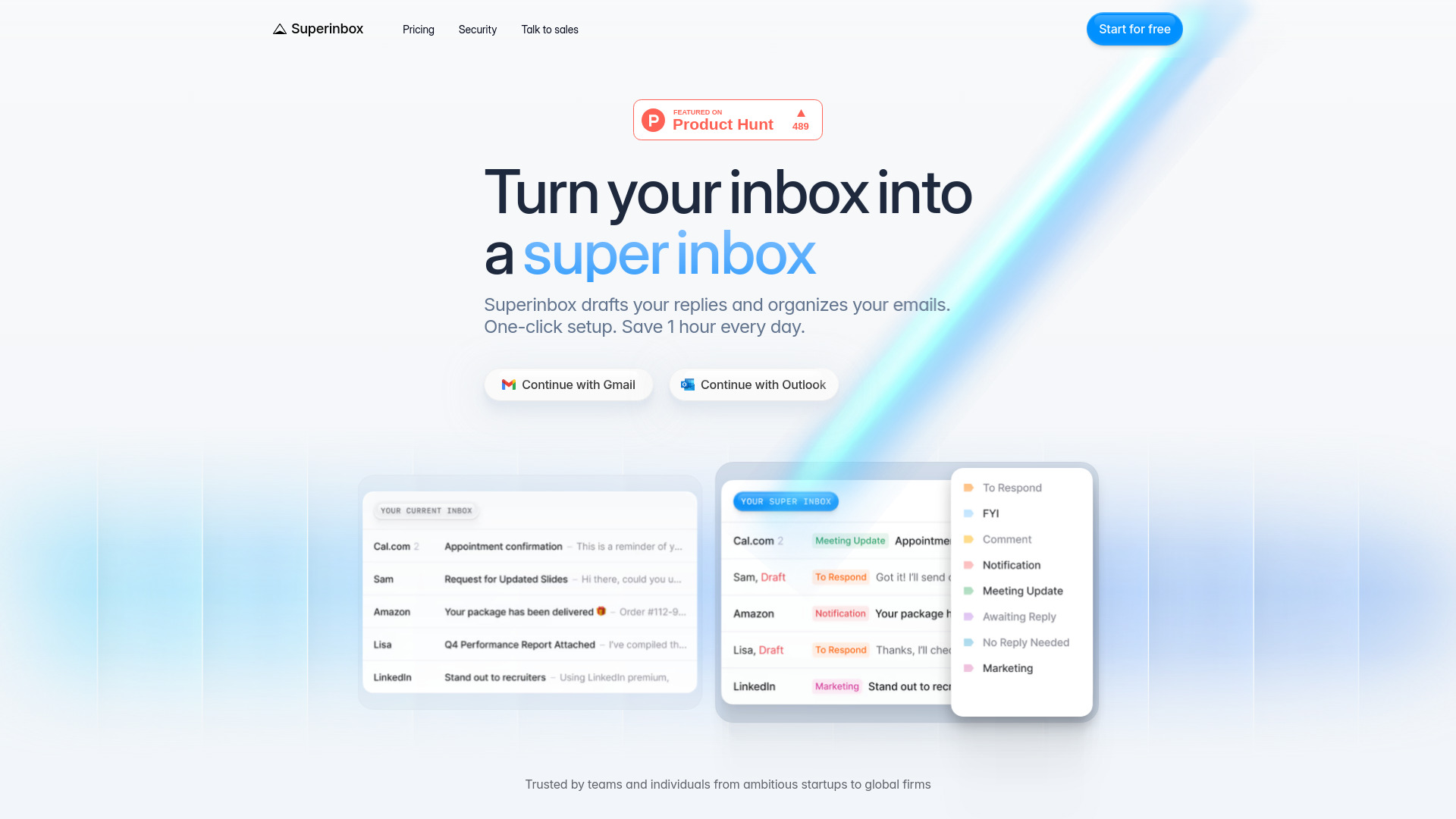
SuperInbox is an AI-powered email assistant designed to enhance email productivity for everyone. It learns your unique writing style to draft perfect email replies and automatically organizes your Gmail/Outlook inbox. Operating directly within your existing email client (web, desktop, mobile), it requires no new app or interface to learn. Busy professionals can save 2+ hours daily by effortlessly managing their emails. SuperInbox provides context-aware drafts by leveraging email history and uploaded documents, adapts to your tone, and integrates with your calendar for seamless scheduling. It also sorts emails into categories based on your rules, ensuring an organized inbox. The service is enterprise-safe and secure, being CASA Tier 2 Certified and a Google & Microsoft Partner, with a strict policy of not storing any email data after real-time processing.

Superinbox screenshot

Access & connections

Where you can use Superinbox, and what it plugs into.

Platforms

Web

Integrations

Capabilities

What this tool accepts, produces, and is strongest at.

Highlights

  • AI drafts email replies in your writing style
  • Auto-organizes Gmail/Outlook inbox with categories
  • Works inside Gmail & Outlook (web, desktop, mobile)
  • Context-aware drafting using email history and uploaded documents
  • Calendar-integrated scheduling for drafts

FAQ 6

What is Superinbox?
SuperInbox is an AI-powered email assistant designed to enhance email productivity for everyone. It learns your unique writing style to draft perfect email replies and automatically organizes your Gmail/Outlook inbox. Operating directly within your existing email client (web, desktop, mobile), it requires no new app or interface to learn. Busy professionals can save 2+ hours daily by effortlessly managing their emails. SuperInbox provides context-aware drafts by leveraging email history and uploaded documents, adapts to your tone, and integrates with your calendar for seamless scheduling. It also sorts emails into categories based on your rules, ensuring an organized inbox. The service is enterprise-safe and secure, being CASA Tier 2 Certified and a Google & Microsoft Partner, with a strict policy of not storing any email data after real-time processing.
How to use Superinbox?
SuperInbox integrates directly with your existing Gmail and Outlook accounts through a one-click setup. Once connected, the AI automatically categorizes incoming emails and prepares draft replies in your personal writing style. Users can define their own rules for email organization and utilize features like calendar integration for scheduling directly within drafts.
How does Superinbox work with Gmail and Outlook?
Superinbox is officially authorized and integrated with Google and Microsoft, working directly inside Gmail & Outlook (web, desktop, mobile) without needing a new app or interface.
Do I need to install anything or change my email client?
No, Superinbox works inside your existing Gmail & Outlook (web, desktop, mobile) without requiring a new app or interface to learn. It's a one-click setup.
How does Superinbox learn my writing style and tone?
Superinbox adapts to each conversation, matching the exact tone you'd use with every recipient. It leverages your email history and uploaded documents to write perfectly coherent drafts in your voice.
Is my data safe with Superinbox?
Yes, Superinbox is enterprise safe and secure, CASA Tier 2 Certified, and a Google & Microsoft Partner. Emails are analyzed in real time and never stored; nothing is kept after processing.
Superinbox From $25 / month