Verdict

A quick read before you dig into the full page.

Best if
You are financial analysts and need: Monitor HubSpot sales pipeline performance, track conversion rates, and generate executive summaries
Skip if
You need enterprise SLAs or a fully managed team plan right away
Pick this when
Freemium · Free + from $19 / mo

Overview

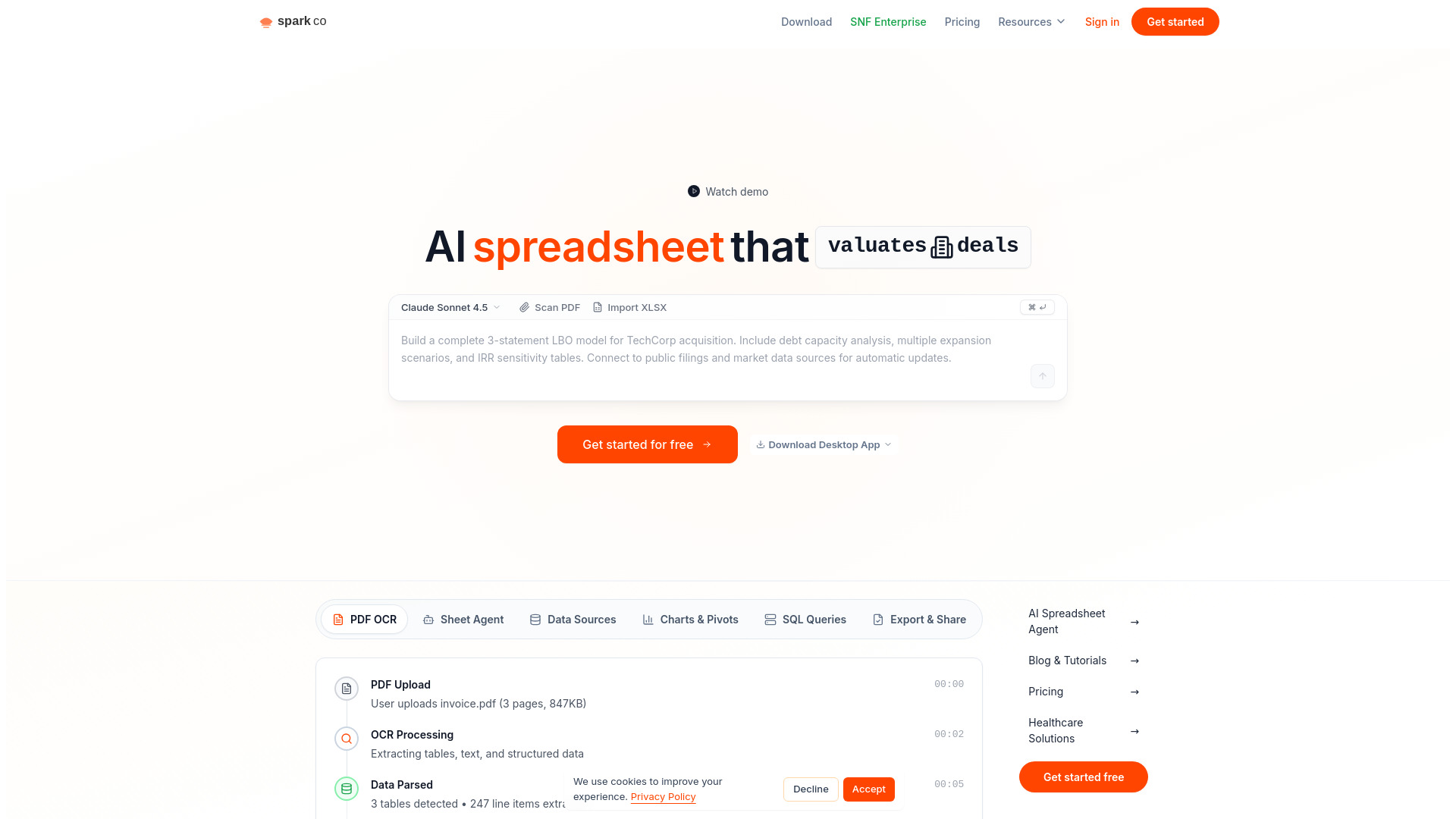
Sparkco AI Spreadsheet Agent transforms natural language into powerful spreadsheets instantly. It connects data from various sources like Stripe, QuickBooks, PointClickCare, and Epic, allowing users to build charts, pivot tables, and live formulas in seconds. The platform is HIPAA compliant with Business Associate Agreements (BAA) available for healthcare customers. It features smart context to remember conversations, goals, and data sources, and offers over 50 AI tools for formatting, data validation, web search, financial APIs, and SQL queries, all executing automatically. It also supports PDF OCR and direct database synchronization with PostgreSQL, MySQL, and Supabase.

Sparkco AI Sheets screenshot

Best for

Short scenarios where Sparkco AI Sheets tends to shine.

  • Monitor HubSpot sales pipeline performance, track conversion rates, and generate executive summaries.

    Best for Financial analysts

  • Automate financial reporting by pulling revenue from Stripe, expenses from QuickBooks, and pipeline data from HubSpot to generate MRR dashboards, churn analysis, and investor reports.

    Best for Healthcare data analysts

  • Perform healthcare data analysis by integrating with EHR/EMR systems like PointClickCare and Epic to pull patient medication data, calculate per-resident P&L, and analyze reimbursements.

    Best for Business intelligence professionals

  • Convert uploaded invoices (PDFs) into structured spreadsheet data with formulas applied automatically.

    Best for Sales managers

  • Query databases like PostgreSQL, MySQL, and Supabase using natural language to populate spreadsheets with live data.

    Best for Marketing professionals

Example outputs 1

Sample generations and before/after results for Sparkco AI Sheets.

Access & connections

Where you can use Sparkco AI Sheets, and what it plugs into.

Platforms

Web

Capabilities

What this tool accepts, produces, and is strongest at.

Highlights

  • Natural language to spreadsheet generation
  • Live formulas, charts, and pivot tables
  • Automated data integration (Stripe, QuickBooks, Epic, HubSpot, SQL databases, etc.)
  • PDF OCR and data extraction
  • Smart Context (AI remembers goals, data sources, tasks)
  • 50+ AI Tools (formatting, data validation, web search, financial APIs, SQL queries)
  • HIPAA compliance with BAA available
  • Automated data synchronization
Show 1 more
  • Export to Excel, CSV, or Google Sheets

People also view

Tools that often show up alongside Sparkco AI Sheets in collections and comparisons.

FAQ 12

What is Sparkco AI Spreadsheet Agent?
Sparkco AI Spreadsheet Agent transforms natural language into powerful spreadsheets instantly. It connects data from various sources like Stripe, QuickBooks, PointClickCare, and Epic, allowing users to build charts, pivot tables, and live formulas in seconds. The platform is HIPAA compliant with Business Associate Agreements (BAA) available for healthcare customers. It features smart context to remember conversations, goals, and data sources, and offers over 50 AI tools for formatting, data validation, web search, financial APIs, and SQL queries, all executing automatically. It also supports PDF OCR and direct database synchronization with PostgreSQL, MySQL, and Supabase.
How to use Sparkco AI Spreadsheet Agent?
Simply type what you need in natural language, such as 'sum closed-won revenue' or 'create a pivot table for Q4 sales'. The AI instantly generates spreadsheets with live formulas, charts, and pivot tables. You can also upload PDFs, import XLSX files, or connect directly to databases like PostgreSQL, MySQL, and Supabase, and query them using natural language.
How does the AI spreadsheet agent work?
Simply type what you need in natural language, like 'sum closed-won revenue' or 'create a pivot table for Q4 sales'. The AI instantly generates spreadsheets with live formulas, charts, and pivot tables. No manual formula writing required.
What data sources can I connect?
Connect to Stripe, QuickBooks, NetSuite, Chargebee, HubSpot for financial data. For healthcare, integrate with PointClickCare, WellSky, Epic, Cerner, and Athenahealth. Data syncs automatically on your schedule. You can also connect PostgreSQL, MySQL, and Supabase databases.
Is Sparkco HIPAA compliant?
Yes, Sparkco is fully HIPAA compliant with Business Associate Agreements (BAA) available for healthcare customers. All patient data is encrypted in transit and at rest, with comprehensive audit logs.
Do I need to know Excel formulas?
No. Just describe what you want in plain English. The AI generates SUMIFS, XLOOKUP, pivot tables, and complex formulas automatically. You can review and modify the formulas if needed.
How is this different from Excel or Google Sheets?
Unlike traditional spreadsheets, Sparkco uses AI to understand your intent and build complete analyses from natural language. It auto-syncs data from your business systems, generates live formulas, and updates automatically—no manual data entry or formula debugging.
Can I use this for financial reporting?
Absolutely. Sparkco excels at financial reporting—automatically pull revenue from Stripe, expenses from QuickBooks, and pipeline data from HubSpot. Generate MRR dashboards, churn analysis, and investor reports in seconds.
What about healthcare data analysis?
Sparkco integrates with major EHR/EMR systems like PointClickCare and Epic. Pull patient medication data, calculate per-resident P&L, track census data, and analyze reimbursements—all with HIPAA compliance and BAA coverage.
Is there a free trial?
Yes, get started for free with no credit card required. Free tier includes core features, AI formula generation, and basic integrations. Upgrade anytime for advanced features and unlimited data sources.
How fast does data sync?
Real-time for most integrations. Financial APIs like Stripe sync within seconds. EHR systems typically sync every 15 minutes. You can also trigger manual refreshes or set custom schedules.
Can I export my spreadsheets?
Yes, export to Excel (.xlsx), CSV, or Google Sheets format. All formulas, formatting, and charts are preserved. You can also share live links that auto-update as your data changes.
Sparkco AI Sheets Free + from $19 / mo
