
Smart Typer ✓
The ultimate keyboard app for all your writing needs
Verdict
A quick read before you dig into the full page.
- Best if
- You are social media managers and need: Composing emails
- Skip if
- Lacks QWERTY layout
- Pick this when
- Built-in prompt templates
Considering FlowPost instead? Compare side by side
Overview
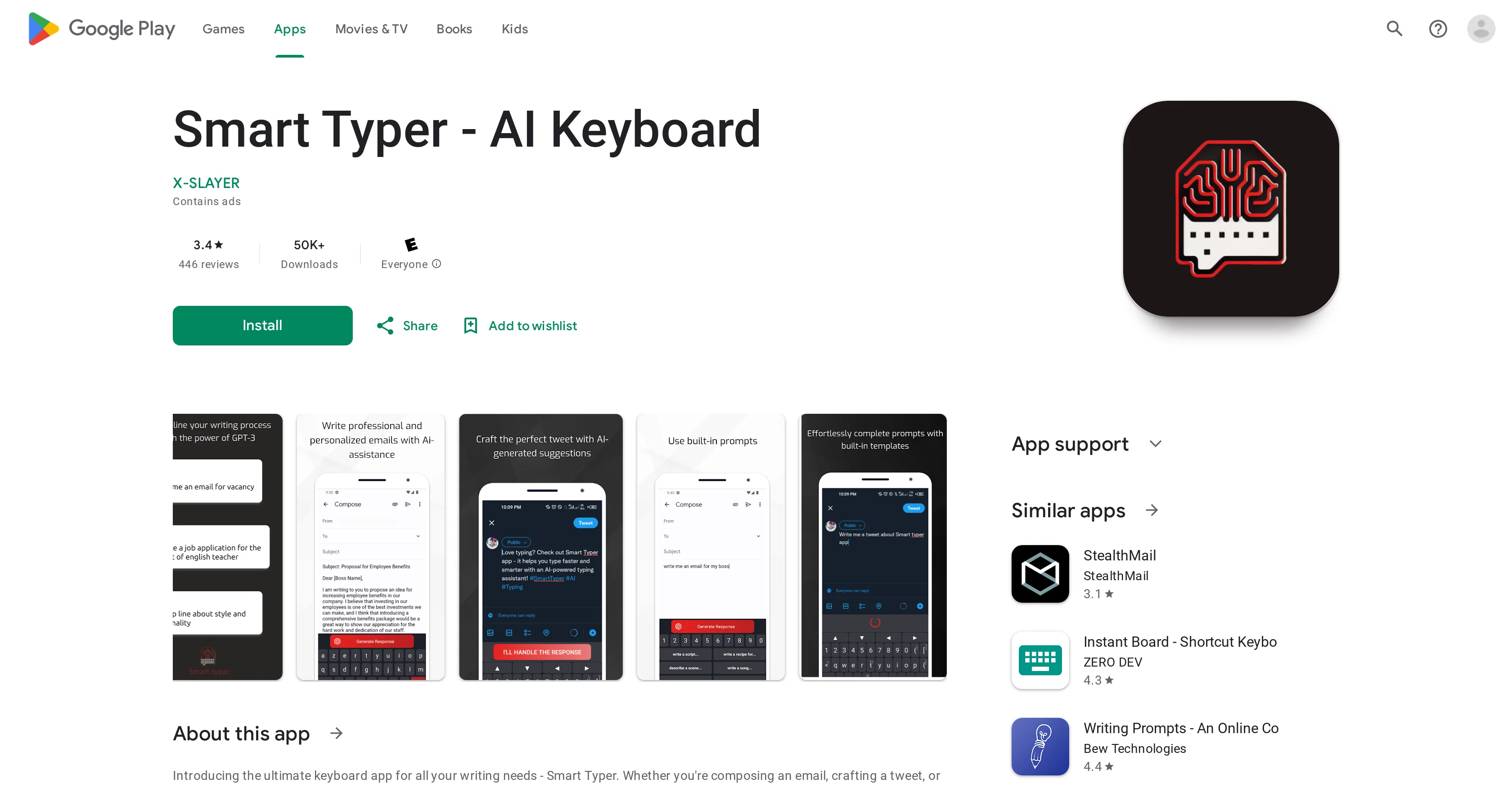
Smart Typer - AI Keyboard is an application designed to enhance the user's writing process across various platforms and contexts, from sending emails and crafting tweets to drafting pickup lines.
Powered by artificial intelligence, this keyboard provides built-in prompt templates to inspire users and assist them in their writing tasks. It generates relevant and coherent suggestions to finish user's prompts, aiming to make the writing process faster and more efficient.
A unique feature of this tool is its ability to adapt to the user's writing style, improving over time to offer increasingly tailored assistance. The app prioritizes data safety and privacy, ensuring no data is shared with third parties or collected without user consent.
Furthermore, the tool enables users to seamlessly alternate between different keyboard layouts and offers continuous updates to improve user experience, including UI enhancements and potential future addition of features such as speech to text and a QWERTY keyboard layout.
Best for
Short scenarios where Smart Typer tends to shine.
-
Composing emails
Best for Social media managers
-
Crafting tweets
Best for Content creators
-
Writing social media content
Best for Anyone who wants to improve their typing speed and accuracy
-
Generating pickup lines
Best for Social media managers
Example outputs 1
Sample generations and before/after results for Smart Typer.
Access & connections
Where you can use Smart Typer, and what it plugs into.
Platforms
Integrations
Capabilities
What this tool accepts, produces, and is strongest at.
Input
- Text
Output
- Text
Pros & cons
Pros
- Built-in prompt templates
- Personalized writing assistance
- Data not shared with third parties
- No data collected
- Regularly updated for data security
- Available on Google Play
- Suitable for all ages
- Cross platform functionality
Show 12 more
- UI enhancements
- Adapts to user's writing style
- Alternates between keyboard layouts
- Potential future speech to text
- Future addition of QWERTY...
- Regular bug fixes updates
- Built for email drafting
- Ideal for social media
- Crafts creative pickup lines
- Integrated digital writing support
- Ratings and reviews verified
- Keeps user information private
Cons
- Lacks QWERTY layout
- No speech-to-text feature
- Switching between keyboards necessary
- Confusing keyboard layout
- Unimpressive GPT API hookup
- Requires extensive permissions
- Unstable script generation
- Resetting permissions unclear
Show 2 more
- Vague on required permissions
- Billing issues for users
Compare alternatives
Similar tools in the catalog — with a clear reason to open each one.

EasyAI – AI Flow - No Code Content (Video/Image) Ge... ✓
Free TrialChain AI tasks with no-code into workflows for chatbots, video, documents, and
Why look Offers a public API
Full comparison
RightBlogger ✓
FreemiumAutomate blogging, SEO, and publishing in one simple platform
Free + from $17.99/mo
Full comparisonPeople also view
Tools that often show up alongside Smart Typer in collections and comparisons.
RightBlogger ✓
FreemiumAutomate blogging, SEO, and publishing in one simple platform

myAIninja ✓
Free TrialAI-powered content creation for social media, 10x faster

Magicley AI ✓
Free TrialAll-In-One AI Hub

FlowPost ✓
Free TrialAI autopilot for social media posting
EasyAI – AI Flow - No Code Content (Video/Image) Ge... ✓
Free TrialChain AI tasks with no-code into workflows for chatbots, video, documents, and

Easy-Peasy.AI ✓
FreemiumAccelerates content creation.

RepurposingBot ✓
Free TrialTurn one article into dozens of posts.

Kinetik ✓
Free TrialAI agent that handles content strategy and monetization for creators.
Releases 1
FAQ 12
What does Smart Typer app do?
On which platforms is Smart Typer available?
Which AI technology does Smart Typer utilize?
What types of writing can Smart Typer assist with?
Does Smart Typer share or collect any personal data?
How does Smart Typer protect my data privacy?
What makes the Smart Typer app unique?
How often is Smart Typer updated?
How can Smart Typer assist in email drafting?
Can Smart Typer be used for writing social media content?
Does Smart Typer provide pickup line suggestions?
Can Smart Typer customize its assistance to match my writing style?
Related tools
Recommended

AIGPT ✓
FreeElderly and time-constrained shopping assistant

HyperWrite | AI Writing Assistant ✓
FreemiumAI-powered writing companion for faster, creative content.

Optimo ✓
FreemiumAI-powered marketing tools for instant results.

LearningStudioAI ✓
Free TrialAI-powered authoring tool for effortless online course creation.

VenturusAI ✓
FreemiumBusiness idea analysis and reporting.

Business Idea Generator AI ✓
FreeGenerate innovative business ideas with AI