

Slazzer DeOldify AI ✓
Colorize black and white photos in seconds.
Free + from $11/mo
Verdict
A quick read before you dig into the full page.
- Best if
- Colorize black and white photos in seconds
- Skip if
- Limited language support
- Pick this when
- Revives black and white photos
Considering Palette instead? Compare side by side
Overview
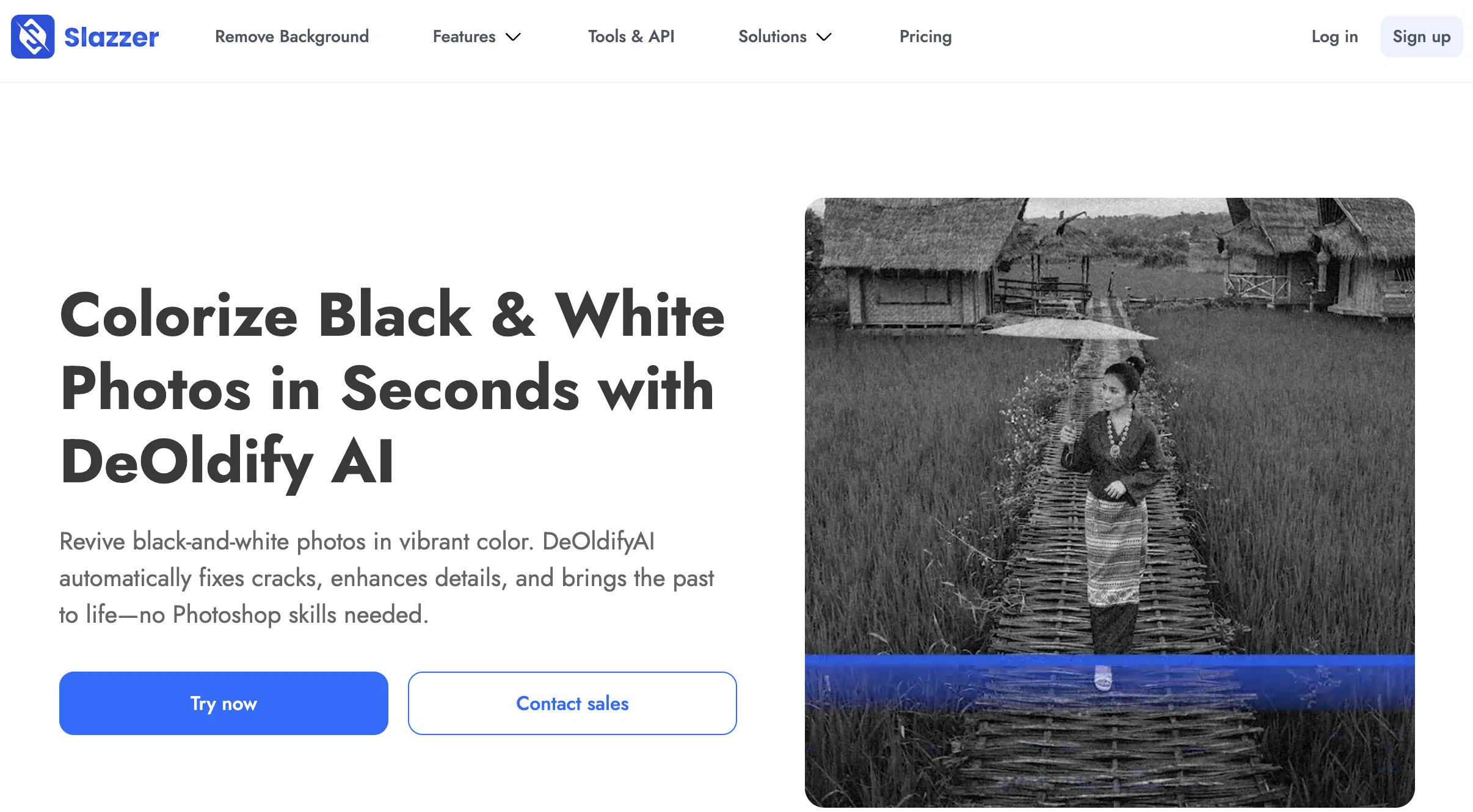
DeOldify AI Tool, powered by Slazzer, is an innovative solution designed to revive black and white photos with vibrant colour. It is able to automatically correct any cracks in the picture, enhance details, and bring the past to life, all without the need for professional Photoshop skills.
The tool is beneficial to both individuals wanting to breathe new life into dated family albums and professional restoration businesses. By studying millions of real-world images, the AI technology can understand how colours naturally appear in different time frames and settings, capturing every subtle detail and preserving the authentic feel of the original moment.
This AI solution also offers the ability to enhance photos further by removing distracting backgrounds and creating matching graphics. Its user-friendly interface allows the processing of both single photos and entire albums, with no significant technical knowledge required.
It offers a versatile suite of tools, including the AI Text-to-Image generator, AI Image Enhancer, and Background Remover.
Access & connections
Where you can use Slazzer DeOldify AI.
Platforms
Capabilities
What this tool accepts, produces, and is strongest at.
Input
- Image
Output
- Image
Pros & cons
Pros
- Revives black and white photos
- Auto corrects picture cracks
- Enhances picture details
- No professional Photoshop skills required
- Portable for individuals and businesses
- Studied millions of real-world images
- Understands colors in different settings
- Preserves authentic feel
Show 17 more
- Enhances photos by removing backgrounds
- Matching graphics creation capability
- User-friendly interface
- Processes single photos and albums
- Versatile suite of tools
- Background Remover ability
- Photo Album Management
- Details enhancement
- Old Photos Revival
- Fast, free, and realistic
- True-to-life Precision
- Professional photo studio on screen
- Works on Slazzer mobile app
- Downloadable in HD
- Automatic lighting, contrast, and detail enhancement
- Applicable for personal and commercial use
- Available in multiple languages
Cons
- Doesn't support video colorization
- No batch processing mentioned
- Requires internet connection
- Potentially inconsistent colorization results
- Dependent on single vendor
- Lack of technical control
- Limited features compared to Photoshop
- Limited language support
Show 2 more
- No mentioned API for developers
- No free standalone version
Compare alternatives
Similar tools in the catalog — with a clear reason to open each one.

Palette ✓
FreemiumColorize photos with AI - free and no sign-up.
Why look Typically cheaper
Full comparison

AI Color Art ✓
FreeRevive memories with AI photo colorization.
Why look Fully free option
Full comparison
Colorize Black and White Photos ✓
FreemiumAI colorization right in your browser
Why look Higher community rating
Full comparisonReleases 1
FAQ 12
What is Slazzer DeOldify AI?
What does Slazzer DeOldify AI do?
How does Slazzer DeOldify AI work?
Do you need professional Photoshop skills to use DeOldify AI?
Can both individuals and businesses use Slazzer DeOldify AI?
Can Slazzer DeOldify AI process both single photos and entire albums?
What special features does DeOldify AI offer?
How does the AI Text-to-Image generator in DeOldify AI work?
What is the AI Image Enhancer in DeOldify AI?
How was DeOldify AI trained to understand color?
Can DeOldify AI tool remove distracting backgrounds from photos?
How user-friendly is the Slazzer DeOldify AI interface?
Related tools
Recommended

Inkfox AI ✓
FreemiumFree unlimited AI image generator, no sign-up required.

BulkImagen ✓
FreemiumType once, get a stack of images back.

CustomColoringPages.com ✓
Free TrialTurn any idea into coloring pages or books instantly.

CubistAI ✓
FreemiumFree unlimited AI image generator and editor — no signup, full commercial

MyColoring.AI ✓
FreemiumTransform photos into printable coloring pages instantly.
Watashi Colorizer ✓
Free TrialBulk colorize manga and webtoon chapters with perfect consistency.