
SageBrush ✓
Turn scribbles into stunning AI imagery.
Free + from $0.99
Verdict
A quick read before you dig into the full page.
- Best if
- Turn scribbles into stunning AI imagery
- Skip if
- Limited customization features
- Pick this when
- Transforms sketches into detailed imagery
Considering Draw3D instead? Compare side by side
Overview
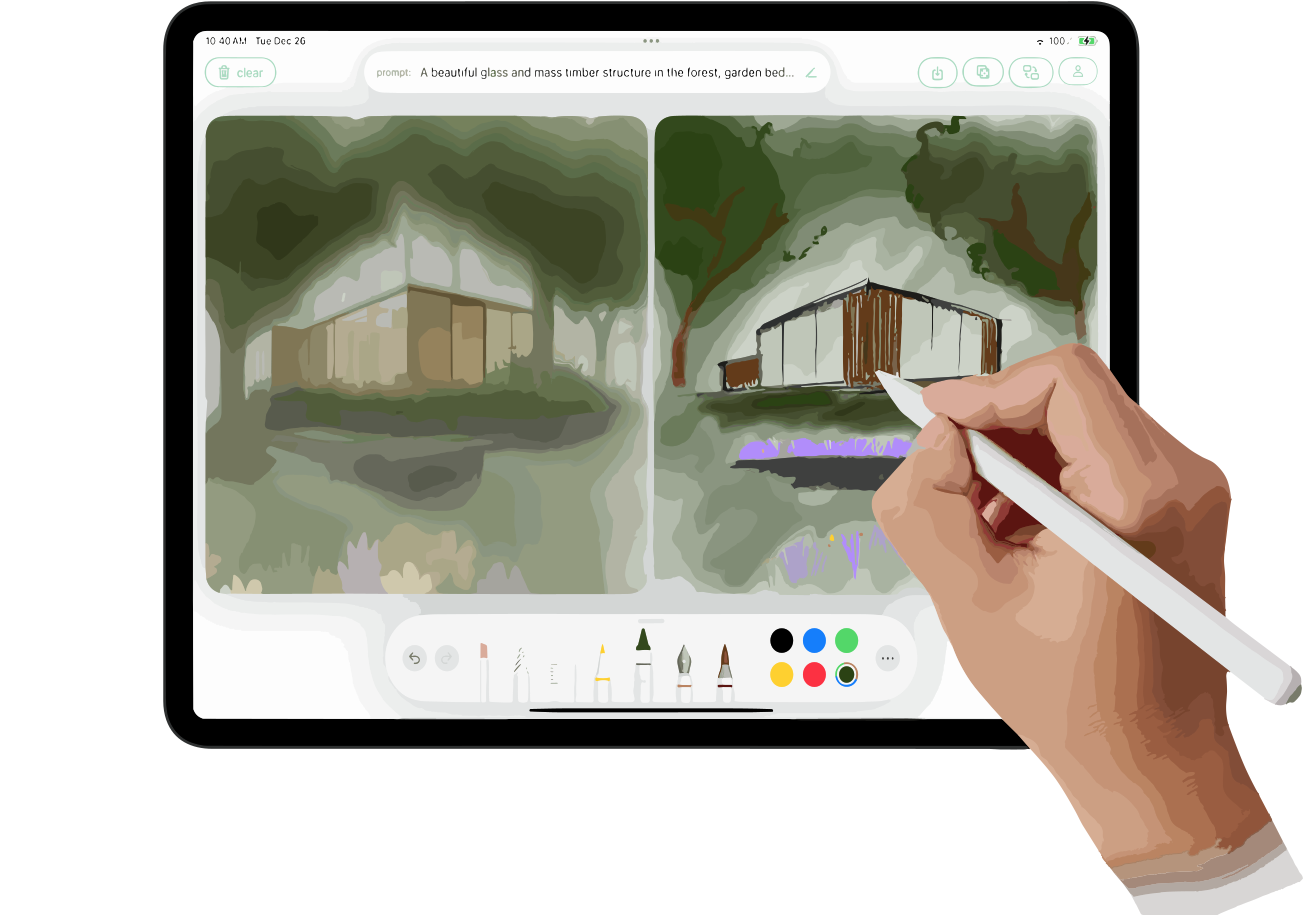
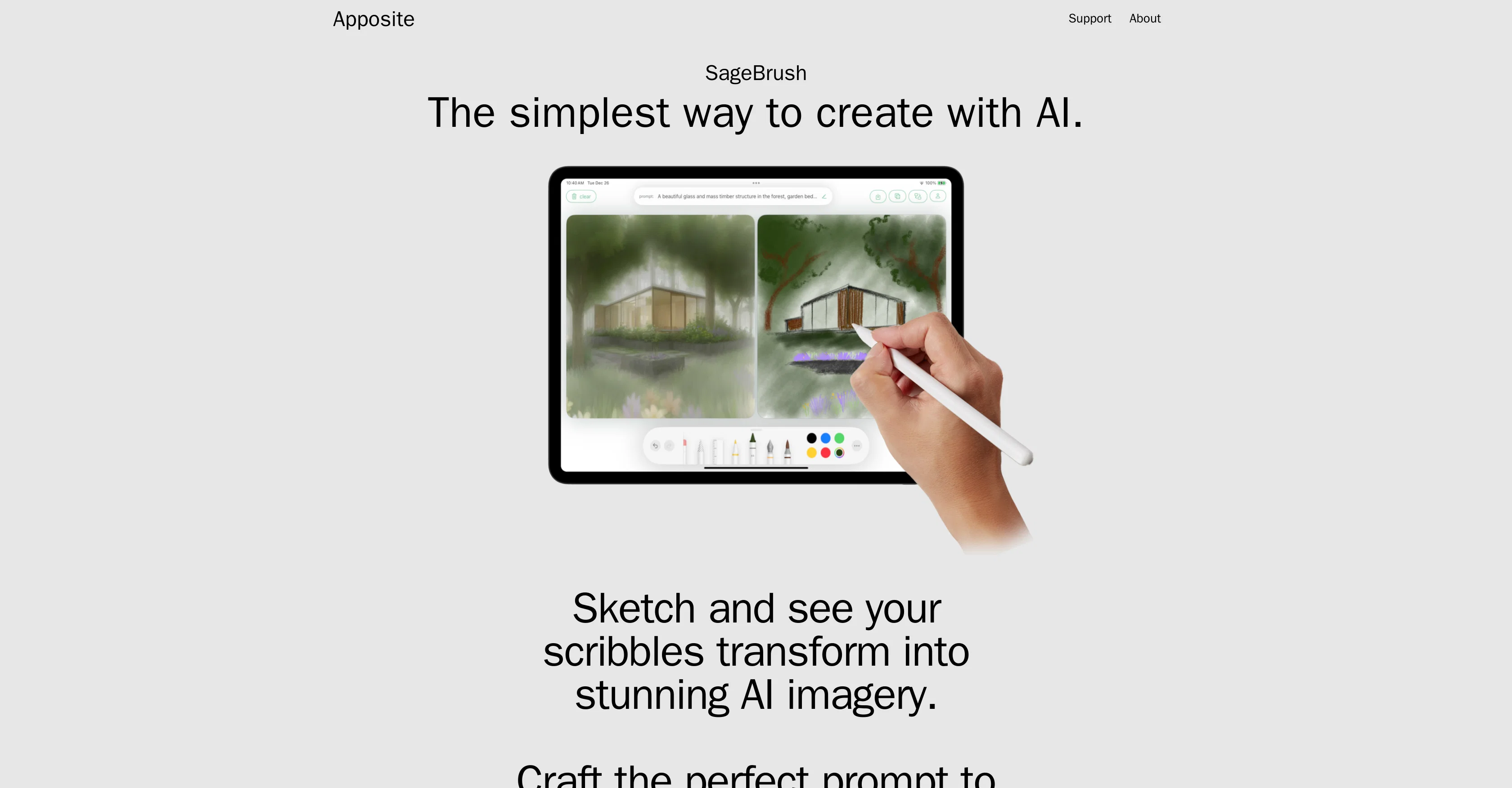
SageBrush is an innovative AI-based application that enables the transformation of basic sketches into visually detailed and impressive imagery with the assistance of cutting-edge artificial intelligence technology.
Designed to simulate an experience as familiar as using a box of crayons, SageBrush aims to empower users of any skill set, whether they are seasoned artists or untrained novices.
It enables users to guide the AI in adjusting the style and details of their artistic creations with a customizable prompt editor. Depending on the strength of their prompts, users can stir the AI's creativity to produce detailed and imaginative interpretations of their sketches.
Furthermore, SageBrush gives room for flexibility and user-friendliness by supporting both left and right-handed drawing modes. It also allows input via Apple Pencil or even directly from the user's fingers.
SageBrush also has a function to randomize the AIs interpretation of the user's drawing, offering a freestyle mode of creativity. Additionally, the tool offers both light and dark modes, accommodating creativity at any time of day or night.
It is worth noting that the use of this AI tool may necessitate the purchase of in-app tokens. Overall, SageBrush leverages artificial intelligence to transform simple sketches into sophisticated and imaginative artwork.
Access & connections
Where you can use SageBrush.
Platforms
Capabilities
What this tool accepts, produces, and is strongest at.
Input
- Image
- Text
Output
- Image
Pros & cons
Pros
- Transforms sketches into detailed imagery
- Easy as using crayons
- Accessible to all skill levels
- Customizable prompt editor
- Supports left-handed and right-handed modes
- Inputs via Apple Pencil
- Inputs via fingers
- Freestyle creativity mode
Show 13 more
- Offers light and dark modes
- Flexible and user-friendly
- Supports detailed and imaginative outputs
- Simulates real drawing experience
- Watch demo video option
- Available on AppStore
- Allows for style adjustments
- Novice artist support
- Random interpretation shakeup
- Draw at anytime
- Artificial Intelligence Enhanced Art
- Interactive drawing support
- Digital artwork creation
Cons
- Requires in-app token purchases
- Only supports Apple Pencil
- Lack of alternative inputs
- No Android support
- Limited customization features
- No multi-user support
- No explicit support for professionals
- No mention of data security
Compare alternatives
Similar tools in the catalog.

Draw3D ✓
FreemiumTransform sketches and 3D blockout into photorealistic images.
Free + from $9/mo
Full comparison
Freepik Sketch to Image ✓
FreemiumEnvision and sketch any image, AI transforms it into art in real time.
Free + from $5/mo
Full comparison
RenderAI ✓
FreemiumTransform Sketches into 4K+ photorealistic renderings with AI
Free + from $7/mo
Full comparison
Doodle Lab - AI Art Generator ✓
FreemiumCreate artistic images autonomously.
Free + from $33
Full comparison

Releases 1
FAQ 12
What is SageBrush?
How does SageBrush transform sketches into detailed imagery?
Can SageBrush be used by someone with no artistic training?
What is the customizable prompt editor on SageBrush?
How can users influence the AI's creativity on SageBrush?
Does SageBrush support both left and right-handed drawing modes?
Can I input data into SageBrush with an Apple Pencil?
Is it possible to draw directly with my fingers in SageBrush?
Does SageBrush have a feature to randomize the AI's interpretation of my drawing?
Does SageBrush offer light and dark modes?
Do I need to purchase in-app tokens to use SageBrush?
How does SageBrush help transform my sketches into sophisticated artwork?
Related tools
Recommended

TutorAI ✓
FreemiumInstant knowledge on any topic

Agentgpt ✓
FreemiumDeploy autonomous AI Agents effortlessly in your browser.

Imagetocaption.ai ✓
Free TrialGenerated captions for social media images

Stunning ✓
PaidBuild AI-powered websites in seconds

SEO Writing AI ✓
Freemium1-click SEO-optimized articles generation

Free Text-To-Speech ✓
FreeText transformed into customizable spoken output.