Piax Emoji Maker ✓
Design custom emojis from words or pictures.
Free + from $7.9/mo
Verdict
A quick read before you dig into the full page.
- Best if
- Design custom emojis from words or pictures
- Skip if
- Limited style customization
- Pick this when
- Custom emojis from text
Considering SDXL emoji instead? Compare side by side
Overview
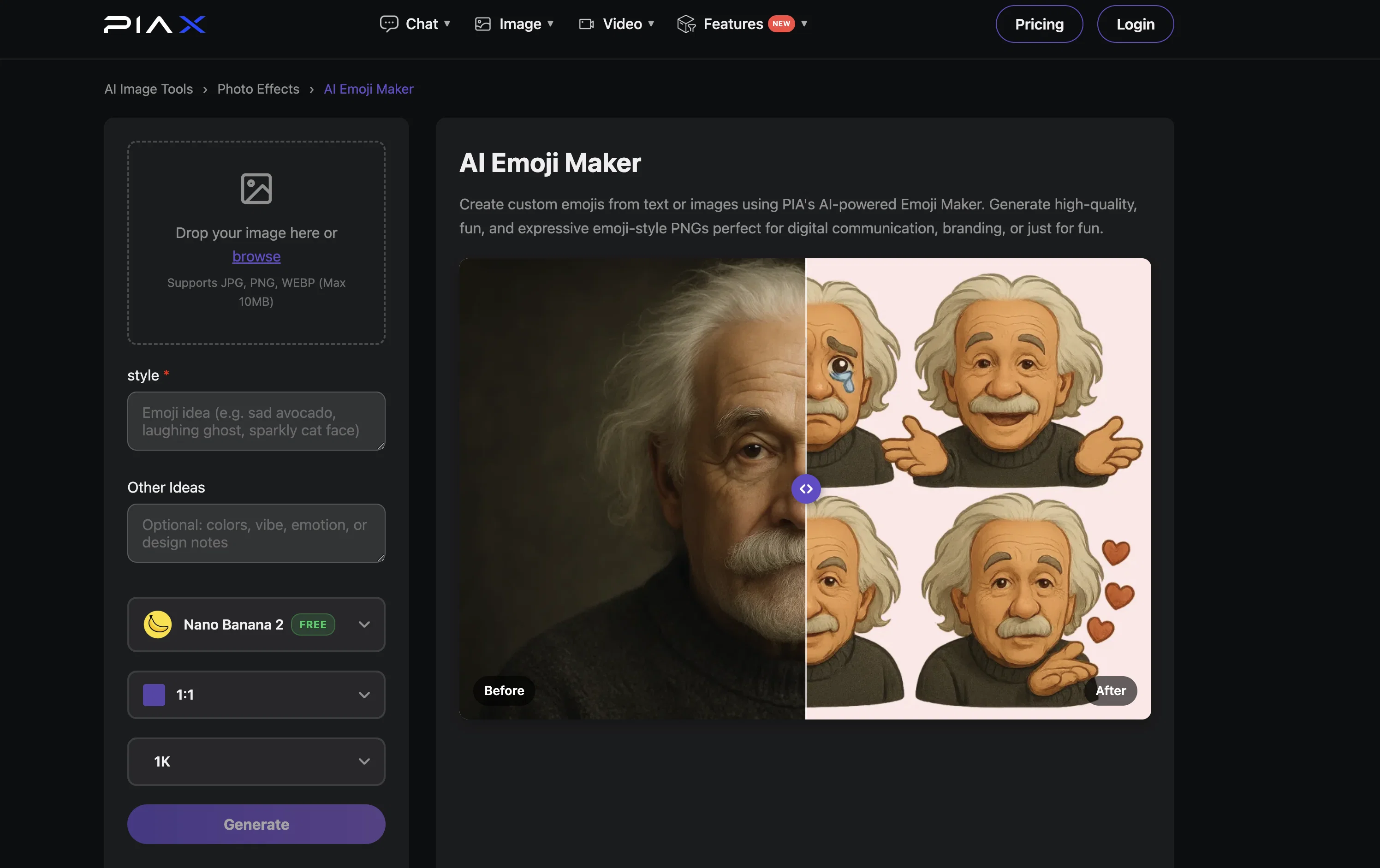
AI Emoji Maker is a tool that uses artificial intelligence to create custom emojis from user provided text or images. Functioning as a part of PIAX, this tool allows the conversion of ideas expressed in words or visual depictions into emojis that encapsulate their essence.
Users can develop high-quality, fun, and expressive emojis in PNG format, ideal for digital communication, branding, or other expressive needs. The final emojis come with a transparent background making them suitable for integration in various digital platforms from social media to personal messages or websites.
The AI Emoji Maker requires users to either input a text prompt or provide an image for emoji creation. Both an image and its style description are needed in the generation of emojis.
Images are transformed into a personalized emoji while the essence of the original image is retained. The user can then download their custom emoji and use it as per their desire.
Access & connections
Where you can use Piax Emoji Maker, and what it plugs into.
Platforms
Integrations
Capabilities
What this tool accepts, produces, and is strongest at.
Input
- Image
- Text
Output
- Image
Supported features
- Image Generation
- Styling
Pros & cons
Pros
- Custom emojis from text
- Custom emojis from images
- Generates PNG format emojis
- Emojis with transparent backgrounds
- Image essence retention
- Downloadable unique emojis
- Branding capability
- Suitable for social media
Show 10 more
- Integration across digital platforms
- Personalized expression
- User-friendly interface
- Visual conversion
- High-quality result
- Supports multiple input formats
- Easy to use
- Can transform style descriptions
- Allows for creative expression
- Versatile usage possibilities
Cons
- Only outputs in PNG format
- Background is always transparent
- Requires both image and description
- Cannot mix text and image input
- No options to preview before download
- No multi-language support
- Limited style customization
- No batch processing feature
Show 2 more
- Doesn't support animated emojis
- Lacks integration with messaging apps
Compare alternatives
Similar tools in the catalog — with a clear reason to open each one.

SDXL emoji ✓
PaidTransform text into Apple-style emoji art.
Why look Stronger for image work
Full comparison

AnyMoji ✓
FreemiumEnhanced communication with personalized emojis.
Why look Typically cheaper
Full comparison
Aimoji ✓
FreemiumImproved communication using generated emojis.
Why look Typically cheaper
Full comparison
Gen Emoji ✓
Free TrialCreate unique AI-generated emojis from text.
Why look Typically cheaper
Full comparison