Large Language Models vv0.14.2 2026 Rank: #620
Ollama ✓
Run powerful AI models locally on your machine.
Free + from $20/mo
Verdict
A quick read before you dig into the full page.
- Best if
- Run powerful AI models locally on your machine
- Skip if
- Limited customization options
- Pick this when
- Streamlined model setup
Considering Claude instead? Compare side by side
Overview
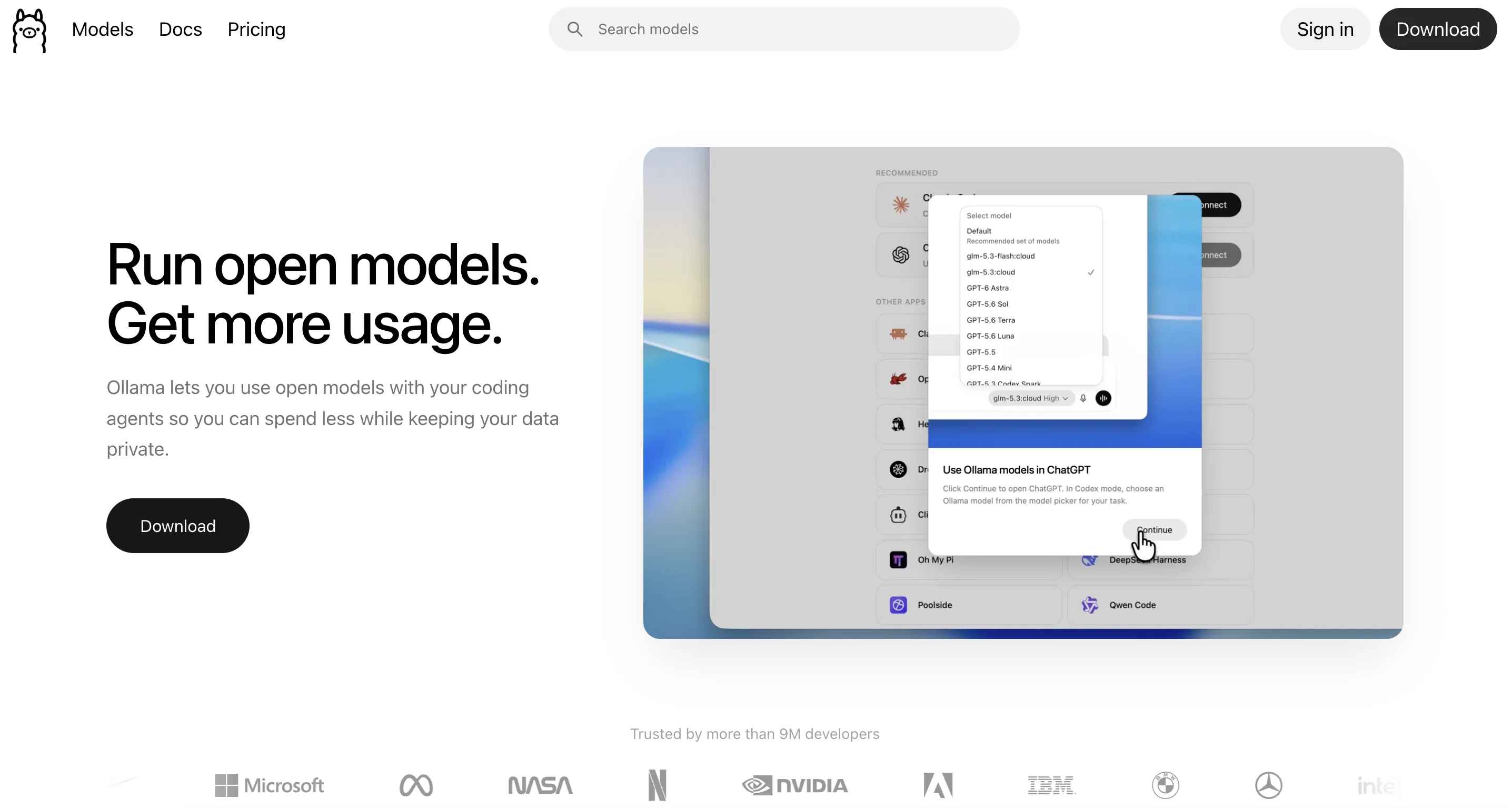
Ollama is a tool designed to help users quickly and effortlessly set up and utilize large language models on their local machines. With its user-friendly interface, Ollama simplifies the process of working with these models, allowing users to focus on their tasks without the need for extensive technical knowledge.By leveraging Ollama, users can run LLAMA 2 and other models smoothly on macOS.
Furthermore, Ollama offers customization options, granting users the ability to tailor these language models to their specific needs. Additionally, the tool enables users to create their own models, empowering them to further enhance and personalize their language processing capabilities.Ollama is available for download, supporting macOS as its initial operating system.
Support for Windows and Linux versions is in development and will be made available in the near future.By facilitating local usage of large language models through a simple and intuitive interface, Ollama streamlines the process of leveraging these powerful AI tools.
Its availability for various operating systems ensures broader accessibility, allowing users across different platforms to benefit from its features. Whether users are seeking to enhance their language processing tasks or explore the world of language modeling, Ollama serves as a reliable and efficient solution.
Best for
Short scenarios where Ollama tends to shine.
-
Run powerful AI models locally on your machine.
Example outputs 1
Sample generations and before/after results for Ollama.
Access & connections
Where you can use Ollama.
Platforms
Capabilities
What this tool accepts, produces, and is strongest at.
Input
- Text
Output
- Text
Highlights
- Open Source
- Local
- API
- No Signup
Supported features
- Open Source
- Runs Locally
- API
- Text Generation
- Code Assistant
- Image Understanding
- Integrations
- Docs
- No Signup
- Computer Use
Show 1 more
- CLI
Pros & cons
Pros
- Streamlined model setup
- Effortless utilization
- User-friendly interface
- Runs smoothly on macOS
- Customization options
- Create own models
- Supports macOS
- Upcoming Windows support
Show 8 more
- Upcoming Linux support
- Intuitive interface
- OS versatility
- Enhances language processing tasks
- Facilitates local usage
- Accessible
- Reliable
- Efficient
Cons
- Only works on MacOS currently
- In-progress Windows, Linux support
- Limited out-of-box model support
- Assumes local system power
- Potential lack of updates
- No mentioned cloud support
- Repository not directly accessible
- Limited community support
Show 2 more
- Limited customization options
- No API for integrations
Compare alternatives
Similar tools in the catalog — with a clear reason to open each one.

Subquadratic ✓
UnknownFirst sub-quadratic LLM for 12M-token reasoning tasks.
No pricing
Full comparison
LLaMA ✓
UnknownOpen-source AI models for customization and deployment.
Why look More privacy-focused
Full comparison
GOODY-2 ✓
FreeChat with the world's most responsible AI model.
Why look Fully free option
Full comparisonPeople also view
Tools that often show up alongside Ollama in collections and comparisons.
Subquadratic ✓
UnknownFirst sub-quadratic LLM for 12M-token reasoning tasks.

Mistral AI ✓
FreemiumFrontier AI in your hands
LLaMA ✓
UnknownOpen-source AI models for customization and deployment.
GOODY-2 ✓
FreeChat with the world's most responsible AI model.

Gemini ✓
FreemiumGemini: Google's most capable AI model yet

Claude ✓
FreemiumBuilding reliable, interpretable AI systems

LLMWise ✓
Free TrialOne prompt. Every model. The best answer.

LettiB ✓
FreemiumOne workspace for every AI model.
Releases 2
Ollama v0.14.0 and later (including v0.14.2) now support the Anthropic Messages API, enabling tools like Claude Code to run against Ollama models. This lets Claude Code work with local or cloud models through Ollama’s endpoint
You can now use Claude Code — Anthropic’s command-line coding assistant — with any Ollama model locally installed on your machine by configuring the Anthropic API base URL to point at your Ollama server.
Claude Code can also connect to Ollama’s cloud models (e.g., glm-4.7:cloud or minimax-m2.1:cloud) when using Ollama’s hosted API.
Recommended local models such as gpt-oss:20b and qwen3-coder can be used with Claude Code for coding tasks, thanks to the new compatibility layer.
Existing applications using the Anthropic SDK can now be pointed at an Ollama instance by changing the base URL, allowing seamless integration of Ollama models in Anthropic-compatible tooling.
In the news
Launch coverage and community mentions for Ollama.
Imported reviews 3
Very easy to get started with installing local LLMs. Just had some minor hickups that was not too hard to fix.
best ai model
The best way to serve LLMs locally.
FAQ 12
What is Ollama?
How does Ollama simplify the process of setting up large language models?
Can I run other large language models on Ollama or just LLAMA 2?
Is Ollama a tool designed for macOS only?
What are the customization options offered by Ollama?
Can I create my own language models using Ollama?
How do I download Ollama?
What operating systems is Ollama available for?
Is Ollama planning to offer support for Windows and Linux?
How does Ollama enhance language processing tasks?
Can I use Ollama on my local machine?
Is technical knowledge required to utilize Ollama?
Related tools
Recommended

ChatGPT ✓
FreemiumAsk anything, create anything, and move from idea to action.

Agentgpt ✓
FreemiumDeploy autonomous AI Agents effortlessly in your browser.

PrompTessor ✓
FreemiumAI Prompt Workspace for Better AI Results

Gemini Enterprise Agent Platform ✓
UnknownFast, scalable AI technologies for enterprise

VenturusAI ✓
FreemiumBusiness idea analysis and reporting.

GPTExcel ✓
FreemiumGenerate spreadsheet formulas with AI