Automation

NudgeFile

Local AI file organizer and workflow automation tool for Windows.

Source rating 5.0 (50) 0 views 0 saves Unknown
More categories (7)

Verdict

A quick read before you dig into the full page.

Best if
Local AI file organizer and workflow automation tool for Windows
Pick this when
Local AI file organizer and workflow automation tool for Windows

Overview

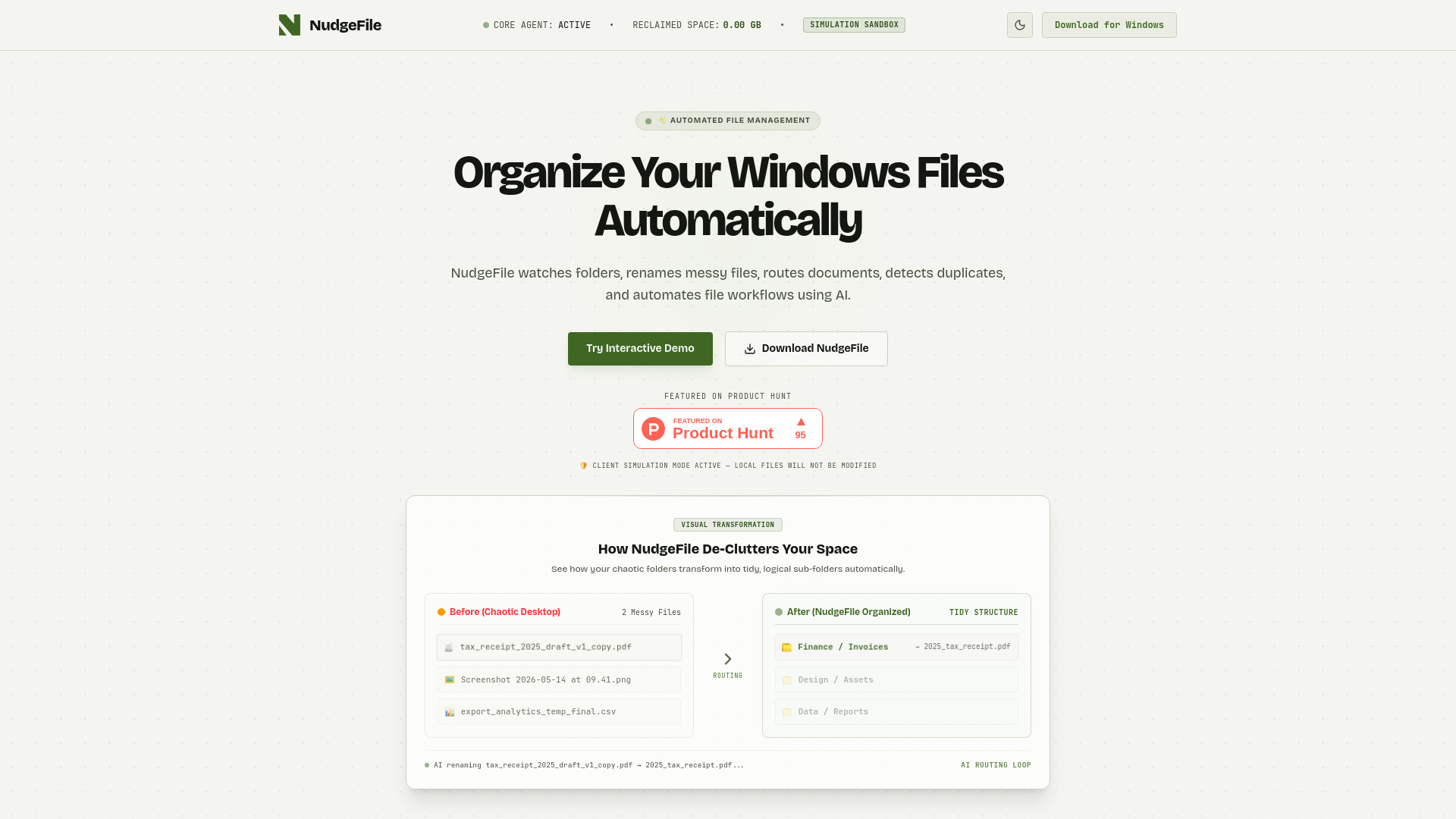
NudgeFile is an AI-powered file organization and workflow automation tool for Windows that automatically manages, renames, and routes documents, folders, and files. It utilizes a built-in local AI processor powered by Ollama, ensuring that file analysis, context-aware smart naming, and duplicate detection happen entirely offline on the user's device for maximum data privacy. The system monitors designated directories like Downloads or Desktop in real-time, matching incoming files against rule-based conditions and pipelines, and includes byte-level and visual neural asset scanning to isolate and remove duplicate files.

NudgeFile screenshot

Access & connections

Where you can use NudgeFile.

Platforms

Web

Capabilities

What this tool accepts, produces, and is strongest at.

Highlights

  • Real-time directory monitoring for automated file detection
  • Context-aware file renaming powered by 100% offline local AI models
  • Automated directory routing based on extensions, keywords, or names
  • Rule-based document workflows and an advanced conditional rules engine
  • Byte-level and local visual AI neural asset duplicate detection
  • Private Time Machine providing infinite undo and instant file restoration
  • Privacy controls with configurable offline AI models and hardware usage

FAQ 5

What is NudgeFile?
NudgeFile is an AI-powered file organization and workflow automation tool for Windows that automatically manages, renames, and routes documents, folders, and files. It utilizes a built-in local AI processor powered by Ollama, ensuring that file analysis, context-aware smart naming, and duplicate detection happen entirely offline on the user's device for maximum data privacy. The system monitors designated directories like Downloads or Desktop in real-time, matching incoming files against rule-based conditions and pipelines, and includes byte-level and visual neural asset scanning to isolate and remove duplicate files.
How to use NudgeFile?
To use NudgeFile, select the target directories on your Windows PC that you want the agent to monitor, such as your Downloads or Desktop folders. Configure custom routing rules, triggers, or conditional workflows based on file types, sizes, or extensions using the visual designer. As messy files land in your watched folders, NudgeFile automatically renames them using local AI smart suggestions and routes them to designated destination folders. You can review, customize, or instantly roll back any automated transaction with a single click using the Private Time Machine feature.
What is NudgeFile?
NudgeFile is an AI file organizer and workflow automation utility for Windows that automatically organizes files, renames documents, routes folders, detects duplicates, and automates workflows.
Does NudgeFile upload my files to the cloud?
No. NudgeFile features a built-in local AI processor powered by Ollama, ensuring that your sensitive documents and private images never leave your system and run completely locally on your device.
Can I undo changes made by NudgeFile's automation?
Yes. NudgeFile includes a Private Time Machine feature that logs file operations safely on your machine, allowing you to roll back any batch rename or routing transaction and instantly restore files with a single click.
NudgeFile
