
nao
AI-powered data IDE for analysts, engineers, and scientists.
Free + from $30 / month
Verdict
A quick read before you dig into the full page.
- Best if
- You are data Analysts and need: Writing and deploying SQL, Python, or dbt workflows
- Skip if
- You need enterprise SLAs or a fully managed team plan right away
- Pick this when
- Freemium · Free + from $30 / month
Overview
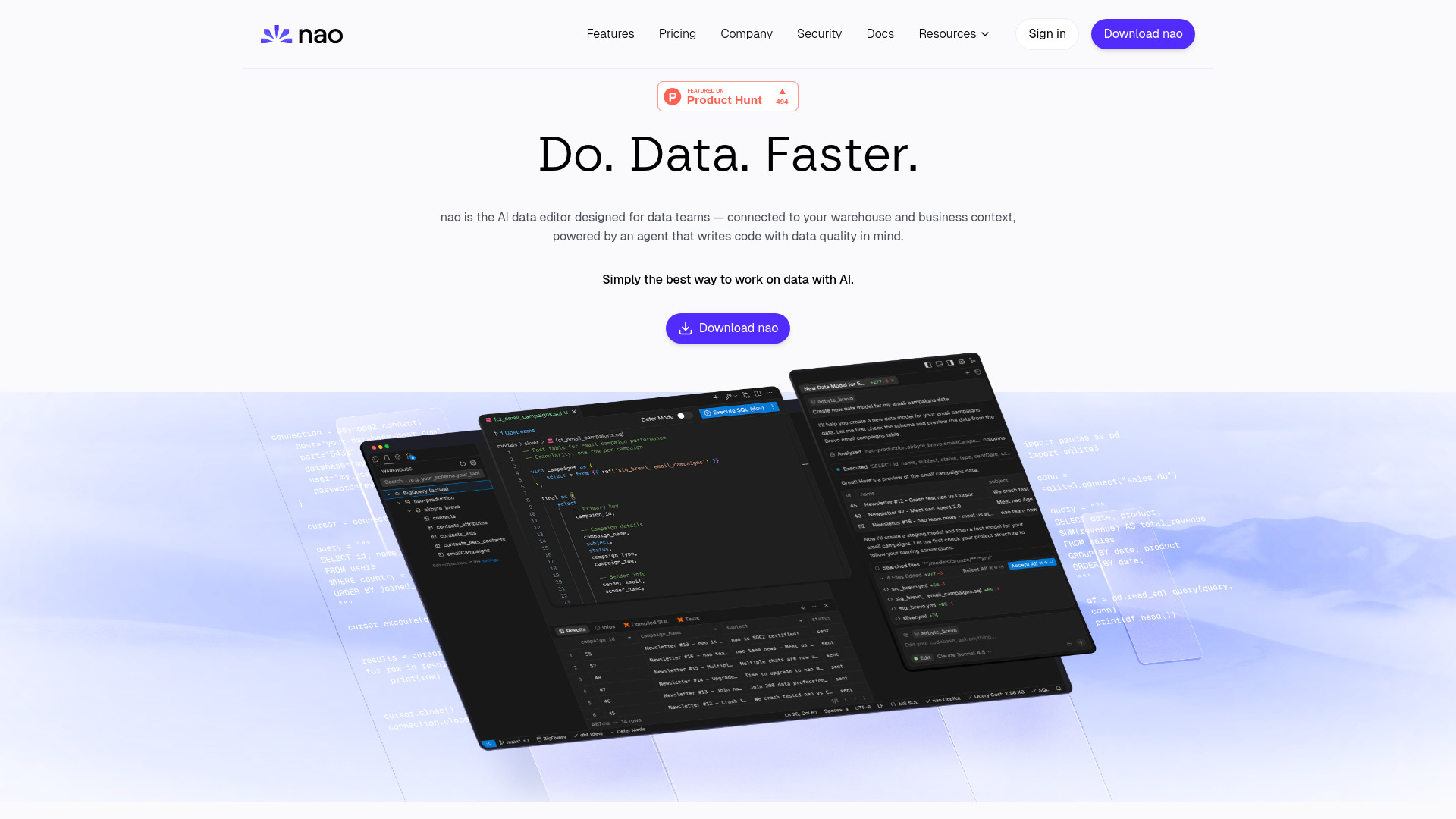
Nao is an AI-powered data IDE designed for analysts, engineers, and scientists. It enables users to write SQL, Python, or dbt workflows, preview changes, catch issues early, and deploy confidently. Nao connects directly to your data warehouse, understanding your schema to facilitate faster development, fewer bugs, and maintained data trust. It helps build data pipelines, launch quality checks, run analytics, and foster team collaboration without context switching. Nao positions itself as an AI teammate for modern data work, offering an AI data editor that is connected to your warehouse and business context, powered by an agent that writes code with data quality in mind.
Best for
Short scenarios where nao tends to shine.
-
Writing and deploying SQL, Python, or dbt workflows
Best for Data Analysts
-
Building and shipping data models and pipelines
Best for Data Engineers
-
Running complex analytics and generating insights
Best for Data Scientists
-
Exploring and identifying relevant data quickly
Best for Analytics Engineers
-
Ensuring data quality through testing and data diffs
Best for Data Teams
-
Collaborating on data projects across teams
Best for Data Analysts
-
Creating data visualizations and charts
Best for Data Analysts
Example outputs 1
Sample generations and before/after results for nao.
Access & connections
Where you can use nao, and what it plugs into.
Platforms
Integrations
Capabilities
What this tool accepts, produces, and is strongest at.
Highlights
- AI-powered data IDE for SQL, Python, and dbt workflows
- Direct data warehouse integration (Postgres, Snowflake, BigQuery, etc.)
- AI agent for code generation, data pipelines, analytics, and quality checks
- AI auto-complete based on data schema
- dbt integration (model preview, lineage)
- Data quality checks and data diffs
- Secure local data connection and SOC 2 Type II certification
People also view
Tools that often show up alongside nao in collections and comparisons.


In the news
Launch coverage and community mentions for nao.