
Nano Banana Pro--
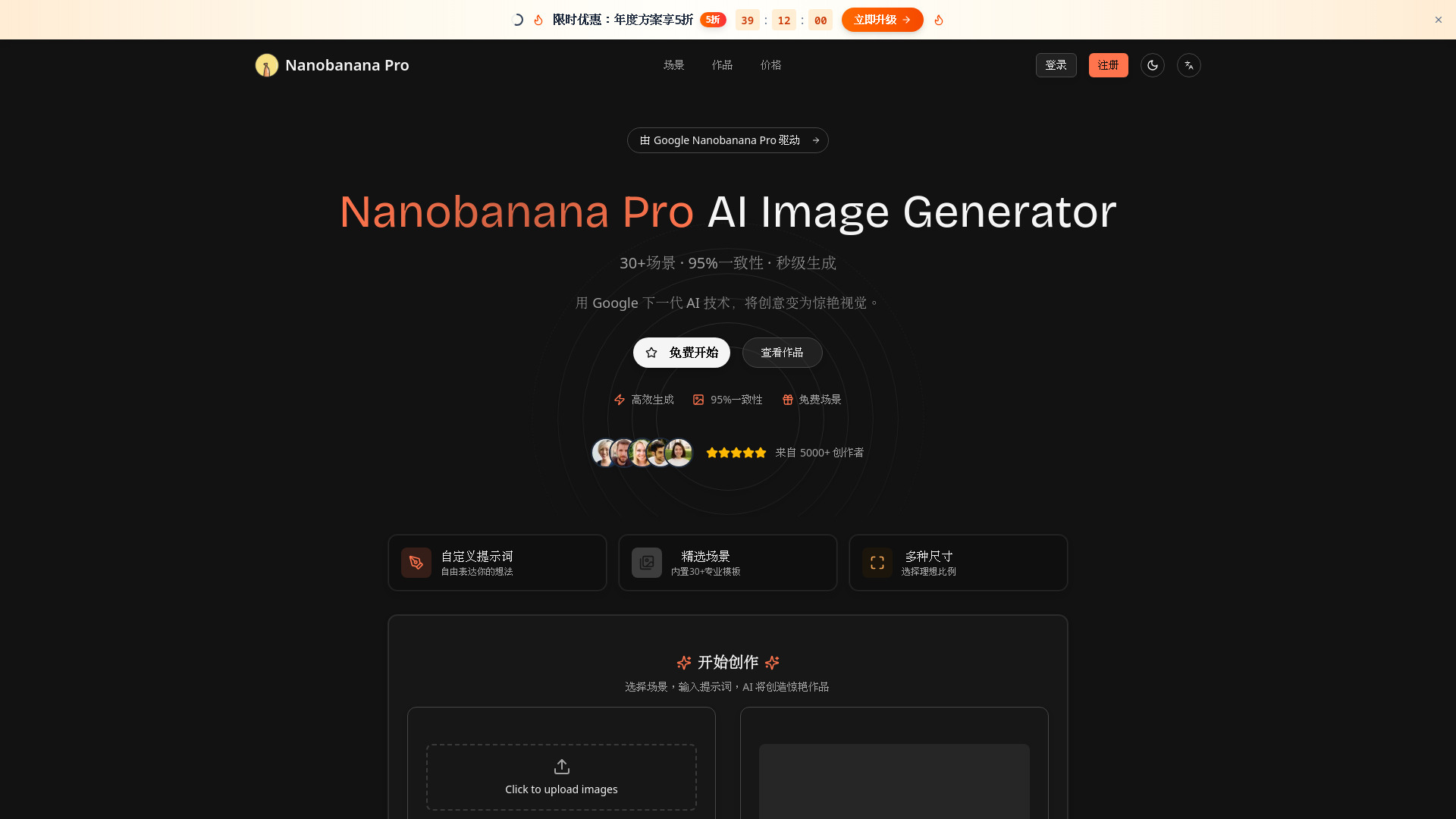
NanoBanana Pro is a scene-based AI image generator powered by Google’s NanoBanana models. It offers 30+ curated preset scenes with new community-made scenes added continuously, so you can discover fresh NanoBanana workflows every day. New users receive 14 free credits to try the tool, and a simple credit system makes it easy to scale from casual experiments to heavy production use.
From $5 (lifetime credits)
Verdict
A quick read before you dig into the full page.
- Best if
- You are content creators and need: Turn a sketch into a 3D plush toy render – Example prompt: "Turn this rough sketch into a 3D plush toy render, soft studio…
- Skip if
- You need a free plan with no credit card
- Pick this when
- Paid · From $5 (lifetime credits)
Overview
NanoBanana Pro is an AI image generation studio built around Google’s next‑generation NanoBanana and NanoBanana Pro models. Instead of starting from a blank canvas, you choose from 30+ curated preset scenes – such as product shots, social media posts, thumbnails and concept art – and describe what you want in natural language. The model then turns your prompt into high‑quality images in seconds.
The scene library is constantly evolving. Our community keeps creating and sharing new NanoBanana scenes, so every day you can discover fresh ways to use the models for different styles, layouts and creative tricks. This makes NanoBanana Pro not just an image generator, but also a growing library of reusable “playbooks” for NanoBanana.
NanoBanana Pro supports multiple aspect ratios (1:1, 16:9, 9:16, 4:3, 3:4) for web, mobile and social media. Every generation is saved automatically to your personal gallery, so you can revisit prompts, refine scenes and download files whenever you need.
Pricing is transparent and credit‑based. Standard NanoBanana generations cost 2 credits per run, and NanoBanana Pro generations cost 6 credits per run. New users get 14 free credits to explore the tool. After that, you can choose between affordable monthly subscriptions and lifetime credit packs, depending on whether you prefer a steady monthly quota or one‑off top‑ups for specific projects.
NanoBanana Pro is designed for creators, marketers, indie hackers and small teams who want fast, reliable visuals without managing GPUs, complex settings or expensive enterprise contracts.
Best for
Short scenarios where Nano Banana Pro-- tends to shine.
-
Turn a sketch into a 3D plush toy render – Example prompt: "Turn this rough sketch into a 3D plush toy render, soft studio lighting, high detail, pastel colors".
Best for Content creators
-
Create collectible-style artwork (e.g. mech girl) – Example prompt: "Collectible-style character illustration of a cyberpunk mech girl, full body, dynamic pose, glossy finish, trading card artwork".
Best for Designers
-
Generate celebrity-style group photos – Example prompt: "A group photo of two world-famous movie stars on the red carpet, cinematic lighting, ultra-realistic, 4K".
Best for Marketing professionals
-
Produce manga-style scenes and panels – Example prompt: "Manga-style comic panel of a girl discovering a tiny AI robot in her backpack, clean black-and-white line art, Japanese manga".
Best for Social media managers
-
Pixel art sprite of a tiny adventurer hero, 4 walking poses, 16-bit retro game style, bright colors, transparent background
Best for Power users
-
Vaporwave YouTube thumbnail of a city at sunset, neon grid, retro computer, bold title space, synthwave color palette
Best for Teams
-
Fantasy world map of floating islands connected by waterfalls and bridges, hand-drawn style, soft parchment texture, top-down view
Best for Content creators
-
Minimalist 3D app icon of a smiling banana with a lightning bolt, soft shadows, pastel background, high resolution
Best for Content creators
Example outputs 1
Sample generations and before/after results for Nano Banana Pro--.
Access & connections
Where you can use Nano Banana Pro--.
Platforms
Capabilities
What this tool accepts, produces, and is strongest at.
Highlights
- Scene‑based workflows with 30+ curated presets
- Community‑driven scene library that keeps growing with new NanoBanana use cases
- Powered by Google NanoBanana & NanoBanana Pro models
- High style and character consistency workflows (up to ~95% in supported scenes)
- Multiple aspect ratios for web, mobile and social (1:1, 16:9, 9:16, 4:3, 3:4)
- Simple credit‑based pricing: pay only for the images you generate
- Monthly subscription plans plus lifetime credit packs
- Personal gallery with automatic history of all generated images
People also view
Tools that often show up alongside Nano Banana Pro-- in collections and comparisons.



FAQ 12
What is Nano Banana Pro?
The scene library is constantly evolving. Our community keeps creating and sharing new NanoBanana scenes, so every day you can discover fresh ways to use the models for different styles, layouts and creative tricks. This makes NanoBanana Pro not just an image generator, but also a growing library of reusable “playbooks” for NanoBanana.
NanoBanana Pro supports multiple aspect ratios (1:1, 16:9, 9:16, 4:3, 3:4) for web, mobile and social media. Every generation is saved automatically to your personal gallery, so you can revisit prompts, refine scenes and download files whenever you need.
Pricing is transparent and credit‑based. Standard NanoBanana generations cost 2 credits per run, and NanoBanana Pro generations cost 6 credits per run. New users get 14 free credits to explore the tool. After that, you can choose between affordable monthly subscriptions and lifetime credit packs, depending on whether you prefer a steady monthly quota or one‑off top‑ups for specific projects.
NanoBanana Pro is designed for creators, marketers, indie hackers and small teams who want fast, reliable visuals without managing GPUs, complex settings or expensive enterprise contracts.
How to use Nano Banana Pro?
2、Claim your 14 free welcome credits.
3、Browse the 30+ preset scenes (and new community scenes) and pick one that fits your goal – for example, social post, product shot or thumbnail.
4、Type a text prompt describing the image you want, then choose your aspect ratio and model (NanoBanana or NanoBanana Pro).
5、Click Generate and wait a few seconds for your images to appear.
6、If needed, tweak the prompt or switch scenes, then generate again until you are happy.
7、Download your favorite images or keep them in your gallery for later reuse.