

Background music removal 2026 Rank: #1234
Music Remover
Remove background music, keep the voice.
Verdict
A quick read before you dig into the full page.
- Best if
- Remove background music, keep the voice
- Skip if
- Limited adjustment options
- Pick this when
- Separates voice from background music
Overview
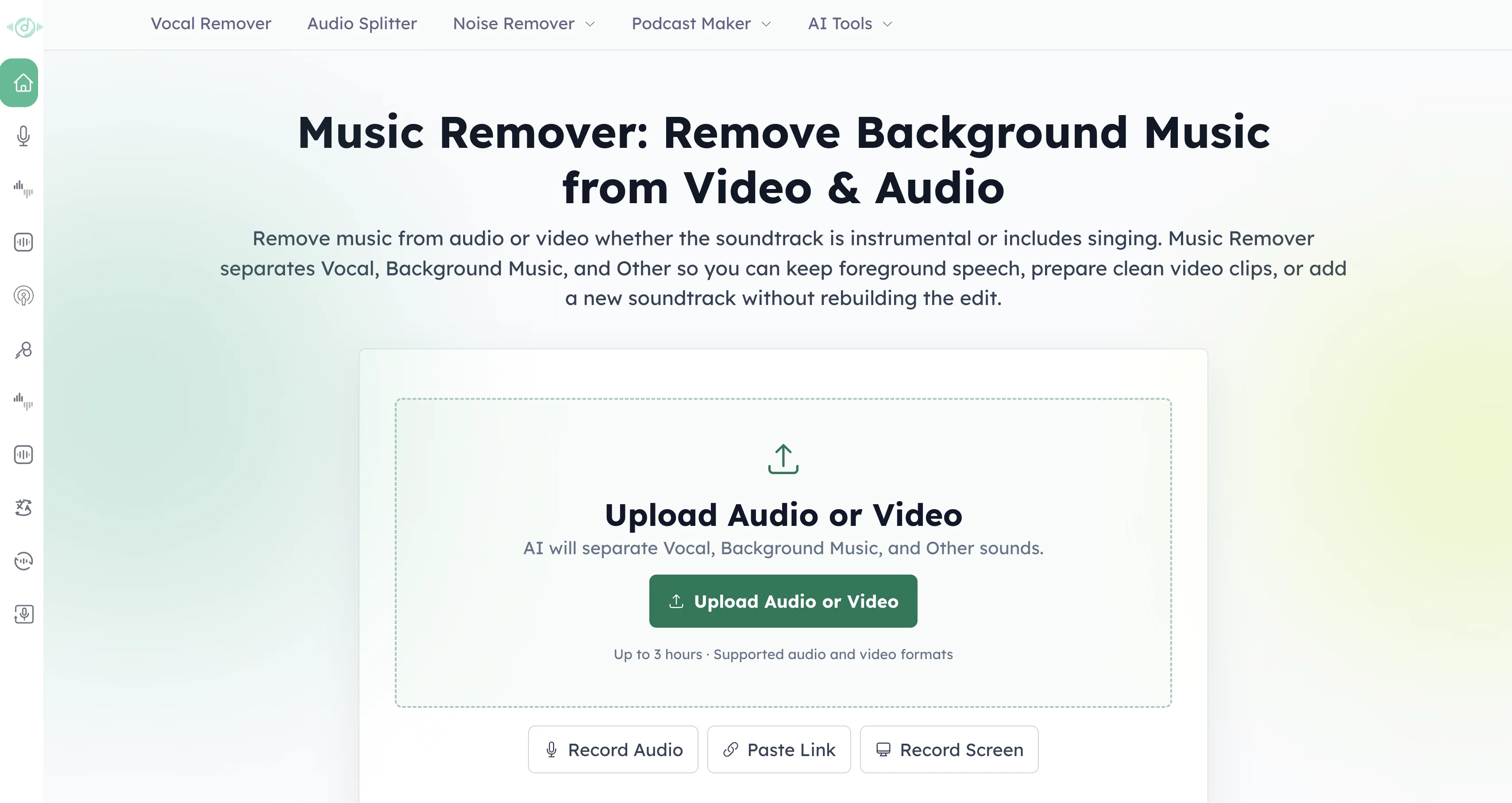
Music Remover is an AI tool primarily used to separate background music from vocals in both video and audio files. Its main function is to generate two distinct audio tracks from a single uploaded or recorded file: 'Voice' and 'Music & Background'.
The 'Voice' track isolates clear dialogues, narration or instructions from the original file, allowing for the removal of music or other background noises which may obstruct the clarity of these elements.
This capability makes speech easier to understand, especially in cases where the background sound makes dialogue, narration or instruction difficult to comprehend.The 'Music & Background' track, on the other hand, retains music, ambience, sound effects, and other non-voice audio, providing a flexible option for various creative and professional uses.
Once the separation process is complete, users can preview, adjust, and download the results without requiring complex audio editing skills. The tool also features a 'Custom Mix' preview that lets the user manage the balance between Voice and Music & Background traces to achieve the desired result.
This tool can be of immense benefit to creators, podcasters, marketers, and others involved in video and audio content creation. It can contribute to content repurposing, remix preparations, social cut-downs, transcript creation, translation, and other post-production work.
Note that it supports common audio and video formats, and can process recordings of a substantial length.
Access & connections
Where you can use Music Remover.
Platforms
Capabilities
What this tool accepts, produces, and is strongest at.
Input
- Video
- Audio
Output
- Audio
- Video
Supported features
- Denoise
Pros & cons
Pros
- Separates voice from background music
- Supports video and audio files
- Generates 'Voice' and 'Music & Background' tracks
- Improves dialogue understanding
- Enables speech clarity
- Retains non-voice audio
- Great tool for creators
- Useful for podcasters
Show 30 more
- Beneficial for marketers
- Contributes to content repurposing
- Aids in remix preparations
- Supports transcript creation
- Eases translation work
- Custom Mix preview feature
- Allows balance management
- No complex audio editing skills required
- Suited for post-production work
- Supports common file formats
- Downloadable results
- Can process lengthy recordings
- Free to use
- Automatic voice and background separation
- Handle recordings up to 3 hours
- Makes speech easier to hear
- Reuse voice without recording again
- Preview voice and background at different levels
- Trusted by many users worldwide
- Suitable for marketers
- Helpful for podcasters
- Works with audio and video
- Adjust and download without complex editing
- Automatic file separation
- Makes separated tracks easier to reuse
- Replaces soundtrack without rebuilding video
- Separates tracks for content repurposing
- Clarifies spoken content
- Removes background music for transcription
- Removes background music for clearer speech
Cons
- Limited to common formats
- No API available
- Limited adjustment options
- No batch processing
- Unspecified quality of results
- No offline mode
- Unclear processing times
- No advanced editing features
Show 1 more
- Unclear about multi-language support
Releases 1
FAQ 12
What formats does Music Remover support for operations?
Can Music Remover process files of any length?
Do I need to have audio editing skills to use Music Remover?
How does Music Remover help clarify speech in noisy audio or video files?
What is the 'Custom Mix' feature in Music Remover?
How does Music Remover contribute to content repurposing and post production work?
Can I adjust the balance between voice and background tracks using Music Remover?
Does Music Remover support both video and audio files?
Can I preview the results in Music Remover before downloading?
How does Music Remover separate voice and background music from an audio track?
Can the separated tracks from Music Remover be used in creative work?
Does Music Remover help with translation and transcription?
Related tools
Recommended

Thumblore ✓
Free TrialCreate viral YouTube thumbnails in seconds.

remio: Your Personal ChatGPT ✓
FreemiumGet Tailored Answer with Your Personal ChatGPT

HappySeeds ✓
FreemiumTurn ideas into AI-powered apps instantly.

AirMusic ✓
Free TrialAI music generator and music video creator in one platform.

WebsitePublisher AI ✓
FreemiumYour AI builds a full app, right from your phone

Anyvids ✓
FreemiumAny idea to video, made simple.