Agent

Multitui

macOS app factory for creating sandboxed, native terminal apps for TUI programs.

Source rating 5.0 (97) 1.1k views 1.1k/mo traffic 0 saves Freemium
More categories (6)

Verdict

A quick read before you dig into the full page.

Best if
macOS app factory for creating sandboxed, native terminal apps for TUI programs
Skip if
You need enterprise SLAs or a fully managed team plan right away
Pick this when
Freemium · Free

Overview

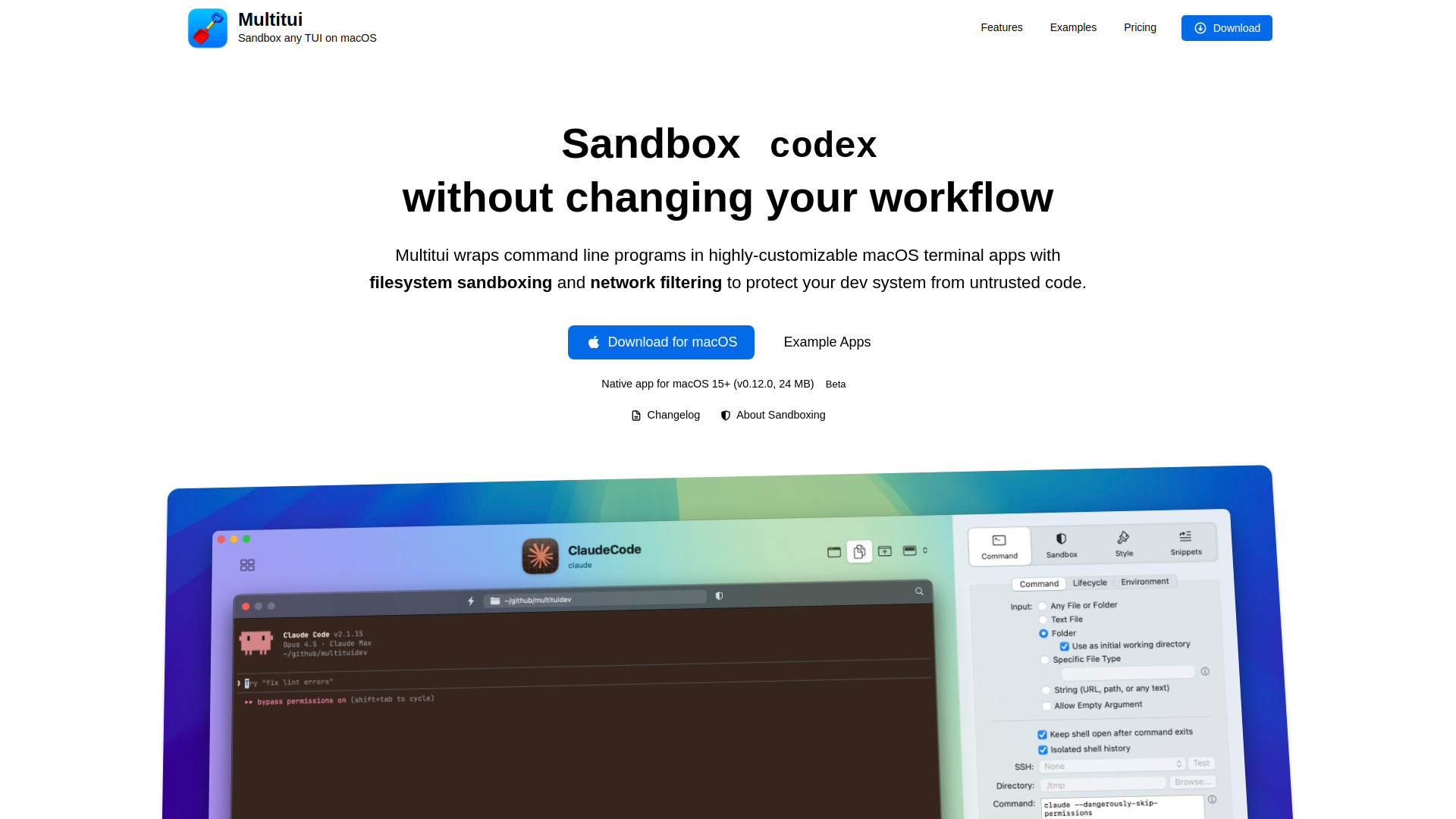
Multitui is a macOS app factory designed to convert Terminal User Interface (TUI) programs into dedicated, native macOS applications. It allows users to wrap command-line tools like Claude Code, lazygit, htop, and vim into individual .app bundles with their own dock icons and window management. A standout feature is its integrated sandboxing, which leverages macOS's built-in sandbox-exec to provide fine-grained filesystem protection. This ensures that CLI tools or AI agents can run with restricted permissions, preventing them from deleting or modifying sensitive data unless explicitly allowed. Each app maintains its own shell history, snippets, and visual themes, providing a first-class macOS experience for power users.

Multitui screenshot

Access & connections

Where you can use Multitui.

Platforms

macOS CLI

Capabilities

What this tool accepts, produces, and is strongest at.

Highlights

  • Native .app bundle generation for TUI programs
  • Fine-grained filesystem sandboxing using macOS sandbox-exec
  • Finder integration via toolbar buttons and context menus
  • Isolated shell history and snippets per app
  • Customizable per-app themes, icons, and window styles
  • Global keyboard shortcuts for instant app launching

FAQ 5

What is Multitui?
Multitui is a macOS app factory designed to convert Terminal User Interface (TUI) programs into dedicated, native macOS applications. It allows users to wrap command-line tools like Claude Code, lazygit, htop, and vim into individual .app bundles with their own dock icons and window management. A standout feature is its integrated sandboxing, which leverages macOS's built-in sandbox-exec to provide fine-grained filesystem protection. This ensures that CLI tools or AI agents can run with restricted permissions, preventing them from deleting or modifying sensitive data unless explicitly allowed. Each app maintains its own shell history, snippets, and visual themes, providing a first-class macOS experience for power users.
How to use Multitui?
Download the Multitui app factory to configure and preview your custom terminal apps. Select a TUI program, define filesystem permissions and visual styles, and generate a dedicated .app bundle. You can then launch these apps from the Dock, Finder, or via global shortcuts.
Do I need a Virtual Machine or Docker to use Multitui?
No, Multitui uses macOS's built-in sandbox-exec to restrict permissions natively, avoiding the resource overhead of VMs or containers.
Can I still use my favorite terminal emulator like iTerm2?
Yes, Multitui apps are intended to complement your existing terminal by moving specific, frequently used tools into their own dedicated windows.
What happens when an app tries to access a blocked file?
Multitui provides a live deny log that shows exactly what was blocked and allows you to add an 'allow' rule with a single click if needed.
Multitui Free

