

MrSeek - Genius AI Companion ✓
Your Mac menu bar AI assistant and chatbot companion.
Verdict
A quick read before you dig into the full page.
- Best if
- Your Mac menu bar AI assistant and chatbot companion
- Skip if
- Limited language support
- Pick this when
- Mac Menu bar access
Considering RedPill AI instead? Compare side by side
Overview
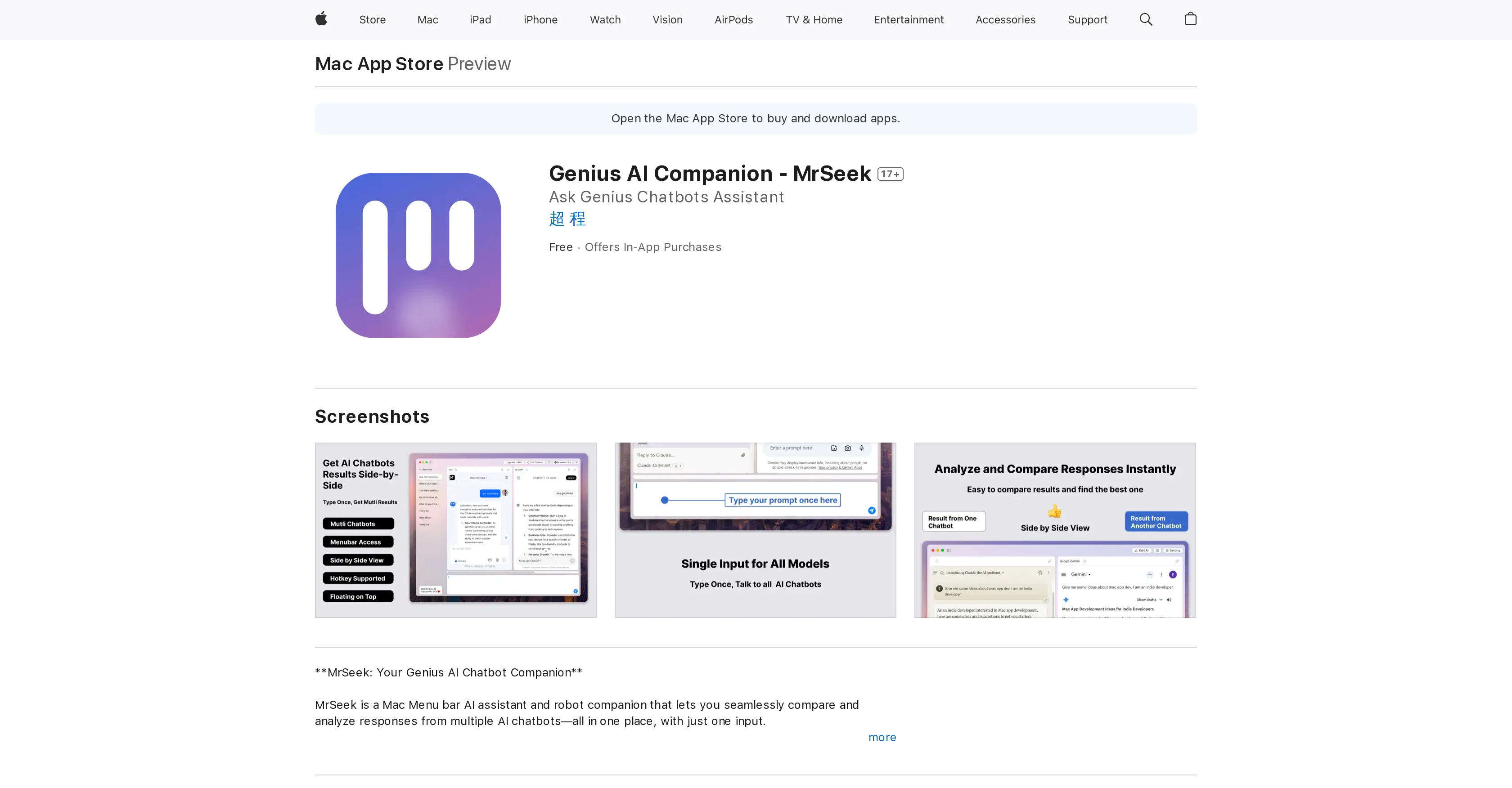
MrSeek is an AI companion and assistant available on the Mac Menu bar. This tool allows its users to compare and analyze responses from various AI chatbotsall in one place.
With MrSeek, users can interact with multiple AI bots like ChatGPT, GPT-3, and other LLM-based virtual assistants simultaneously, increasing efficiency by reducing the need for tab-switching and re-input of questions.
A single input can invite responses from selected AI chatbots, providing a side-by-side comparison of their responses in real-time. The offering includes support for multiple chatbots, synchronized input, a multi-chatbot interface, instant results comparison, and a floating interface for quick access.
It can be summoned instantly via hotkey and hidden with a simple press of ESC. MrSeek puts strong emphasis on user data, privacy and security, requiring no API keys and using chatbots with existing user accounts to maintain data security.
Access & connections
Where you can use MrSeek - Genius AI Companion, and what it plugs into.
Platforms
Integrations
Capabilities
What this tool accepts, produces, and is strongest at.
Input
- Text
Output
- Text
Pros & cons
Pros
- Mac Menu bar access
- Supports multiple chatbots
- Synchronized input for chatbots
- Multi-chatbot interface
- Instant chatbot results comparison
- Floating interface
- Hotkey support
- User data privacy
Show 32 more
- No API keys required
- Real-time side-by-side comparisons
- Single-input multiple-responses
- Tabs-switching reduction
- Re-input of questions reduction
- Interface can be hidden
- Uses existing user accounts
- Enhanced decision-making support
- Boosts user creativity
- Increased user productivity
- Emphasizes on data security
- Supports LLM-based assistants
- Accessible via hotkey
- One-stop solution for chatbots
- Allows personal chatbot selection
- Offers In-App Purchases
- Quick access to chatbots
- Seamless multi-chatbot comparison
- Compatible with macOS 11.0+
- Supports different languages
- Suitable for 17+ age users
- Enhanced user feedback system
- Unrestricted Web Access
- Free basic use
- Developer support available
- Convenient installation and setup
- Compatible with ChatGPT, GPT-3
- Regular updates for stability
- Size of only 4.7MB
- Indie developer support
- One-click results submission
- Organized views for responses
Cons
- Only for MacOS
- No API keys support
- Requires existing chatbot accounts
- Limited to existing chatbots
- Lacks direct machine interface
- Dependant on chatbot availability
- Limited language support
- In-app purchases required
Show 1 more
- MacOS 11.0 or later needed
Compare alternatives
Similar tools in the catalog — with a clear reason to open each one.

RedPill AI ✓
FreemiumProvable Confidential AI - Encrypted, Verifiable, and Truly Private
Why look Typically cheaper
Full comparison


Memorr.AI ✓
PaidYour AI conversations, never forgotten
Why look Higher community rating
Full comparison
FireTexts ✓
FreemiumGenerate text messages for flirting, rizz, or talking, sexting, and dating
Why look Typically cheaper
Full comparison
PrivateLLM ✓
PaidYour private AI chatbot for Apple devices, offline and secure.
Why look Typically cheaper
Full comparisonReleases 1
FAQ 12
What is MrSeek?
How does MrSeek compare responses from different AI chatbots?
How can I interact with multiple AI bots using MrSeek?
What are the main features of MrSeek?
How can I access MrSeek quickly?
How does MrSeek ensure user data privacy and security?
Does MrSeek require API keys to use AI chatbots?
How does MrSeek improve my efficiency when using AI chatbots?
What does the multi-chatbot interface in MrSeek look like?
How do I do a side-by-side comparison of responses in MrSeek?
Can I use hotkey commands with MrSeek?
What is LLM-based virtual assistant and can I use it with MrSeek?
Related tools
Recommended

Gurubase ✓
Free TrialShortcut search for tech resources and answers.

TurboScribe ✓
Freemium🎯 3 free transcripts every day. 🔥 Unlimited transcription starting at $10/mo.

Automateed ✓
Free TrialCreate eBooks effortlessly with Automateed, the AI-powered writing tool.

BypassGPT.co ✓
PaidHumanize AI text to bypass detection tools.

OnlyPrompts ✓
Free TrialAutomate 37,000+ tasks with 150,000+ prompts

OverallGPT ✓
Free TrialCompare AI models side-by-side for informed decisions.