
Merge JPG
Free online tool to merge multiple JPG images into one file or PDF.
Verdict
A quick read before you dig into the full page.
- Best if
- You are general users and need: Combine JPG photos into a collage
- Pick this when
- Free online tool to merge multiple JPG images into one file or PDF
Overview
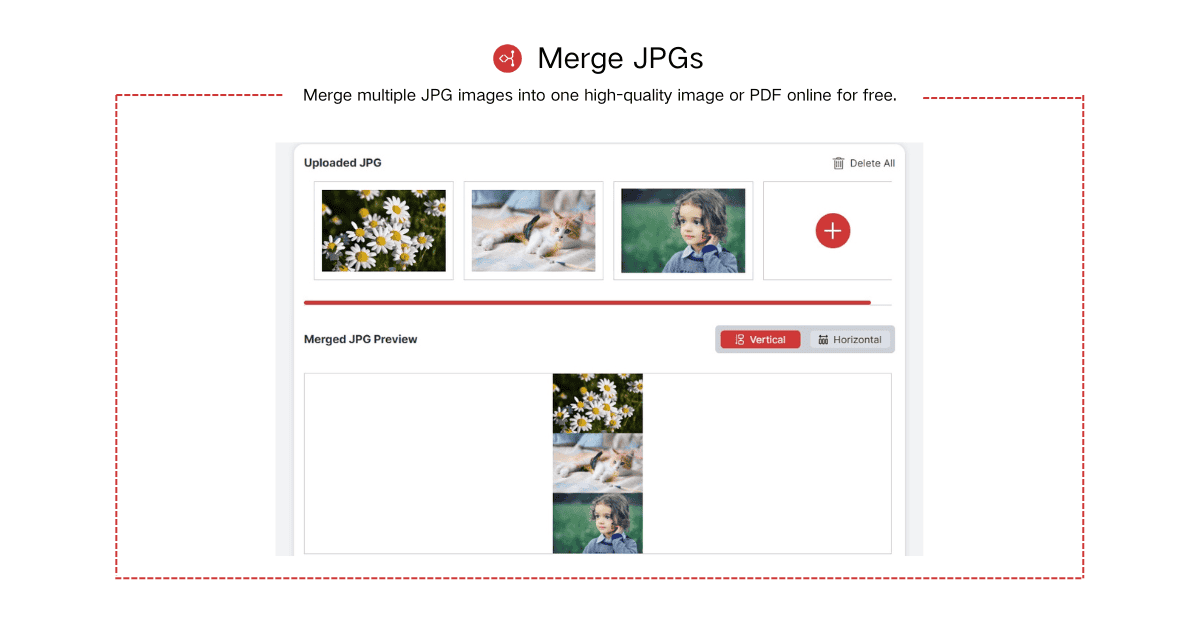
Merge JPG Online is a free web-based tool designed to combine multiple JPG, JPEG, PNG, or WebP images into a single high-quality image or PDF file. It allows users to upload photos, arrange them, choose a layout (vertical or horizontal), and instantly download the merged file without any downloads, installations, or account registration.
Best for
Short scenarios where Merge JPG tends to shine.
-
Combine JPG photos into a collage.
Best for General users
-
Create a printable sheet from multiple images.
Best for Content creators
-
Organize multiple images into a single file.
Best for Students
-
Quickly merge images for sharing online.
Best for Social media managers
Example outputs 1
Sample generations and before/after results for Merge JPG.
Access & connections
Where you can use Merge JPG.
Platforms
Capabilities
What this tool accepts, produces, and is strongest at.
Highlights
- Merge multiple JPG, JPEG, PNG, or WebP images into one file.
- Output merged files as JPG, PNG, JPEG, WebP, or PDF.
- Choose between vertical or horizontal layouts for merged images.
- High-quality output with preserved image resolution.
- No downloads or installations required.
- Automatic deletion of uploaded images for privacy and security.
People also view
Tools that often show up alongside Merge JPG in collections and comparisons.


FAQ 5
What is Merge JPG?
How to use Merge JPG?
2. Arrange the Order: After uploading, arrange your images in any order you prefer. You can also choose your desired layout: Horizontal (place images side by side) or Vertical (stack images top to bottom).
3. Download Your Merged File: Once done, download your merged JPG file. You can also save it as PNG, JPEG, or PDF.