
Maskmyprompt ✓
Anonymize prompts before sending to ChatGPT
Verdict
A quick read before you dig into the full page.
- Best if
- Anonymize prompts before sending to ChatGPT
- Skip if
- Limited customization options
- Pick this when
- Anonymizes prompts automatically
Considering Call Prompter instead? Compare side by side
Overview
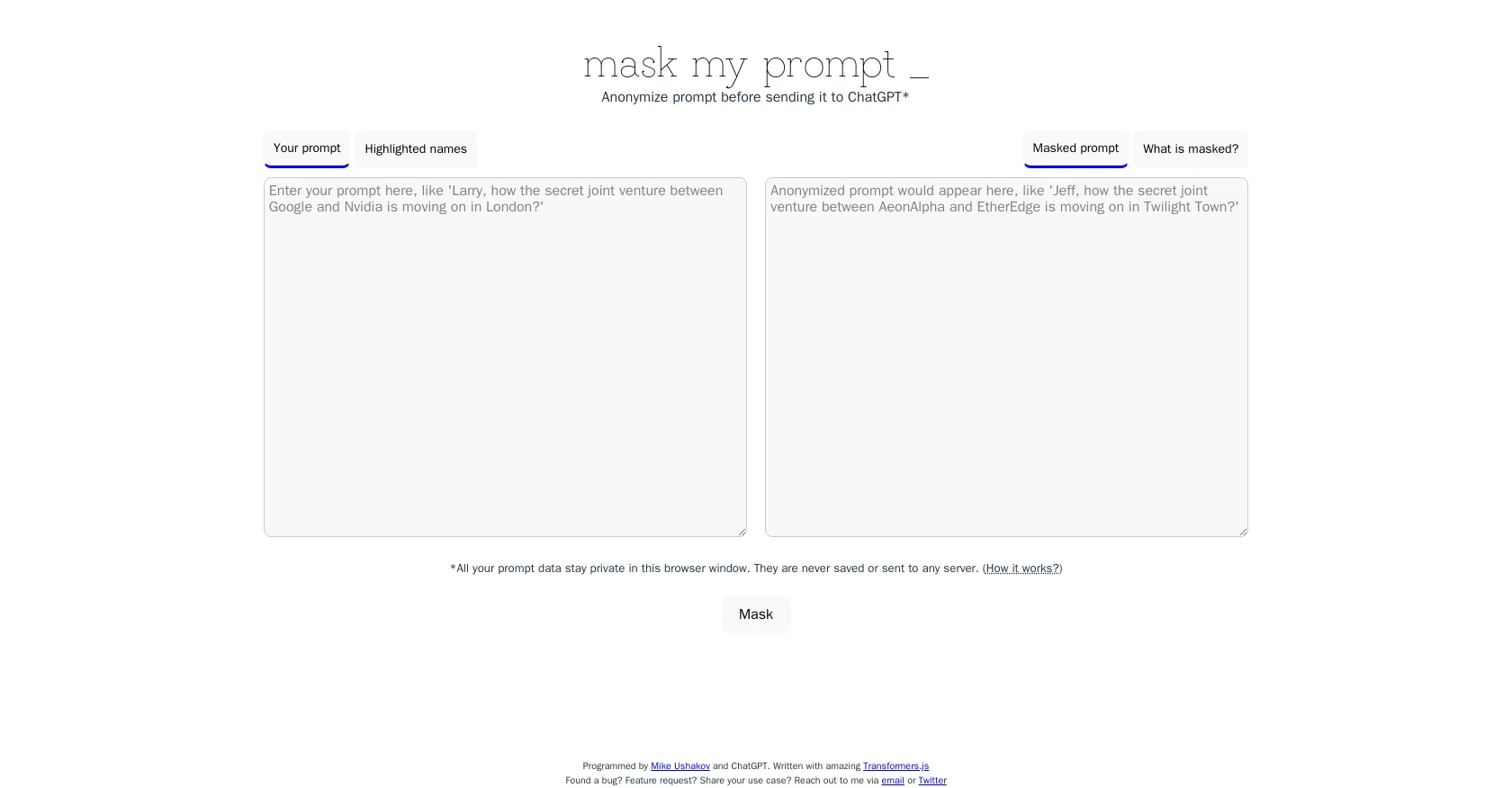
MaskMyPrompt is an AI tool that allows users to anonymize their prompts before sending them to ChatGPT. This tool is designed for users who want to protect their confidential data by changing the names of people, organizations, and locations in their prompts to made-up ones.
With MaskMyPrompt, users can highlight the names that need to be masked, and the tool will replace them with fictional counterparts automatically.To ensure data privacy, all prompt data stays private in the user's browser window and is never saved or sent to any server.
MaskMyPrompt is written with amazing Transformers.js and jointly programmed by Mike Ushakov and ChatGPT. To report bugs, to request features or to share use cases, users can contact MaskMyPrompt via email or Twitter.Overall, MaskMyPrompt is an AI tool that enables users to control their data and ensure their privacy when interacting with ChatGPT.
By automating the anonymization process, this tool makes it easier for users to protect sensitive information in their prompts.
Access & connections
Where you can use Maskmyprompt, and what it plugs into.
Platforms
Integrations
Capabilities
What this tool accepts, produces, and is strongest at.
Input
- Text
Output
- Text
Pros & cons
Pros
- Anonymizes prompts automatically
- Protects sensitive information
- User-controlled data privacy
- Data never leaves browser
- Uses Transformers.js technology
- Created by ChatGPT collaboration
- Email and Twitter support
Cons
- No offline usage support
- No multi-language support
- No mobile application
- Doesn't support non-name entities
- Limited customization options
- No integration with ChatGPT
- No batch anonymization capability
- Lack of user interface customization
Show 2 more
- Doesn't anonymize numerical data
- No user guide/tutorial
Compare alternatives
Similar tools in the catalog.

Releases 1
Imported reviews 2
Doesn't really recognize names very well and only anonymizes a fraction of what it should anonymize. Furthermore, names such as "Ac" are replaced with corporations like "EosEnterprises" which really isn't ideal. Also you can't unmask what an AI returns. So this really doesn't suffice.
Usefull to analyse documents without the need of taking of the personal data
FAQ 12
What does MaskMyPrompt do?
How does MaskMyPrompt work?
How can I contact the makers of MaskMyPrompt?
How does MaskMyPrompt ensure data privacy?
Which AI language model does MaskMyPrompt use?
What kind of data can MaskMyPrompt anonymize?
How does MaskMyPrompt replace real names with fictional ones?
Does MaskMyPrompt save or share my data?
Can MaskMyPrompt anonymize any kind of prompt?
Who are the creators of MaskMyPrompt?
Is there any risk of my data getting exposed when using MaskMyPrompt?
How to report a bug or request a feature in MaskMyPrompt?
Related tools
Recommended

GPTinf ✓
PaidBypass AI detectors with one-click rephrasing.

VenturusAI ✓
FreemiumBusiness idea analysis and reporting.

Business Idea Generator AI ✓
FreeGenerate innovative business ideas with AI

What-A-Prompt ✓
FreeSupercharge your ChatGPT prompts for better results.

KnowledgeGraph GPT ✓
FreeTransform unstructured text into knowledge graphs with AI.

LearningStudioAI ✓
Free TrialAI-powered authoring tool for effortless online course creation.