

Agents 2026 Rank: #3127
MangoTart ✓
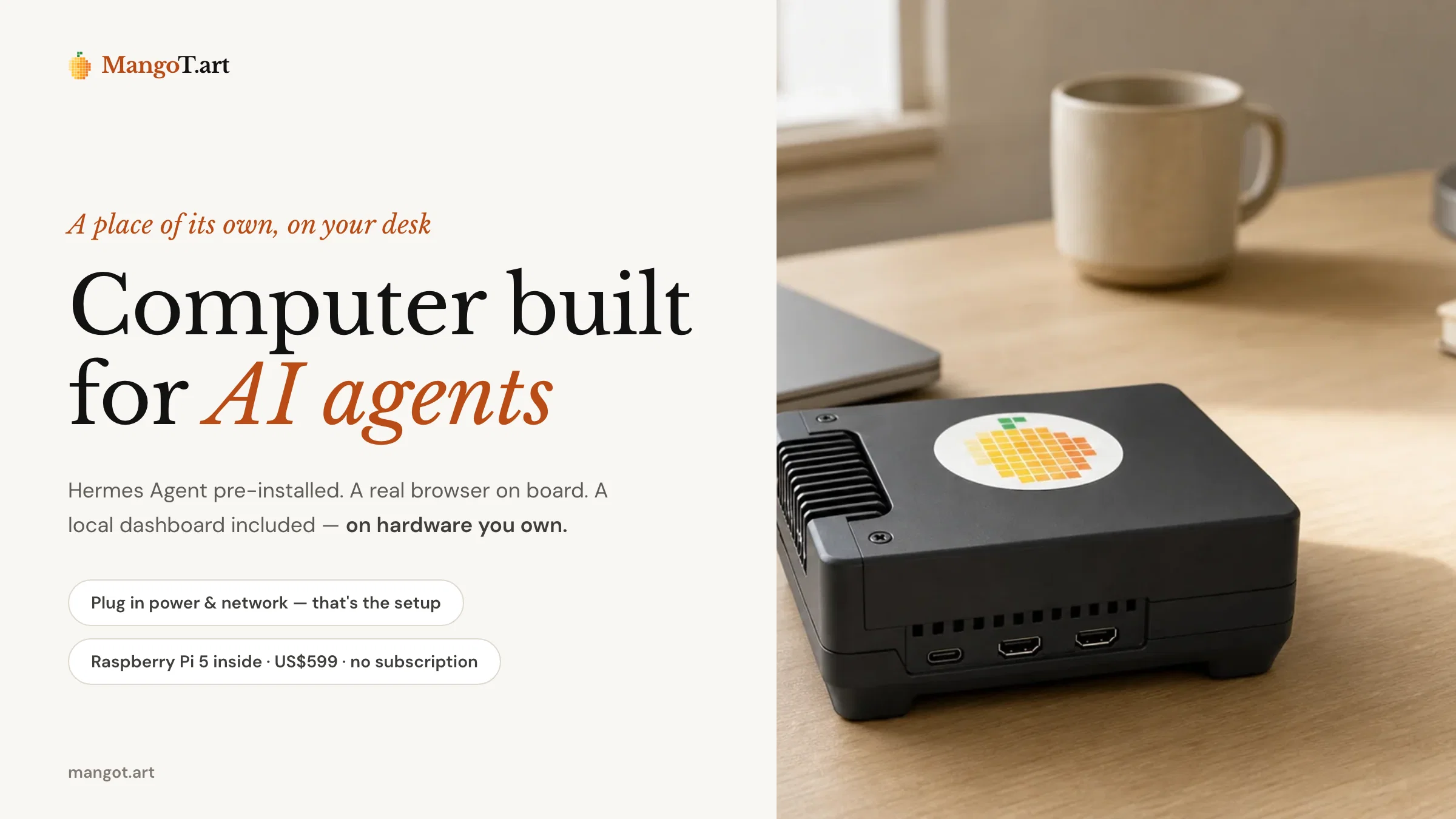
Computer built for AI agents — private, always-on, ready out of the
Verdict
A quick read before you dig into the full page.
- Best if
- Computer built for AI agents — private, always-on, ready out of the
- Skip if
- Limited to wired network
- Pick this when
- Pre-installed Agent OS
Considering Younet instead? Compare side by side
Overview
Your agent runs on hardware you own, independent of your everyday computer, and stays active as long as it is powered. Its data, memory, and browser state live locally under your control, with optional opt-in cloud backups and recovery from failed updates.
MangoTart Agent OS is not a raw open-source image — it is a preconfigured operating layer designed to be always-on, locally owned, observable, backed up, and recoverable. It supports agent-centric workflows such as browser tasks, file processing, monitoring, scheduled and long-running work, and safe experimentation.
Compared with the alternatives, it avoids sharing resources with your daily laptop, datacenter IPs that come with a VPS, the setup burden of DIY builds, and the lack of control of SaaS agents. There is no MangoTart subscription — bring your ChatGPT subscription via Codex OAuth or any Hermes-supported model provider.
Access & connections
Where you can use MangoTart, and what it plugs into.
Platforms
Integrations
Capabilities
What this tool accepts, produces, and is strongest at.
Input
- Tabular
Output
- Text
Highlights
- Agents
- API
- MCP
- Local
- No Signup
Supported features
- Agents
- API
- MCP
- Runs Locally
- No Signup
Pros & cons
Pros
- Pre-installed Agent OS
- Persistent browser
- Allows local operations
- Private, secure environment
- Works independently from daily computer
- Constantly active
- Quick, intuitive setup
- No command line need
Show 37 more
- No cloud account setup
- Private control over data/memories
- Specifically preconfigured OS
- Designed for always-on function
- Backup and recoverability
- Browser activity support
- File processing facilities
- Monitoring tasks capability
- Supports recurring work
- Provides safe experimentation
- Status and update diagnostics
- No its own subscription need
- Easy plug and connection
- Local data and memory control
- Preinstalled and configured Hermes Agent
- Real browser environment
- Opt in to cloud backups
- Backup export/import potentials
- Recovery from failed updates
- Supports various agent workflows
- Scheduled and long-running tasks capability
- Compatibility with any Hermes-supported providers
- Comes with a local dashboard
- Status/Update diagnostics
- Recovery controls pre-configured
- Agent OS not an open-source image
- Setup and maintaining environment simplified
- Reduced shared surface with daily computer
- Locally owned and shaped for workflows
- Preconfigured for agent environment
- Keeps agent computer, memory, state privatized
- 8GB RAM
- 250GB NVMe SSD
- Gigabit wired network
- Compact aluminum body
- Official 27 W USB-C power
- Does not require MangoTart subscription
Cons
- Not open-source
- Requires physical setup
- Hardware-dependent
- Lacks remote access
- No Cloud functionality
- Requires power to stay active
- No software update details
- Limited to Hermes-supported providers
Show 2 more
- Fixed storage and memory
- Limited to wired network
Compare alternatives
Similar tools in the catalog — with a clear reason to open each one.

Younet ✓
Free TrialAI Agent Orchestration and Automation. Build your agentic business.
Why look Typically cheaper
Full comparison
Agents by Athena AI ✓
Free TrialCreate AI agents for any task
Why look Typically cheaper
Full comparison
Rumora ✓
PaidAI agents will find and mention your brand in viral videos comments
Why look Typically cheaper
Full comparison
Watermelon ✓
FreemiumHandle up to 96% of your support automatically
Why look Freemium alternative
Full comparison

ChatNode ✓
Free TrialAI Agents for customer service that feel human
Why look Typically cheaper
Full comparisonReleases 1
FAQ 12
What is MangoTart?
How does the MangoTart Agent OS work?
Can the MangoTart computer operate independently?
Is the MangoTart setup quick and easy?
How can I ensure privacy and control over data with MangoTart?
What makes MangoTart Agent OS different from a raw open-source image?
What kind of workflows does MangoTart support?
What are the diagnostic features of MangoTart?
How does the MangoTart backup export and recovery control work?
Can MangoTart assist with deploying AI agents?
How does MangoTart handle resource control?
What are some alternatives to using MangoTart?
Related tools
Recommended

echowin ✓
FreemiumCreate & Deploy AI Agents for Phone, Chat & Discord

The SEO Agent ✓
Free TrialOne keyword in, one ranking post out.

Disclaimr — State compliance alerts for RIAs ✓
FreeThe SEC tells you. Fifty states don't. Disclaimr watches all of them.

ACME.BOT - No-Slop AI SEO Agent That Interviews You ✓
Free TrialInterviews you, then writes and publishes your blog. No Slop.

Invent | AI Customer Support Agents for any channel ✓
Free TrialYour AI business agent platform, on any channel

AI agency Copilot ✓
Free TrialStand out and win more clients with personalised AI recommendations