
Magika ✓
Detect file types with AI precision and speed.
Verdict
A quick read before you dig into the full page.
- Best if
- Detect file types with AI precision and speed
- Skip if
- Single content-type output limitation
- Pick this when
- Outperforms traditional tools
Considering categorAIze instead? Compare side by side
Overview
Magika is a deep learning-based tool for detecting and classifying various file content types. Developed by Google, it's designed to outperform traditional file type detection tools by providing enhanced accuracy across a broad range of content types.
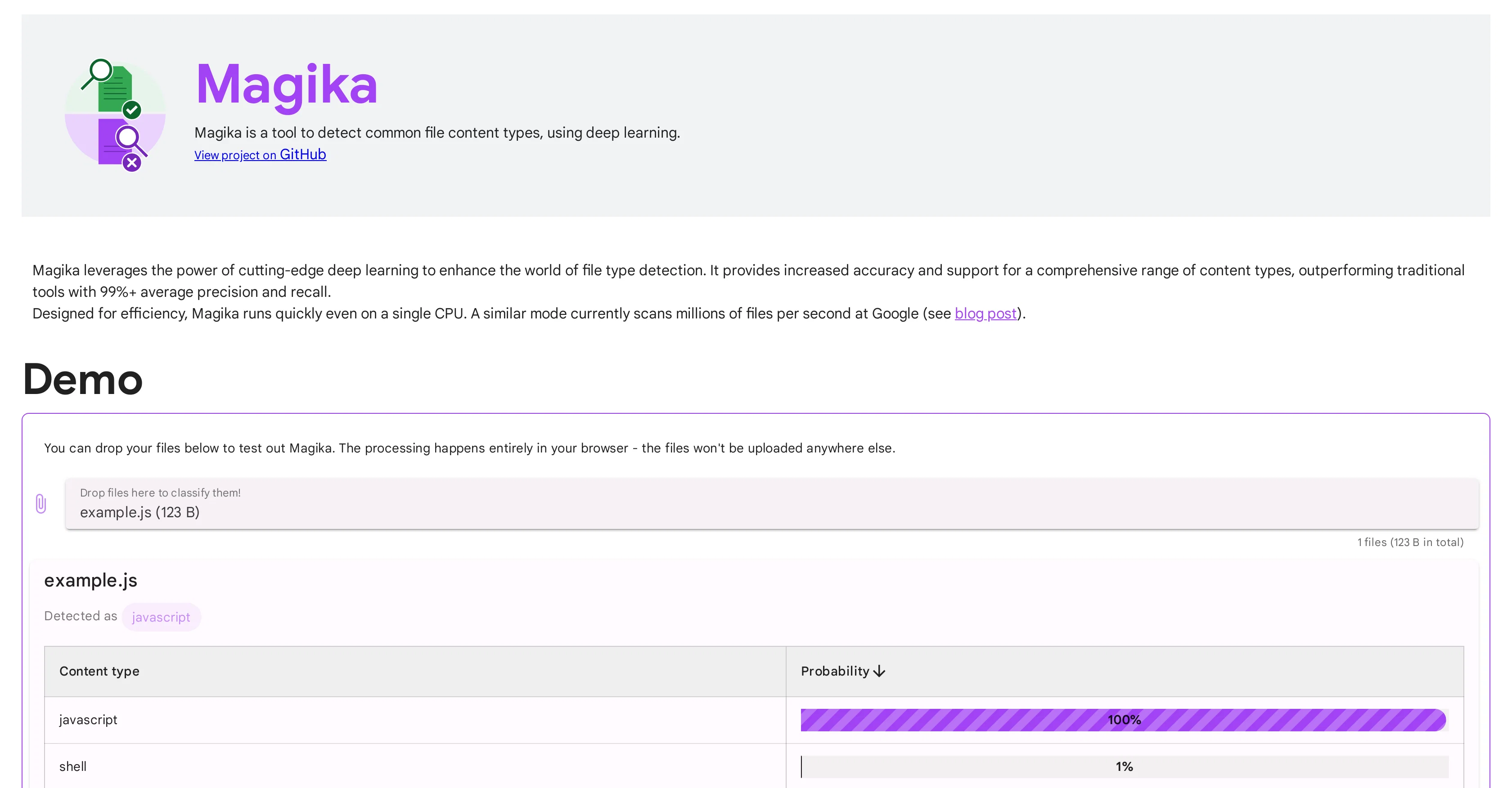
Magika is designed for efficiency, allowing for quick operation even on a single CPU. Users can test out Magika's capabilities from their browser. Uploaded files remains secure as the processing is entirely performed browser-side with no uploads to external servers.
A unique feature of Magika is its installability as a Python package, allowing users to run it readily from their command line. It can also be leveraged in Python or JavaScript codebases, making it a versatile tool in a developer's kit.
Magika is a game-changer that allows precise file content type detection with comprehensive support including language-specific files, executables, document types, image and video data, and audio bitstream data, among others.
Reports indicate that a similar version of Magika is in use at Google, scanning millions of files per second for accurate content-type tagging. Plans are underway to release a detailed paper explaining how Magika was trained and its performance on large datasets.Despite its capabilities, users should note that Magika is designed to output a single content type for a file, therefore polyglot files will not be mapped to two or more categories.
Despite this, it remains a powerful tool in content type detection using deep learning. For users wanting to cite Magika, a citation guide is available on the project's GitHub page.
Access & connections
Where you can use Magika, and what it plugs into.
Platforms
Integrations
Capabilities
What this tool accepts, produces, and is strongest at.
Output
- Text
Pros & cons
Pros
- Outperforms traditional tools
- Enhanced accuracy
- Efficient operation
- Operates on single CPU
- Browser-side file processing
- High file security
- Installs as Python package
- Command-line operation
Show 40 more
- Python or JavaScript integration
- Comprehensive file type support
- Scans millions files/second
- Language-specific file support
- Executable, document, image, video support
- Audio bitstream data support
- 99%+ average precision
- 99%+ average recall
- Demo option in browser
- Detailed performance paper
- Citable with citation guide
- Faster file-type identification
- Commands to install
- Example outputs provided
- JavaScript library usage
- Single content output
- Model details disclosed
- Model owners clarified
- Detailed performance metrics
- Limitations specified
- Use cases identified
- Outputs file total size
- Content type probability displayed
- Outputs individual file precision
- Outputs individual file recall
- Detailed quantitative analysis
- Can process large datasets
- Designed for developer usage
- Deep learning-based precision
- Output compatible with data tagging
- Can process polyglot files
- Comprehensive support for executable types
- Scaled successfully at Google
- Optimized for Python and JavaScript
- Processed in client-side browser
- Consistently updated and maintained
- Fast even on single CPU
- Handles document files effectively
- Support for audio and video data
- Recognizes language-specific files
Cons
- Single content-type output limitation
- Browser-side-only processing
- No support for external servers
- Lack of detailed training documentation
- Python and JavaScript only
Compare alternatives
Similar tools in the catalog — with a clear reason to open each one.





Releases 1
FAQ 12
What is Magika by Google designed for?
How does Magika differ from traditional file type detection tools?
How can I test out Magika's capabilities?
How does Magika ensure the security of uploaded files?
Can Magika be installed as a Python package?
Is Magika compatible with Python and JavaScript codebases?
What kind of files can Magika detect and classify?
Is there a version of Magika being used internally at Google?
When is the detailed paper on Magika's training and performance expected to be released?
Can Magika output more than one content type for a file?
Where can users find the citation guide for Magika?
How efficient is Magika at detecting and classifying file content?
Related tools
Recommended

Agentgpt ✓
FreemiumDeploy autonomous AI Agents effortlessly in your browser.

Scisummary ✓
Free TrialCutting-edge scientific articles summarization.

Mindsmith ✓
FreemiumPlatform for building and sharing eLearning content

AI Toolbox for innovators ✓
FreeSupercharge innovation with AI-powered tools

Search Alkemy ✓
FreemiumClient-Ready Keyword Research in Minutes

Spellbook ✓
UnknownContract Drafting and Review for legal professionals.