Live face swap

LiveFaceSwap AI

LiveFaceSwap AI is a real-time AI face swap platform for webcams, live streaming, and video calls. Try Live Face Swap, Live Try-On, and Live Restyle directly in your browser with no installation, or use the Desktop app as a virtual camera for OBS and compatible meeting and streaming software. AI processing runs in the cloud, so no powerful local GPU or model download is required, with real-time output at under 500 ms latency. LiveFaceSwap Desktop supports Windows, with macOS in Early Access; iOS

Source rating 5.0 (64) 0 views 0 saves Freemium
More categories (15)

Free + from $12/month or $9.60/month billed annually

Verdict

A quick read before you dig into the full page.

Best if
LiveFaceSwap AI is a real-time AI face swap platform for webcams, live streaming, and video calls. Try Live Face Swap, Live Try-On, and Live Restyle directly…
Skip if
You need enterprise SLAs or a fully managed team plan right away
Pick this when
Freemium · Free + from $12/month or $9.60/month billed annually

Overview

LiveFaceSwap AI is real-time AI face transformation software for live camera video. Try Face Swap, Try-On, and Restyle in the browser, then use the Windows 11 Desktop app when compatible software needs the result as a virtual camera.

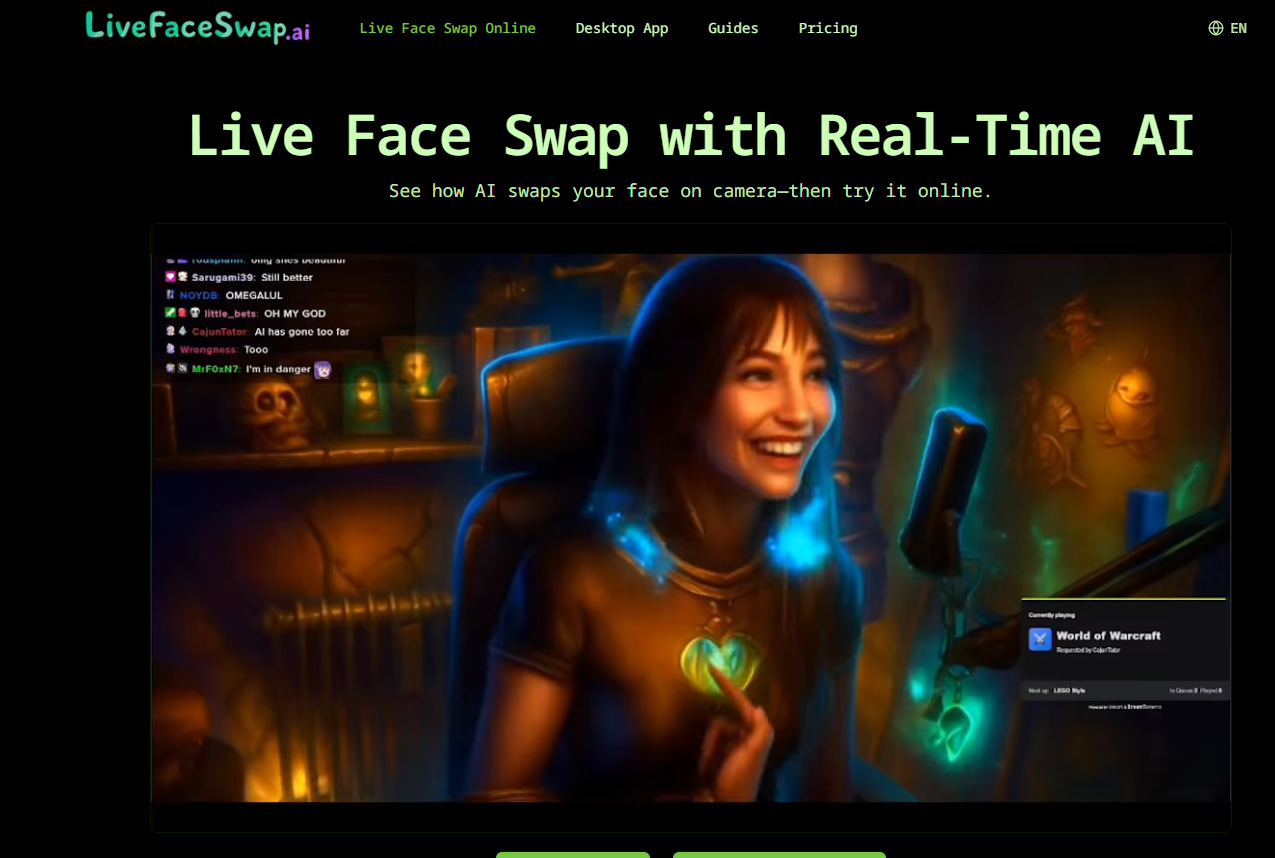
LiveFaceSwap AI screenshot

Access & connections

Where you can use LiveFaceSwap AI.

Platforms

Desktop Web iOS macOS

Capabilities

What this tool accepts, produces, and is strongest at.

Highlights

  • Real-time AI face swap from a live webcam
  • Browser-based live face swap preview with no installation
  • Virtual camera output for OBS, streaming, meetings, and video calls
  • Live Try-On for real-time outfit changes
  • Live Restyle for real-time character and visual style changes
  • Cloud AI processing with no powerful local GPU or model download required
  • Less than 500 ms real-time AI output latency
  • Multiple AI models including XMAX and Lucy
Show 1 more
  • Windows Desktop app with macOS Early Access

FAQ 12

What is LiveFaceSwap AI?
LiveFaceSwap AI is real-time AI face transformation software for live camera video. Try Face Swap, Try-On, and Restyle in the browser, then use the Windows 11 Desktop app when compatible software needs the result as a virtual camera.
How to use LiveFaceSwap AI?
Upload a clear portrait you have permission to use or choose a preset. Turn on your webcam, select Face Swap, Try-On, or Restyle, choose an AI model, and start the live preview.
Adjust the reference image, lighting, framing, or model if needed.
To use the AI output in OBS, streaming software, meetings, or video calls, install LiveFaceSwap Desktop and select its virtual camera as the video source in a compatible app.
Can I use LiveFaceSwap AI online without downloading software?
Yes. You can try real-time AI face swap, Live Try-On, and Live Restyle directly in your browser without installing an app. The Desktop app is only needed when you want virtual camera output for other software.
Do I need a powerful GPU for real-time face swap?
No. LiveFaceSwap AI runs the AI models in the cloud, so you do not need an NVIDIA GPU, a high-end graphics card, or local AI model downloads.
Can I use LiveFaceSwap AI with OBS for live streaming?
Yes. LiveFaceSwap Desktop provides a virtual camera that can be selected in OBS and compatible streaming software, allowing you to use the real-time AI output in your livestream.
Can I use real-time face swap in Zoom, Discord, Google Meet, or other video calls?
Yes. LiveFaceSwap Desktop outputs a virtual camera that can be used as the video source in compatible meeting, chat, and video-call applications.
Does LiveFaceSwap AI work on Windows and macOS?
Yes. LiveFaceSwap Desktop supports Windows, and macOS is currently available through Early Access. The browser version can also be used on supported desktop browsers.
Is LiveFaceSwap AI available on iPhone or Android?
Native iOS and Android apps are currently in development. For now, the main LiveFaceSwap experience is available through the browser and Desktop app.
Can I try LiveFaceSwap AI for free?
Yes. New users can sign up and receive up to 180 seconds free to test real-time face swap and other live AI modes.
How fast is LiveFaceSwap AI for real-time face swapping?
LiveFaceSwap AI processes the camera feed in the cloud and returns the AI output in real time, with less than 500 ms latency under supported conditions.
What photo should I use for the best live face swap result?
Use a clear, front-facing portrait with visible eyes, mouth, and facial outline. Avoid blurry images, heavy shadows, group photos, or faces covered by objects, and only use images you have permission to use.
What is the difference between LiveFaceSwap Online and LiveFaceSwap Desktop?
The online version lets you preview Live Face Swap, Live Try-On, and Live Restyle directly in your browser. LiveFaceSwap Desktop adds virtual camera output for OBS, livestreaming, meetings, and video calls.
LiveFaceSwap AI Free + from $12/month or $9.60/month billed annually