

Revenue analysis 2026 Rank: #3080
Lily Revenue ✓
The missing revenue column in Apple Ads.
Verdict
A quick read before you dig into the full page.
- Best if
- The missing revenue column in Apple Ads
- Skip if
- Limited to Apple Ads
- Pick this when
- Integrates with Apple Search Ads
Considering Tinkery instead? Compare side by side
Overview



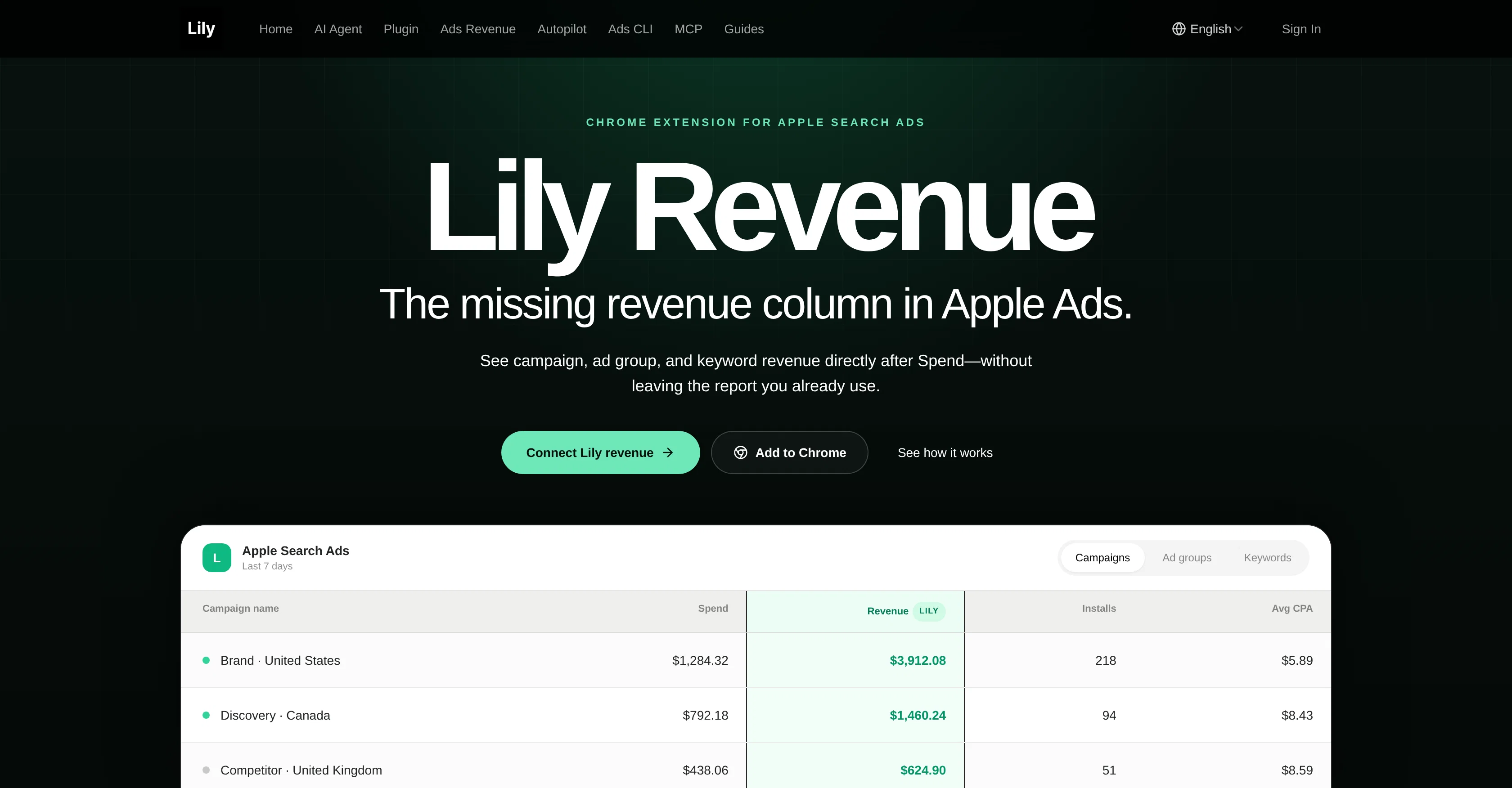
The Lily Ads Revenue Chrome Extension integrates with Apple Search Ads to provide additional revenue details directly within existing campaign, ad group, and keyword reports.
Simple to use, the tool adds a 'Revenue' column right after the 'Spend' column in the report that users are already familiar with, eliminating the need to switch between various dashboards.
Its functionality leverages matching logic from RevenueCat or AppsFlyer to correlate the selected date range. It's as straightforward as opening your Apple Ads campaign, ad group, or keyword report, and seeing correlated revenue data added in real time.
A key feature of this extension is its non-modification policy. Lily enriches your report viewed without editing campaigns, bids, budgets, or keywords.
Any data used to correlate and demonstrate the revenue is securely sent to chatlily.ai over HTTPS and doesn't collect unrelated browsing history. A safeguard against data mix-ups halts any mismatching between the Apple Ads account and the extension, with access tokens stored in Chrome local storage.
Despite its integration, it is crucial to note that this independent product is not affiliated with, sponsored by, or endorsed by Apple Inc.
Access & connections
Where you can use Lily Revenue, and what it plugs into.
Platforms
Capabilities
What this tool accepts, produces, and is strongest at.
Input
- Tabular
- Image
- Text
Output
- Text
Highlights
- MCP
- Agents
- Open Source
Supported features
- MCP
- Agents
- Open Source
Pros & cons
Pros
- Integrates with Apple Search Ads
- Provides additional revenue details
- Adds 'Revenue' column in reports
- No need to switch dashboards
- Leverages RevenueCat/AppsFlyer matching logic
- Real-time correlated revenue data
- Non-modification policy
- Secure data transfer over HTTPS
Show 23 more
- Doesn't collect unrelated browsing history
- Safeguard against data mix-ups
- Access tokens stored locally
- Independent of Apple Inc.
- Chrome extension
- Directly augments existing reports
- Reduces dashboard navigation
- Enhances existing Apple Ads interface
- Provides keyword-based revenue data
- Helps attribute revenue to campaigns
- Enhances ad group revenue tracking
- Uses familiar matching logic
- Revenue data visible instantly
- Data security maintained
- User-friendly interface
- Works within Chrome browser
- Prevents accidental data alteration
- Compatible with RevenueCat or AppsFlyer
- Doesn't interfere with ad settings
- Doesn't alter campaigns, bids, budgets
- Data-driven marketing analytics
- Correlates revenue with specific date range
- Simplifies ad performance tracking
Cons
- Only for Chrome
- Relies on RevenueCat/AppsFlyer
- Limited to Apple Ads
- Only adds revenue column
- No multi-platform support
- Data mix-ups safeguard issues
- Requires permission to send data
- Access tokens in local storage
Show 2 more
- Not officially Apple affiliated
- No editing campaigns feature
Compare alternatives
Similar tools in the catalog — with a clear reason to open each one.

Tinkery ✓
Free TrialRevenue clarity for growing businesses.
Why look Higher community rating
Full comparison

Clari Revenue Platform ✓
UnknownMake your revenue process efficient and predictable.
No pricing
Full comparison
Chartsy ✓
Free TrialAI-powered SaaS analytics for Stripe & Paddle
Why look Higher community rating
Full comparisonReleases 1
FAQ 12
What is the Lily Ads Revenue Chrome Extension?
How does Lily Ads integrate with Apple Search Ads?
What additional details does Lily Ads provide in campaign reports?
How does Lily Ads make use of RevenueCat or AppsFlyer?
What is the benefit of Lily Ads' non-modification policy?
What security measures does Lily Ads have in place for data?
Which column does Lily Ads add to the Apple Ads report?
How do I use the Lily Ads Revenue Chrome Extension?
In what format does Lily Ads show correlated revenue data?
Why does Lily Ads send information to chatlily.ai over HTTPS?
Why does Lily Ads store access tokens in Chrome local storage?
What data does Lily Ads not collect?
Related tools
Recommended

Unscreen Pro ✓
PaidUnscreen Remove video background

Crevas AI ✓
Free TrialThe AI video canvas uniting all models.