
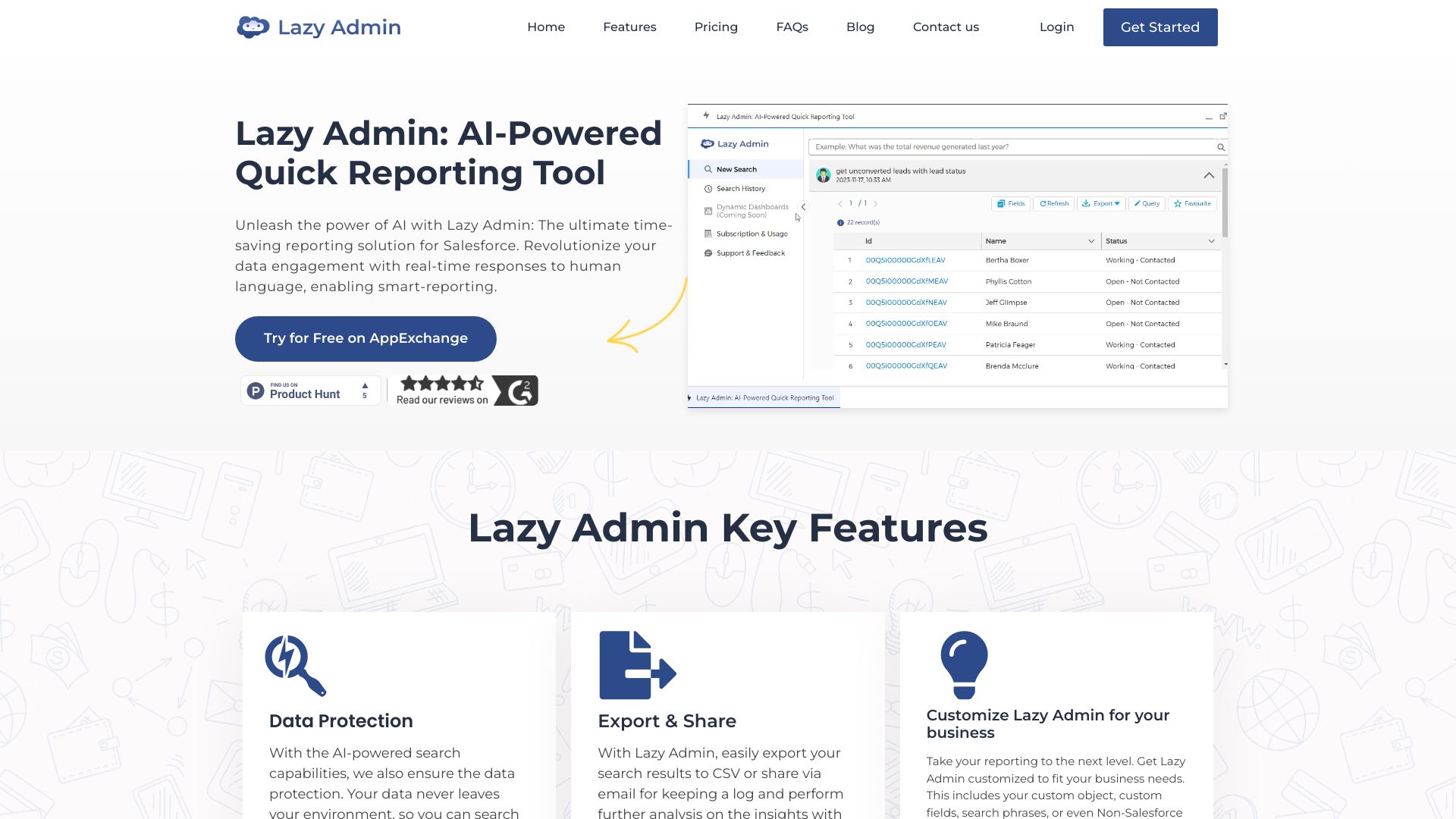
Lazy Admin AI-Powered Reporting Tool
AI-powered Salesforce reporting tool that generates data using human language.
Source rating 5.0
(66)
0 views
0 saves
Unknown
Verdict
A quick read before you dig into the full page.
- Best if
- AI-powered Salesforce reporting tool that generates data using human language
- Pick this when
- AI-powered Salesforce reporting tool that generates data using human language
Overview
Lazy Admin is an AI-powered tool designed for Salesforce users to quickly generate reporting data from Salesforce using human language. It helps users perform searches, review history, and extract updated data easily. It saves staff-hours by reducing reporting time, enables anyone in the Salesforce org to fetch reports (technical/ non-technical), overcomes governor limits where Salesforce reports have restrictions, and is cost-effective & customizable to tailor specific business needs.
Access & connections
Where you can use Lazy Admin AI-Powered Reporting Tool, and what it plugs into.
Platforms
Integrations
Capabilities
What this tool accepts, produces, and is strongest at.
Highlights
- AI-powered reporting using human language
- Search history and re-execution
- Data export to CSV
- Subscription and usage tracking
FAQ 12
What is Lazy Admin?
Lazy Admin is an AI-powered tool designed for Salesforce users to quickly generate reporting data from Salesforce using human language. It helps users perform searches, review history, and extract updated data easily. It saves staff-hours by reducing reporting time, enables anyone in the Salesforce org to fetch reports (technical/ non-technical), overcomes governor limits where Salesforce reports have restrictions, and is cost-effective & customizable to tailor specific business needs.
How to use Lazy Admin?
Use human language to perform searches and generate reports. Access past searches in Search History to re-execute them and export data to CSV. Monitor search quota and subscription details in Subscriptions and Usage.
How to get free subscription of Lazy Admin?
The content does not specify how to get a free subscription. Please refer to the Lazy Admin website for details.
What types of searches can I perform with Lazy Admin?
You can perform new searches, review history, and use previous searches to easily extract updated data.
How can I search data from custom objects or custom fields?
The content does not explicitly state how to search data from custom objects or custom fields. Please refer to the Lazy Admin user guide for instructions.
Can I fetch relational/linked object's data using human language?
The content suggests that you can fetch relational/linked object's data using human language, but it's best to consult the user guide for specific instructions.
Can I fetch summary/grouped reports Or reports sorted by a certain field?
The content suggests that you can fetch summary/grouped reports or reports sorted by a certain field, but it's best to consult the user guide for specific instructions.
Can it remember the context between search phrases, similar to a conversation?
The content does not explicitly state whether it remembers context between search phrases. Please refer to the Lazy Admin website for details.
Can I export or share my search results with other users in my org?
Yes, you can export the complete data to CSV.
How can I upgrade my free subscription to paid subscription?
Monitor your search quota by navigating to Subscriptions and Usage. Keep track of consumed and remaining searches, stay updated with subscription details and upgrade your package anytime.
How do I cancel or downgrade my Lazy Admin subscription?
The content does not explicitly state how to cancel or downgrade your Lazy Admin subscription. Please refer to the Lazy Admin website for details.
Are there any limitations on the number of searches I can perform?
Yes, you can monitor your search quota by navigating to Subscriptions and Usage. Keep track of consumed and remaining searches.
Related tools
Recommended



Lazy Admin AI-Powered Reporting Tool