Video generation

Kling 3.0

AI platform for 4K cinematic video and image generation with character consistency.

Source rating 5.0 (91) 0 views 0 saves Paid
More categories (6)

From $14.9 / month (billed annually)

Verdict

A quick read before you dig into the full page.

Best if
AI platform for 4K cinematic video and image generation with character consistency
Skip if
You need a free plan with no credit card
Pick this when
Paid · From $14.9 / month (billed annually)

Overview

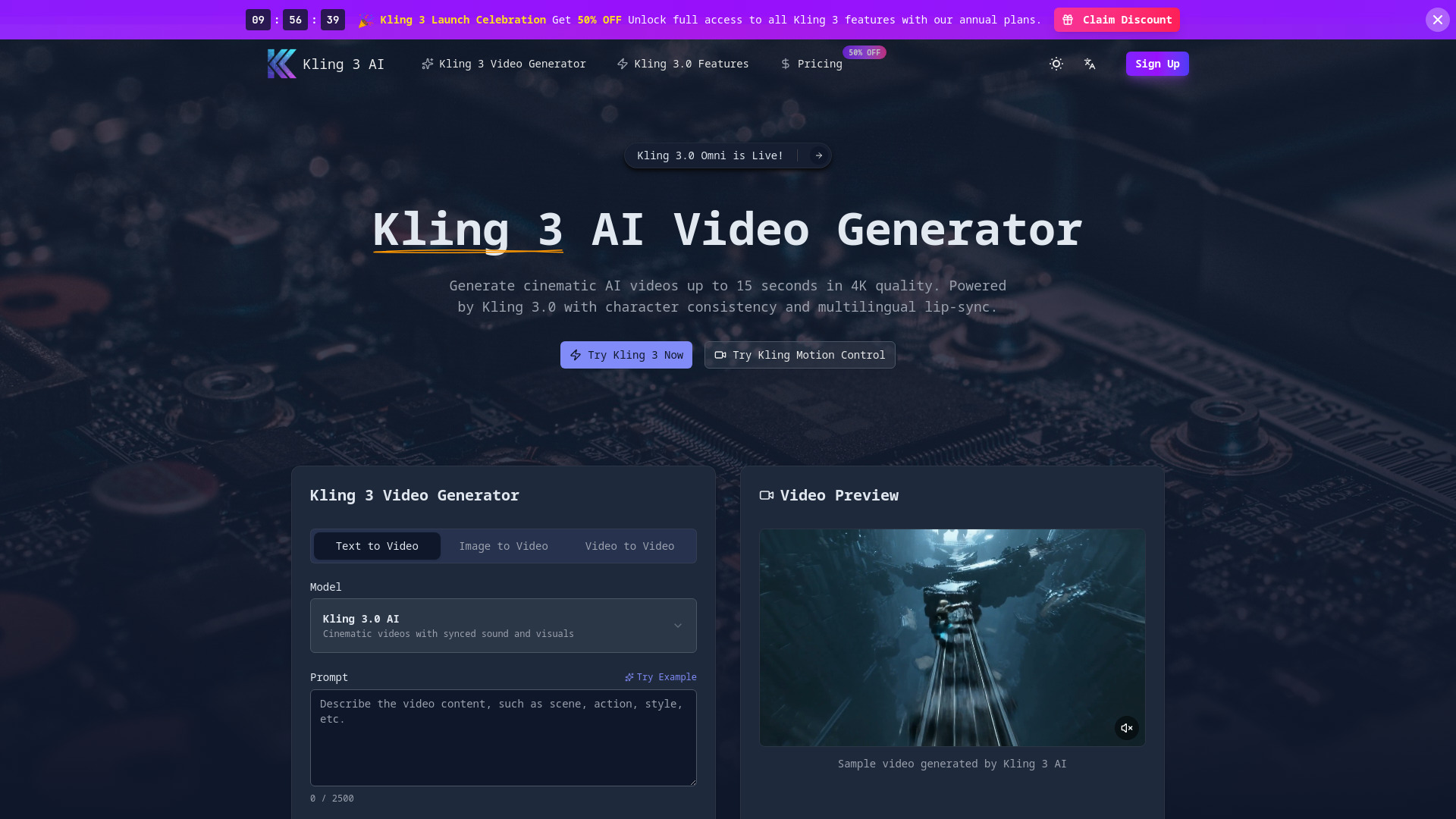
Kling 3 AI is Kuaishou's third-generation AI model for generating high-quality videos and images. It is positioned as a comprehensive creative suite, providing features like character consistency using the Omni model, 4K output resolution, cinematic camera controls, multilingual lip-sync (5 languages), integrated audio synchronization, and the ability to generate videos up to 15 seconds long from text, image, or video inputs. It is optimized for speed and professional use, catering to filmmakers, content creators, and marketing agencies.

Kling 3.0 screenshot

Access & connections

Where you can use Kling 3.0, and what it plugs into.

Platforms

Web

Integrations

Capabilities

What this tool accepts, produces, and is strongest at.

Highlights

  • Omni Model for superior Character Consistency across multiple shots
  • 4K image quality and up to 15-second cinematic video generation
  • Multilingual Lip-Sync supporting 5 languages (English, Chinese, Japanese, Korean, Spanish)
  • Cinematic Directing controls (zoom, pan, rotate)
  • Integrated, synchronized High-Fidelity Audio generation

FAQ 7

What is Kling 3 AI?
Kling 3 AI is Kuaishou's third-generation AI model for generating high-quality videos and images. It is positioned as a comprehensive creative suite, providing features like character consistency using the Omni model, 4K output resolution, cinematic camera controls, multilingual lip-sync (5 languages), integrated audio synchronization, and the ability to generate videos up to 15 seconds long from text, image, or video inputs. It is optimized for speed and professional use, catering to filmmakers, content creators, and marketing agencies.
How to use Kling 3 AI?
To use Kling 3, you follow three steps: 1. Enter Your Prompt: Describe your desired video scene, characters, and camera movements. 2. Select Model: Choose the Kling 3.0 model and configure settings like aspect ratio, resolution, and duration. 3. Generate & Download: Click generate to process the video, then download the final output in multiple formats.
What are the main features of version 3.0?
Version 3.0 introduces the Omni model for character and audio consistency, 15-second video durations, and 4K image resolutions. The AI has been retrained using Reinforcement Learning (RL), which significantly improves physics simulation.
How does the Omni model work?
The Omni model creates a 'Subject Library' for your project using a reference image or video. It extracts features so that any subsequent generated video features the exact same subject, perfect for series or recurring characters.
Can I use the outputs for commercial work?
Absolutely. The platform is designed for professional and commercial use, and all generated content is available for advertising, film, or design, providing high-resolution exports.
Which languages are supported for lip-sync?
The lip-sync technology currently supports English, Chinese, Japanese, Korean, and Spanish.
How do credits work?
Each video generation costs credits based on model, duration, and settings. For example, a 5-second video costs 60 credits (no audio) or 120 credits (with audio).
Kling 3.0 From $14.9 / month (billed annually)