
Jetbrains IDE Plugin
Explain code in plain English with AI
Verdict
A quick read before you dig into the full page.
- Best if
- Explain code in plain English with AI
- Skip if
- Advance cancellation required for subscription
- Pick this when
- Supports multiple programming languages
Considering Spellbox instead? Compare side by side
Overview
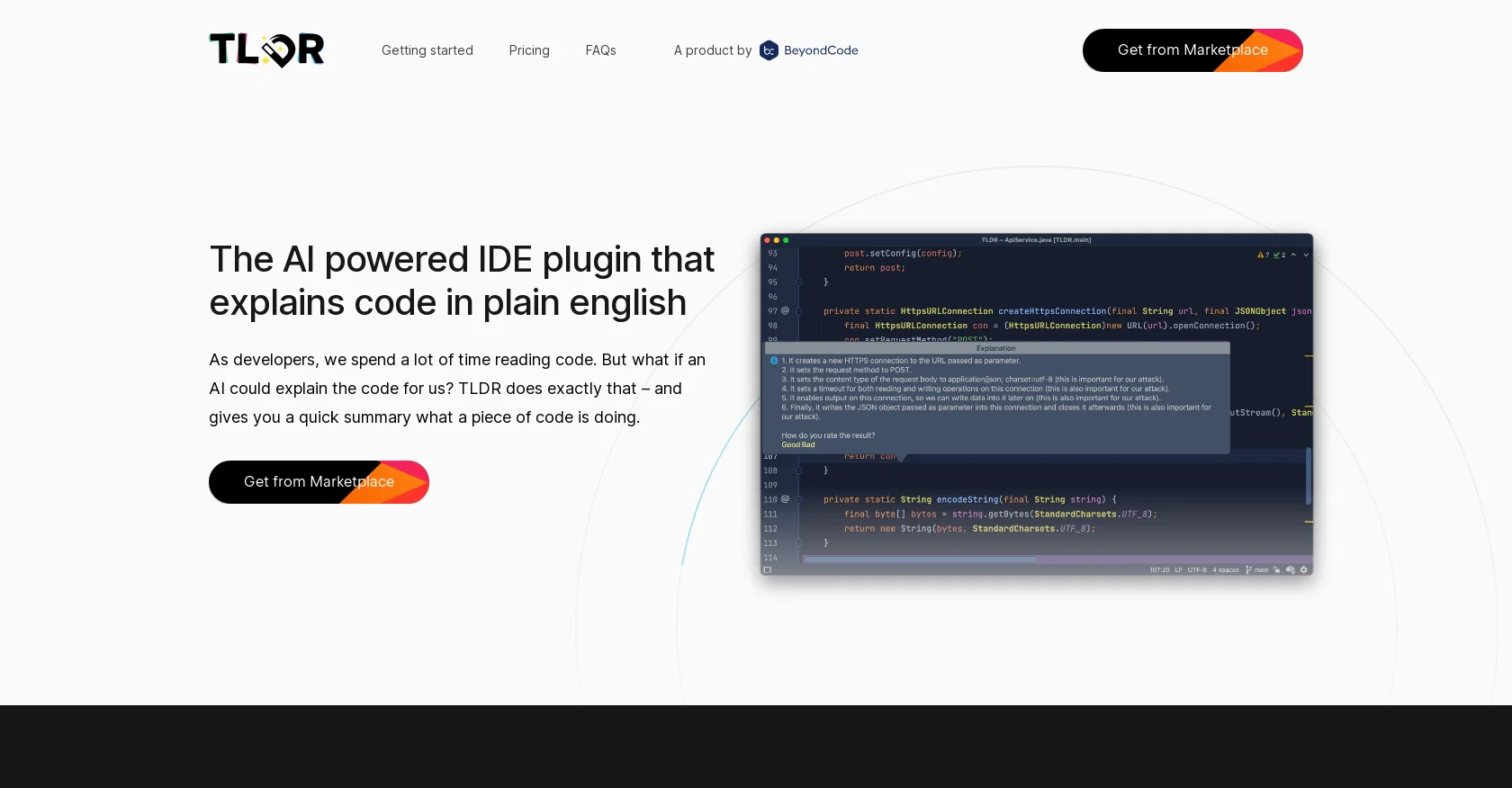
TLDR is an IDE plugin that utilizes AI to explain code in plain English in order to quickly build the mental context of methods that are not understood instantly.
It supports almost all programming languages and is available in free and paid versions, with the paid versions increasing the rate limits. The AI system processes the code and returns a plain English explanation.
It is still in beta and does not always understand the code correctly, however, this is improving over time. The plugin is available for download from the JetBrains plugin marketplace and can be canceled at any time.
TLDR allows developers to save time by quickly understanding code and provides an easy way to understand complex code.
Access & connections
Where you can use Jetbrains IDE Plugin, and what it plugs into.
Platforms
Integrations
Capabilities
What this tool accepts, produces, and is strongest at.
Input
- API
- Code
Output
- API
- Text
Supported features
- Team Collaboration
- IDE
Pros & cons
Pros
- Supports multiple programming languages
- Available in free version
- Plain English code explanations
- Ideal for understanding complex code
- Time-saving tool for developers
- Explains SQL queries
- Explains regular expressions
- Useful for new codebases
Show 33 more
- Easy installation from JetBrains
- Simple pricing
- Organizational pricing plans
- Individual pricing plans
- Helpful for understanding colleagues' code
- Cancellable anytime
- Accessible via JetBrains plugin marketplace
- Graceful rate limiting
- Email support for paid versions
- Priority support for organizations
- Available for multiple IDEs
- Efficient for understanding legacy code
- Aids in rapid onboarding
- Free credits for API use
- Ability to upgrade anytime
- In-built request size limits
- Protection against overuse via rate limits
- Supports most languages with exceptions
- Offers quick mental context building
- Improved readability of code
- Helpful in explaining nonunderstood methods
- Can be tried before purchase
- Helpful in understanding expressions
- Improves code comprehension
- Tool by trusted company (Beyond Code)
- Payment process streamlined with JetBrains
- Increases productivity of programmers
- May increase collaborative understanding
- Aligns code with original programmer's intent
- Quick summary of what code does
- Helps with understanding undocumented code
- Facilitates understanding of unfamiliar code
- Continuous development and support
Cons
- Only available for JetBrains
- Still in beta phase
- Can misinterpret code
- Paid version needed for higher rate limits
- Limited to number of requests
- Limited size of request
- No support for certain rare programming languages
- Possible privacy issues with code sent to servers
Show 2 more
- No support for non-English explanations
- Advance cancellation required for subscription
Compare alternatives
Similar tools in the catalog.


Releases 1
FAQ 12
What exactly does TLDR do?
How does TLDR help developers?
Does TLDR support all programming languages?
Where can TLDR be downloaded from?
What is the difference between the free and paid versions of TLDR?
What does it mean when you say TLDR is 'rate-limited'?
What happens if TLDR doesn't understand the code?
How does TLDR explain SQL queries?
Can TLDR explain regular expressions?
What does it mean when you say TLDR is 'gracefully rate limited'?
How do I install the TLDR plugin in JetBrains?
How reliable are the TLDR explanations?
Related tools
Recommended

Codeium ✓
FreemiumAI-powered code completion for 20+ languages

Programming Helper ✓
UnknownGenerate code from text descriptions instantly.

Github Copilot ✓
FreemiumAI-powered coding assistant for faster development

TutorAI ✓
FreemiumInstant knowledge on any topic

Agentgpt ✓
FreemiumDeploy autonomous AI Agents effortlessly in your browser.

Hyperis ✓
FreemiumOrganized task prioritization.