

InterSub ✓
AI-powered interactive dual subtitles for effortless language learning.
Trial; then from $6/mo
Verdict
A quick read before you dig into the full page.
- Best if
- AI-powered interactive dual subtitles for effortless language learning
- Skip if
- Limited to certain platforms
- Pick this when
- Interactive dual subtitles
Considering Gliglish instead? Compare side by side
Overview
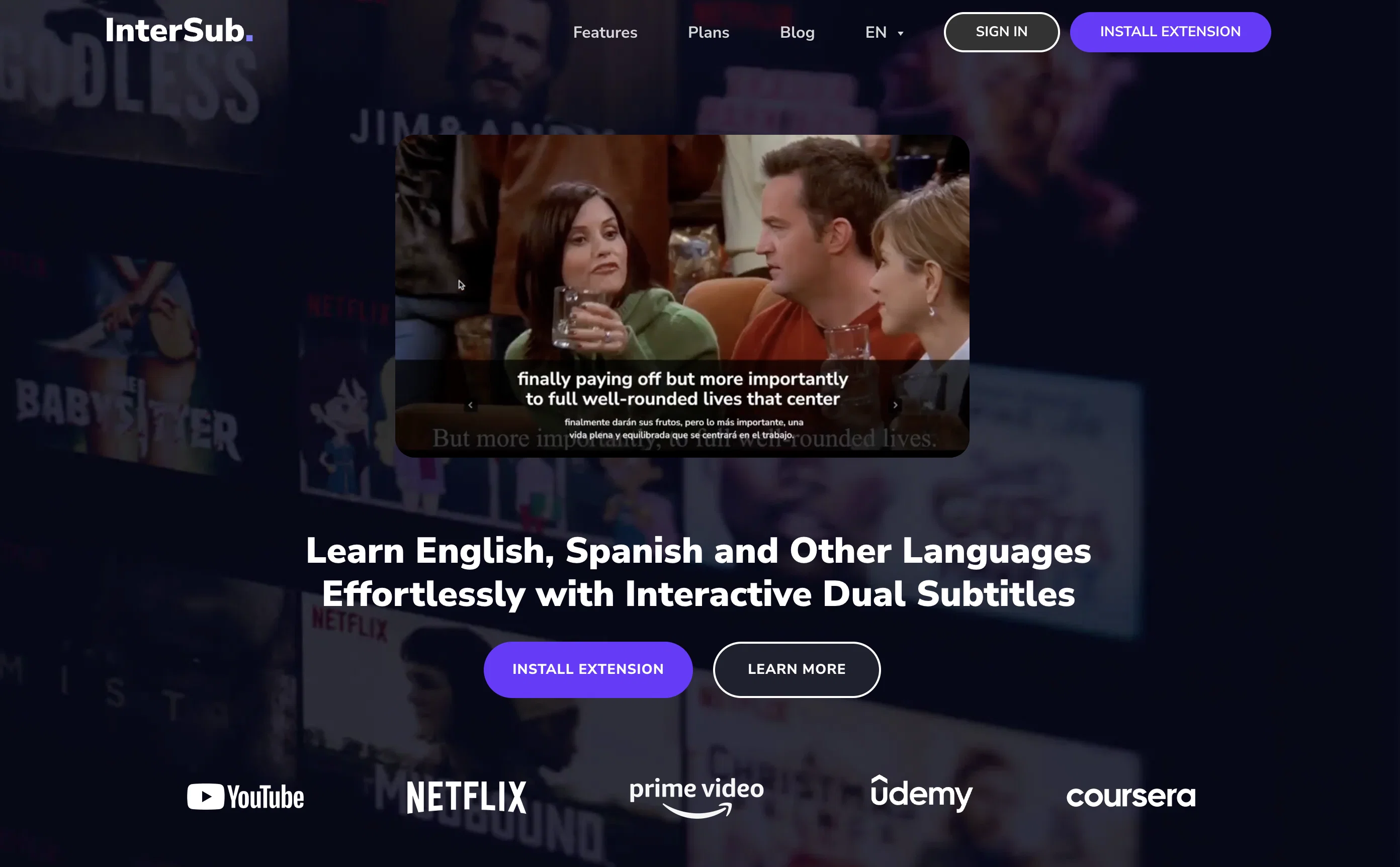
InterSub is an AI-driven tool designed to enhance language learning through the usage of interactive dual subtitles while consuming content online. Geared toward English, Spanish, and other languages, it operates across multiple platforms such as YouTube, Netflix, Prime Video, Coursera, etc., making it versatile and flexible to use.
InterSub's main function revolves around AI-assisted subtitles, wherein it displays subtitles in both the user's native language and the target language.
Even in the eventualities where the video lacks subs in user's language, InterSub provides real-time translations. One of its significant features includes instant translations, allowing users to hover over any word in the subtitles to receive instant AI-generated definitions and contextual translations.
The tool also offers a Personal Wordbook, where all translated words get automatically saved for easy review and self-study. Furthermore, users can sync this wordbook to other mobile apps or Telegram bots for learning on the go.
InterSub also allows users to look up words on virtually any site, supports collocation detection for nuanced linguistic insight, and permits remote control usage for user convenience.
Access & connections
Where you can use InterSub, and what it plugs into.
Platforms
Capabilities
What this tool accepts, produces, and is strongest at.
Input
- Tabular
Output
- Video
Pros & cons
Pros
- Interactive dual subtitles
- Real-time translation
- Instant translations
- Supports multiple platforms
- Personal Wordbook feature
- Hover-over word definitions
- Syncs with mobile apps
- Telegram bot integration
Show 34 more
- Collocation detection feature
- Remote control usage
- Works on any site
- Automatic word saving
- Self-study support
- Contextual translations
- Enhanced language learning
- Supports English and Spanish
- Offers vocabulary enhancement
- Enables looking up words
- Subtitles in user's language
- Subtitles in target language
- Supports linguistic insights
- Enhances online content consumption
- Operates with Netflix and YouTube
- Works with Prime Video
- Endorses learning on-the-go
- Allows instant word translations
- Vocabulary review facility
- Words autosaved to Wordbook
- Performs language translations
- Subtitles both native and target language
- Offers learning convenience
- Can use with Coursera
- Performs content-based translations
- Integrated with other learning tools
- Edtech capabilities
- Permits nuanced language learning
- Recognizes English phrasal verbs
- Identifies English idioms
- Detects English compound nouns
- Show subtitles on pause
- Multi-platform support
- Mobile integration feature
Cons
- No offline functionality
- Doesn't support all languages
- Dependent on original subtitles
- Limited to certain platforms
- Requires browser extension
- Subtitles may lack nuance
- Possible translation inaccuracies
- No voice recognition
Show 2 more
- Relies on internet connectivity
- May not support niche dialects
Compare alternatives
Similar tools in the catalog — with a clear reason to open each one.


Avatalks ✓
FreemiumChat with 3D avatars to learn languages interactively
Free + from $19.99/mo
Full comparison
Langotalk ✓
Free TrialMaster languages 6x faster by chatting with AI
Free + from $29.99/mo
Full comparison
Lingolette ✓
FreemiumBreak through the fluency barrier.
Why look Offers a public API
Full comparison
SpeakPal ✓
PaidFun. Fast. Fluent. SpeakPal Makes It Easy!
Why look Typically cheaper
Full comparison
Releases 1
FAQ 12
What is InterSub?
What platforms is InterSub compatible with?
Can InterSub be used for both English and Spanish language learning?
Does InterSub's functionality extend beyond video platforms like Netflix or YouTube?
How does InterSub handle instances when the video does not contain subtitles in the user's native language?
How accurate are InterSub's real-time translations?
Can InterSub provide translations for individual words?
What is the 'Personal Wordbook' feature of InterSub?
How does InterSub save translated words?
Can the 'Personal Wordbook' be synced to other mobile apps or Telegram bots?
Is InterSub capable of looking up words on almost any website?
How does InterSub's collocation detection feature work?
Related tools
Recommended

CreateAiCourse ✓
PaidSimplify course creation with the best AI Course Creator.

Open eLMS Learning Generator ✓
FreemiumCreate high-quality multimodal eLearning in minutes from text prompts or documents

Polarbear Study ✓
FreemiumAI tools that make studying bearable.

Turbo-Learn ✓
FreeLearn Smarter. Understand Faster.

Learn Place AI Assistant ✓
FreemiumUnderstand Anything - Fast.

CraftedCourses.io ✓
PaidCreate and Share High-Quality Online Courses in Minutes