

inker.ai ✓
Create any tattoo you can imagine with AI.
Free + from $6.99/mo
Verdict
A quick read before you dig into the full page.
- Best if
- Create any tattoo you can imagine with AI
- Skip if
- Limited temporary tattoo options
- Pick this when
- Visualizes tattoo designs
Considering TattoosAI instead? Compare side by side
Overview
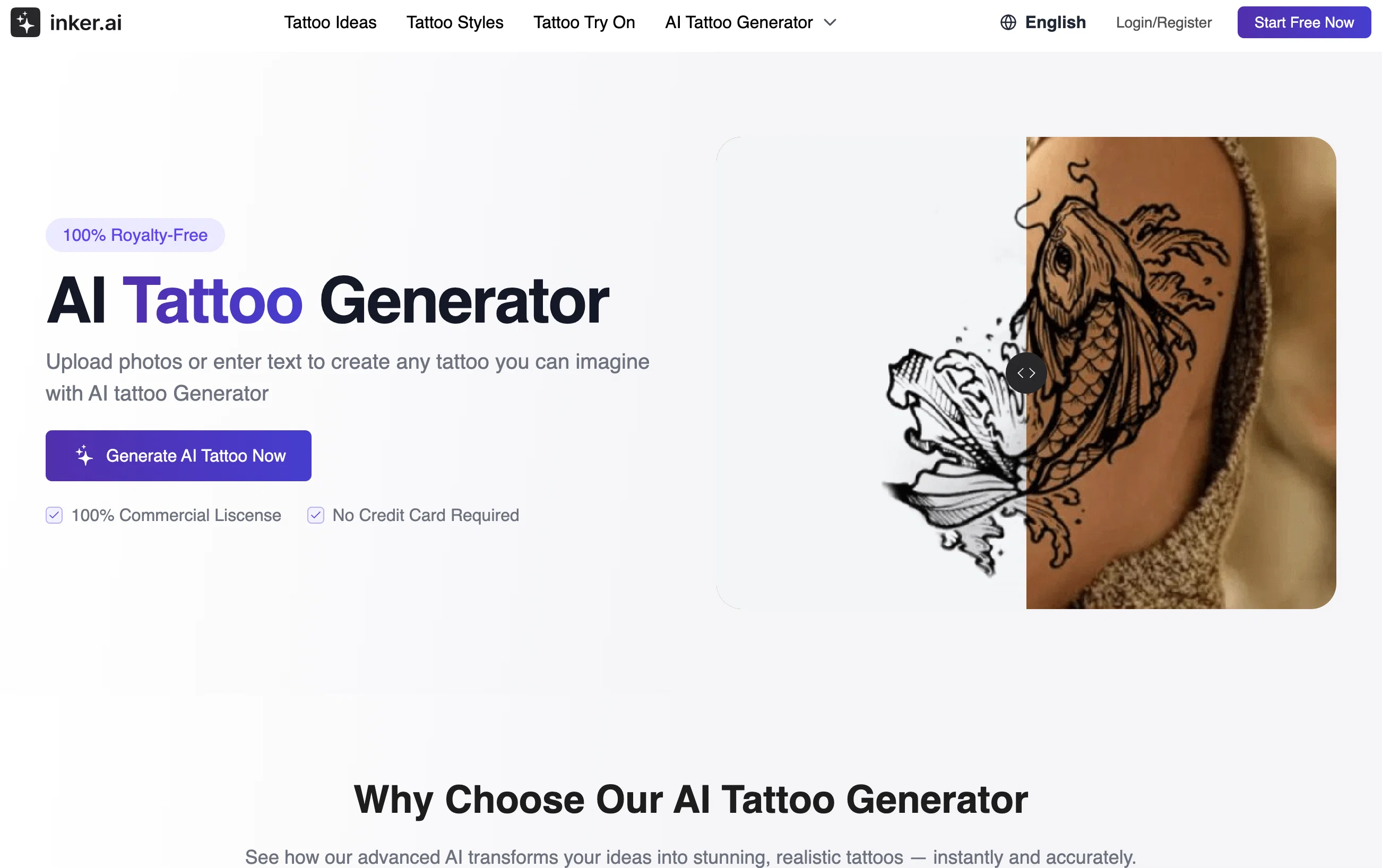
inker.ai is an AI-powered tool offering a unique experience in visualizing tattoo designs. It is designed to turn both text and photos into personalized tattoo art.
It works by allowing users to upload photos or input text to generate a custom tattoo design. The AI tattoo generator interprets the provided data and creates a visual rendering in seconds.
Particularly suitable for individuals seeking to transform ideas or images into unique designs, and tattoo artists looking to streamline the design process and elevate their craft.
In addition, inker.ai offers a virtual try-on feature, providing an innovative way to visualize how a design might look on the skin before having it inked.
The platform enables users to explore from varied tattoo styles, contributing to more personalized designs. The tool is easy to use and requires no design skills, making it accessible even to those who lack drawing skills.
The tattoos generated are ready for use, either as a reference for professional tattoo artists or to create temporary tattoos. In terms of privacy and safety, inker.ai ensures that all user-generated content is kept private if privacy mode has been activated.
Access & connections
Where you can use inker.ai.
Platforms
Capabilities
What this tool accepts, produces, and is strongest at.
Input
- Image
- Text
Output
- Image
Pros & cons
Pros
- Visualizes tattoo designs
- Transforms text into art
- Transforms photos into art
- Generates designs in seconds
- Streamlines design for artists
- Virtual try-on feature
- Contributes to personalized designs
- Requires no design skills
Show 19 more
- Generates ready-to-use tattoos
- Suitable for creating temporary tattoos
- Privacy mode for content
- Variety of tattoo styles
- Suitable even without drawing skills
- Supports multiple languages
- Encrypted storage mechanism
- Ideal for tattoo inspiration
- Elevates tattoo artists' craft
- Cost-effective design solution
- Multiple output formats
- User-friendly interface
- Images-to-tattoos feature
- Text-to-tattoos feature
- Facilitates style exploration
- Direct download of designs
- Monthly free usage quota
- Compatible with PC and mobile
- Tattoos from personal memories
Cons
- Limited styles variety
- No offline mode
- No editing tools
- Limited language support
- Requires continuous data input
- No option for skin tone alteration
- Could have better visualization
- No 3D preview
Show 2 more
- No user community
- Limited temporary tattoo options
Compare alternatives
Similar tools in the catalog — with a clear reason to open each one.
TattoosAI ✓
FreemiumGenerate custom tattoo designs in seconds with AI
Free + from $24.99/mo
Full comparison

Tattoo Canvas ✓
Free TrialCreate your custom tattoo with our AI-powered design tool.
Why look Typically cheaper
Full comparison
Ink Studio AI ✓
PaidGenerate your dream tattoo instantly with AI.
Why look Higher community rating
Full comparison
Tattoo AI Design ✓
Free TrialCreate unique AI-generated tattoo designs.
Free + from $9.9/mo
Full comparison
CreateINK ✓
FreemiumGenerate stunning tattoos with AI.
Why look Higher community rating
Full comparisonReleases 1
Imported reviews 1
As a tattoo nerd who cares about solid guidance and clean cover-ups, this one is a surprisingly good jump-ogg. Great for "what can I make here" and getting three or four workable angles to bring to the shop.
FAQ 12
How does Inker.AI work?
What is the virtual try-on feature of Inker.AI?
Can I turn any text or photo into a tattoo design with Inker.AI?
How long does it take Inker.AI to create a tattoo design?
Who can use Inker.AI's services?
How does the privacy mode of Inker.AI work?
Can I use Inker.AI even if I have no design skills?
For what purposes can the tattoos generated by Inker.AI be used?
Does Inker.AI offer a variety of tattoo styles?
How do I use Inker.AI to create a tattoo from a photo?
What types of inputs can Inker.AI interpret for tattoo design?
What does text-to-tattoo on Inker.AI mean?
Related tools
Recommended
LipSync Video ✓
Free TrialUpload audio and video, AI matches lips automatically.
Best Coloring Pages ✓
Free TrialCreate unique AI coloring pages instantly

freebeat AI ✓
FreemiumTurn Music & Ideas into Viral Videos In One Click

DeepSeek ✓
FreeUnravel the mystery of AGI with curiosity

Cool Coloring Pages ✓
FreemiumCreate cool AI coloring pages instantly.
Life Note ✓
FreemiumJournal with the greatest minds in human history