
Imagen3D
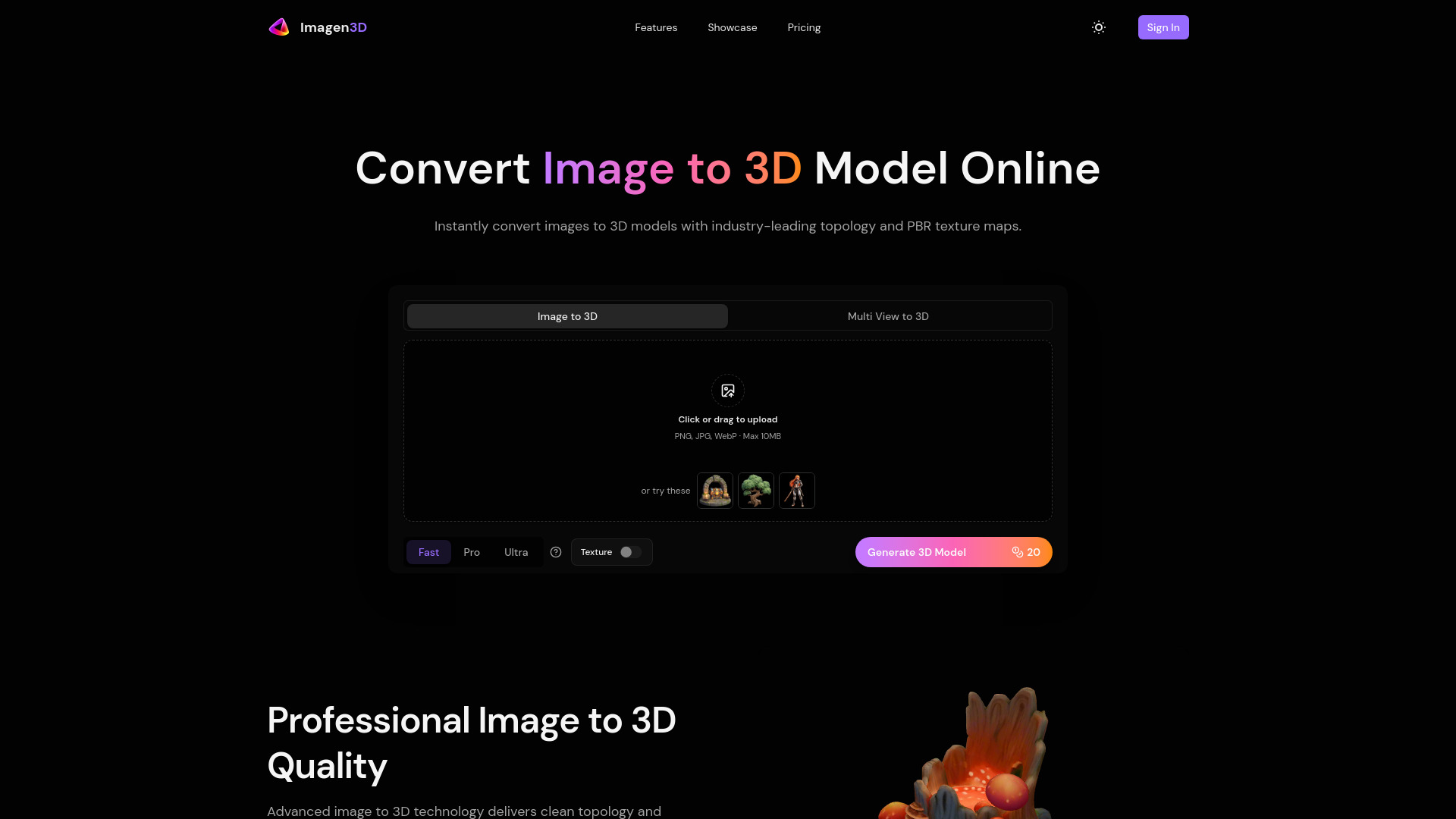
AI-powered tool to convert images to high-quality 3D models.
Source rating 5.0
(57)
0 views
0 saves
Paid
From $120 / month
Verdict
A quick read before you dig into the full page.
- Best if
- AI-powered tool to convert images to high-quality 3D models
- Skip if
- You need a free plan with no credit card
- Pick this when
- Paid · From $120 / month
Overview
Imagen3D is an advanced AI-powered online tool designed to transform any image into a high-quality 3D model in seconds. It converts images to 3D with industry-leading topology, clean manifold geometry, PBR texture maps (Albedo, Normal, Roughness, Metallic), and instant downloads. The platform aims to accelerate 3D asset creation for various workflows, delivering production-ready geometry and textures without manual cleanup, making models suitable for rendering, animation, 3D printing, and AR/VR experiences.
Access & connections
Where you can use Imagen3D.
Platforms
Capabilities
What this tool accepts, produces, and is strongest at.
Highlights
- AI-powered image to 3D model conversion
- High-quality geometry with clean topology and watertight meshes
- PBR texture map generation (Albedo, Normal, Roughness, Metallic)
- Lightning-fast generation with flexible quality tiers (Fast, Pro, Ultra)
- Support for multi-view input for enhanced accuracy
- Universal export formats (GLB, OBJ, STL, GLTF, USDZ, MP4)
FAQ 7
What is Imagen3D?
Imagen3D is an advanced AI-powered online tool designed to transform any image into a high-quality 3D model in seconds. It converts images to 3D with industry-leading topology, clean manifold geometry, PBR texture maps (Albedo, Normal, Roughness, Metallic), and instant downloads. The platform aims to accelerate 3D asset creation for various workflows, delivering production-ready geometry and textures without manual cleanup, making models suitable for rendering, animation, 3D printing, and AR/VR experiences.
How to use Imagen3D?
To use Imagen3D, follow four simple steps: 1. Upload Image: Upload a single photo or multiple views for enhanced accuracy. 2. Choose Quality: Select your desired quality tier (Fast, Pro, or Ultra) to generate the 3D model. 3. Generate 3D: The AI processes your image(s) to create the model. 4. Export & Use: Download your 3D model in various industry-standard formats and integrate it into your projects.
How long does it take to convert an image to 3D model?
Generation time varies by quality tier: Fast mode takes approximately 20-40 seconds, Pro mode around 30 seconds, and Ultra mode about 2-3 minutes. All options complete in under 3 minutes.
What file formats can I export after converting images to 3D?
The platform supports GLB, OBJ, STL, GLTF, USDZ, and MP4 video previews. You can download the same model in different formats on-demand.
Do the generated 3D models include textures and materials?
Fast mode produces clean white geometry without textures. Pro mode allows you to toggle textures on or off. Ultra mode always includes high-quality textures by default, with an optional upgrade to PBR materials.
Can I improve accuracy by uploading multiple photos?
Yes, Pro mode supports 3-4 images (front, back, left, optionally right views), and Ultra mode works with 1-4 images. Multi-view input significantly improves reconstruction quality and texture accuracy.
Do I own the commercial rights to the generated models?
Yes, all 3D models generated from your uploaded images belong to you with full commercial rights for any commercial application, provided you have rights to the original input images.
Related tools
Recommended



Imagen3D
From $120 / month