

iChatWithGPT
Your personal AI assistant in iMessage
Verdict
A quick read before you dig into the full page.
- Best if
- You are busy professionals and need: Answering questions
- Skip if
- Limited to Apple devices
- Pick this when
- iPhone compatibility
Overview
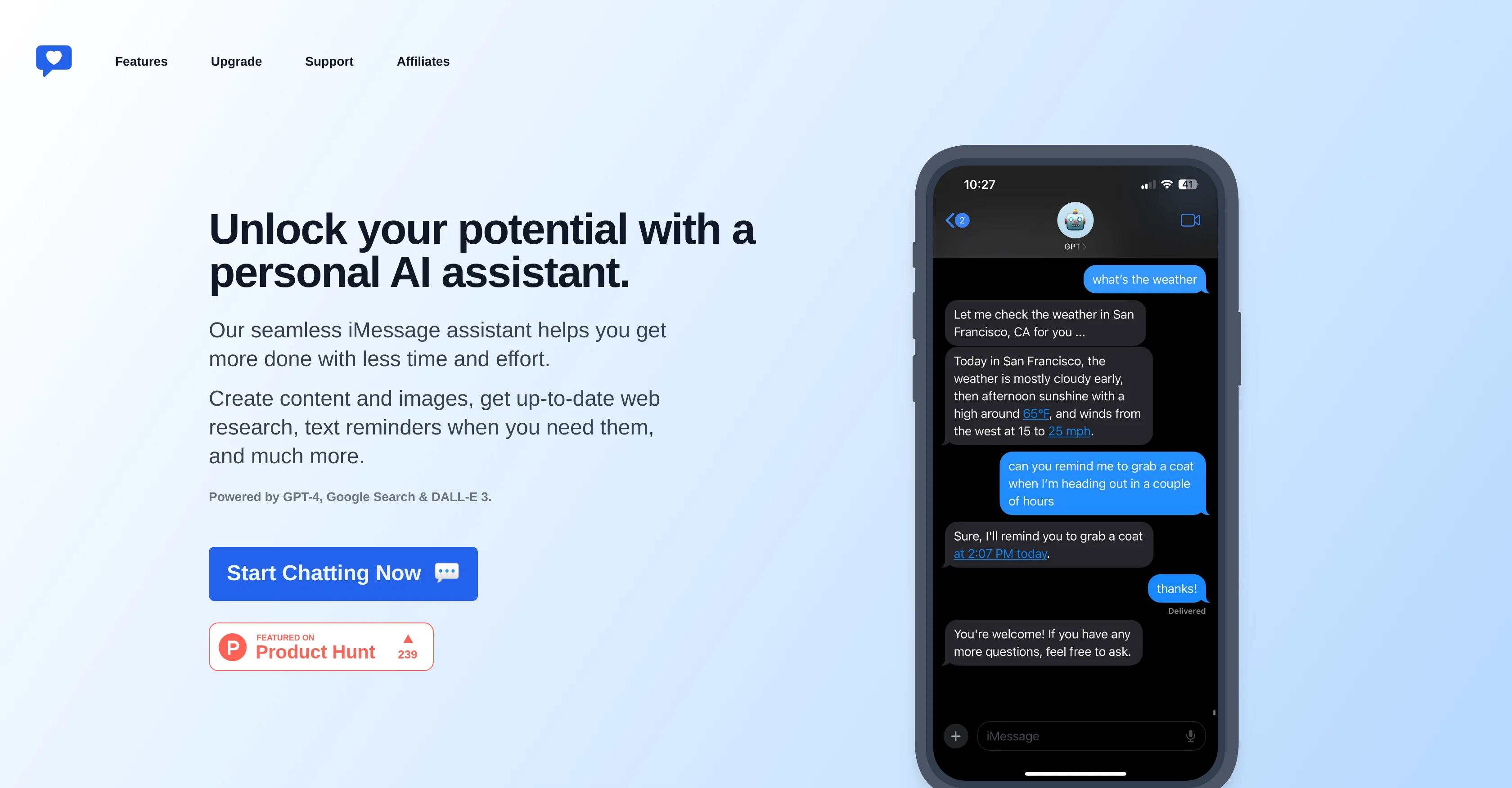
iChatWithGPT is an AI assistant designed to be used within iMessage. This platform integrates with various Apple devices including iPhone, Watch, MacBook, and CarPlay, in addition to Siri integration.
It possesses an array of functionalities aimed at helping users streamline activities and tasks. It can answer inquiries, aid in travel planning, provide recipes, and offers an outlet for venting, among other things.
The iChatWithGPT AI assistant uses advanced algorithms such as GPT-4 and DALL-E 3 to offer real-time web research results, create content and images, and provide timely text reminders.
Notably, the tool is capable of AI-powered web research, giving immediate recommendations, summaries of news articles, weather forecasts, and even live game results.
It also includes a feature for generating images based on user ideas, ranging from conceptual design to detailed illustrations. The tool offers voice-activated capabilities to facilitate hands-free operation.
Users can save it as a contact and use voice commands to send messages easily. No signup is required to use the iChatWithGPT tool, and it maintains user privacy by refraining from storing any identifiable information.
Best for
Short scenarios where iChatWithGPT tends to shine.
-
Answering questions
Best for Busy professionals
-
Planning travel
Best for iPhone users
-
Getting recipes
Best for Apple Watch users
-
Web research
Best for Macbook users
-
Planning meals
Best for CarPlay users
-
Arranging travel
Best for Busy professionals
-
Creating AI-generated images
Best for Busy professionals
-
Setting reminders
Best for Busy professionals
Example outputs 1
Sample generations and before/after results for iChatWithGPT.
Access & connections
Where you can use iChatWithGPT.
Capabilities
What this tool accepts, produces, and is strongest at.
Input
- Image
- Text
- Audio
Output
- Audio
- Text
- Image
Pros & cons
Pros
- iPhone compatibility
- Apple Watch compatibility
- MacBook compatibility
- CarPlay compatibility
- iMessage integration
- Siri integration
- No signup required
- Privacy friendly
Show 33 more
- Generates new ideas
- Plans travel
- Finds recipes
- Offers a venting outlet
- Advanced algorithms integration
- Incorporates GPT-4
- Incorporates DALL-E 3
- Real-time web research
- Content creation
- Text reminders
- Image generation
- Hands-free operation
- Voice commands support
- Web application for organizing conversations
- Low cost
- Convenient payment system
- Free trial
- Conversational interface
- Accessible on-the-go
- Intuitive use
- Large user base
- Easy to introduce to others
- Visual design capabilities
- News summaries provision
- Weather forecasts
- Live game results provision
- Immediate recommendations
- Detailed illustrations generation
- Conceptual designs creation
- Task streamlining
- Web browsing enabled
- Saves as a contact
- Generates interesting conversation
Cons
- Limited to Apple devices
- Over-reliance on voice commands
- Possibly slow with real-time tasks
- Charges after 100 messages
- Lacks personalization options
- No backup for conversation history
- Depends on internet connection
- Web application still not available
Show 2 more
- Potential privacy issues
- Requires Siri for fullest potential
People also view
Tools that often show up alongside iChatWithGPT in collections and comparisons.

Scisummary ✓
Free TrialCutting-edge scientific articles summarization.

PostPerfect ✓
FreemiumAutomated social media posts.

PixieBrix ✓
FreemiumExtend your apps, accelerate work

LearningStudioAI ✓
Free TrialAI-powered authoring tool for effortless online course creation.

Hyperis ✓
FreemiumOrganized task prioritization.

Hal9 ✓
FreemiumBuild your AI-Powered Product in 30 Days

GPTinf ✓
PaidBypass AI detectors with one-click rephrasing.

GPTExcel ✓
FreemiumGenerate spreadsheet formulas with AI
Releases 1
FAQ 12
What is iChatWithGPT?
Does iChatWithGPT require any sign-up process?
What types of services does iChatWithGPT offer?
How can I access iChatWithGPT on my Apple device?
What charges are associated with using iChatWithGPT?
Are my conversations saved by iChatWithGPT?
What AI algorithms does iChatWithGPT use?
Can iChatWithGPT perform real-time web research?
Do I need to manually type messages or can I use voice commands with iChatWithGPT?
How does iChatWithGPT maintain user privacy?
Can I use iChatWithGPT on my CarPlay?
What kind of images can I generate with iChatWithGPT?
Related tools
Recommended

Agentgpt ✓
FreemiumDeploy autonomous AI Agents effortlessly in your browser.

AutoGPT ✓
Free TrialRun AutoGPT in your browser for free
LearningStudioAI ✓
Free TrialAI-powered authoring tool for effortless online course creation.

VenturusAI ✓
FreemiumBusiness idea analysis and reporting.
Scisummary ✓
Free TrialCutting-edge scientific articles summarization.
Hal9 ✓
FreemiumBuild your AI-Powered Product in 30 Days