

GPT Hotline
Connect with AI on WhatsApp
from $9.99/mo
Verdict
A quick read before you dig into the full page.
- Best if
- You are individuals seeking quick access to AI assistance and need: Chatting with an AI for information or entertainment
- Skip if
- Limited reminder functionality
- Pick this when
- Retains chat history
Considering MobileGPT instead? Compare side by side
Overview
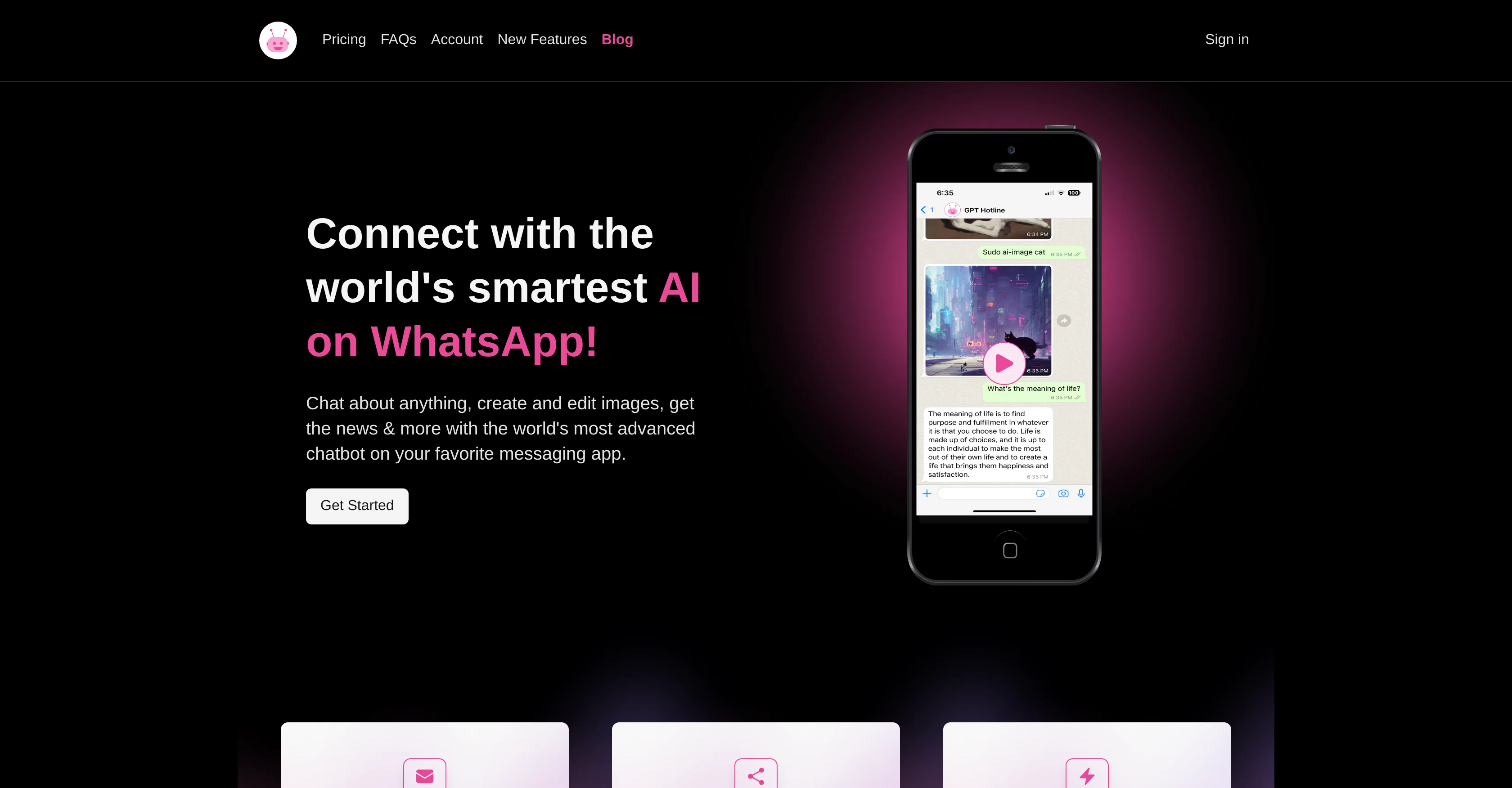
GPT Hotline is an AI chatbot tool that integrates with WhatsApp, allowing users to interact with the AI capabilities known from ChatGPT directly from within their favorite messaging platform.
The tool offers versatile functionalities such as carrying forward previous conversations, querying past chats, and introducing special commands to create and edit images or videos as well as stay current with news updates.
An interesting functionality of GPT Hotline is the power to edit images based on user instructions and return the modified version. The AI tool also supports speech-to-text functionality, enabling the sending of English language voice messages to GPT for processing and response.
Additionally, GPT Hotline can be used to set reminders, which the tool will timely signal to the user. To use the tool, users need to sign up for the GPT Pro Plan and register their phone number.
This allows them to start interacting with the advanced AI chatbot via text messages on their phone.
Best for
Short scenarios where GPT Hotline tends to shine.
-
Chatting with an AI for information or entertainment
Best for Individuals seeking quick access to AI assistance
-
Creating and editing images using AI commands
Best for WhatsApp users
-
Staying up-to-date on the latest news
Best for Content creators
-
Setting reminders
Best for People who want to stay informed
-
Searching and sharing past conversations
Best for Users who need help with image editing
Example outputs 1
Sample generations and before/after results for GPT Hotline.
Access & connections
Where you can use GPT Hotline, and what it plugs into.
Platforms
Integrations
Capabilities
What this tool accepts, produces, and is strongest at.
Input
- Image
- Text
- Audio
Output
- Video
- Text
- Image
Pros & cons
Pros
- Retains chat history
- Special commands availability
- Media editing functionality
- Interactive image editing
- Video editing capabilities
- Speech-to-text functionality
- Voice messaging-supported
- Reminder setting feature
Show 29 more
- Non-app based interaction
- Requires only Phone number registration
- Discount code for Pro Plan
- Refund on cancellation
- Enables content sharing
- Maintains previous conversations
- Introduction of power commands
- Supports image modification
- English-language voice message support
- No additional downloads
- Integrated with advanced ChatGPT
- Uses known messaging platform
- Carries forward past conversations
- Queries past chats
- Supports special command creation
- Allows image/video creations
- Ease of sign up
- Accessible on any phone
- Enhances user convenience
- Translates voice to text
- Sends timely reminders
- User-friendly use
- Enables faster query resolutions
- Avoids need for new apps
- Enables easy news updates
- Supports effective task management
- Personal connection via voice messages
- Offers advanced chatbot features
- Offers seamless chat transitions
Cons
- English-only voice messages
- Requires Pro Plan subscription
- No app, only WhatsApp integration
- Dependent on user's phone number
- Limited to text and voice
- No offline functionality
- No multi-language support
- Limited reminder functionality
Show 2 more
- Requires regular updates
- Cannot initiate conversations
Compare alternatives
Similar tools in the catalog — with a clear reason to open each one.

MobileGPT
Free TrialYour personal AI companion on WhatsApp.
Why look Higher community rating
Full comparison
Shmooz
PaidYour versatile AI assistant for daily tasks and content creation.
Why look Typically cheaper
Full comparison
WhisperBot
PaidTurn WhatsApp voice messages into text instantly.
From €8.95 per month
Full comparison
GenChat
FreemiumSummarize PDFs and documents with AI chat
Why look Freemium alternative
Full comparison
WhatGPT
FreemiumAI assistant on WhatsApp: Quick answers, real questions.
Why look Freemium alternative
Full comparisonPeople also view
Tools that often show up alongside GPT Hotline in collections and comparisons.
WhisperBot
PaidTurn WhatsApp voice messages into text instantly.
WhatGPT
FreemiumAI assistant on WhatsApp: Quick answers, real questions.
Shmooz
PaidYour versatile AI assistant for daily tasks and content creation.
MobileGPT
Free TrialYour personal AI companion on WhatsApp.
GenChat
FreemiumSummarize PDFs and documents with AI chat

ChatGPT Buddy
PaidYour personal AI assistant within WhatsApp

Easy-Peasy.AI ✓
FreemiumAccelerates content creation.

Chatmind app ✓
PaidAI-powered mind mapping for effortless brainstorming
Releases 1
FAQ 12
What is the GPT Hotline?
How does GPT Hotline work with WhatsApp?
What special commands can I use with GPT Hotline?
How do I sign up for GPT Hotline?
How does the Speech to Text functionality of GPT Hotline work?
Can I send voice messages to GPT Hotline?
How does the interactive image editing work in GPT Hotline?
Can GPT Hotline set reminders?
What is the ChatGPT feature in GPT Hotline?
How do I start texting with my AI assistant?
How does GPT Hotline response to English voice messages?
What is the process to register my phone number?
Related tools
Recommended

VenturusAI ✓
FreemiumBusiness idea analysis and reporting.

AutoGPT ✓
Free TrialRun AutoGPT in your browser for free

Agentgpt ✓
FreemiumDeploy autonomous AI Agents effortlessly in your browser.

Stockimg AI ✓
PaidGenerated images and text for design ease.
Chatmind app ✓
PaidAI-powered mind mapping for effortless brainstorming

Scisummary ✓
Free TrialCutting-edge scientific articles summarization.