

Gavel Exec ✓
AI legal assistant for drafting and redlining in Word.
Trial; then from $160/mo
Verdict
A quick read before you dig into the full page.
- Best if
- AI legal assistant for drafting and redlining in Word
- Skip if
- Potentially hefty learning curve
- Pick this when
- Microsoft Word integration
Considering Draftlex AI instead? Compare side by side
Overview
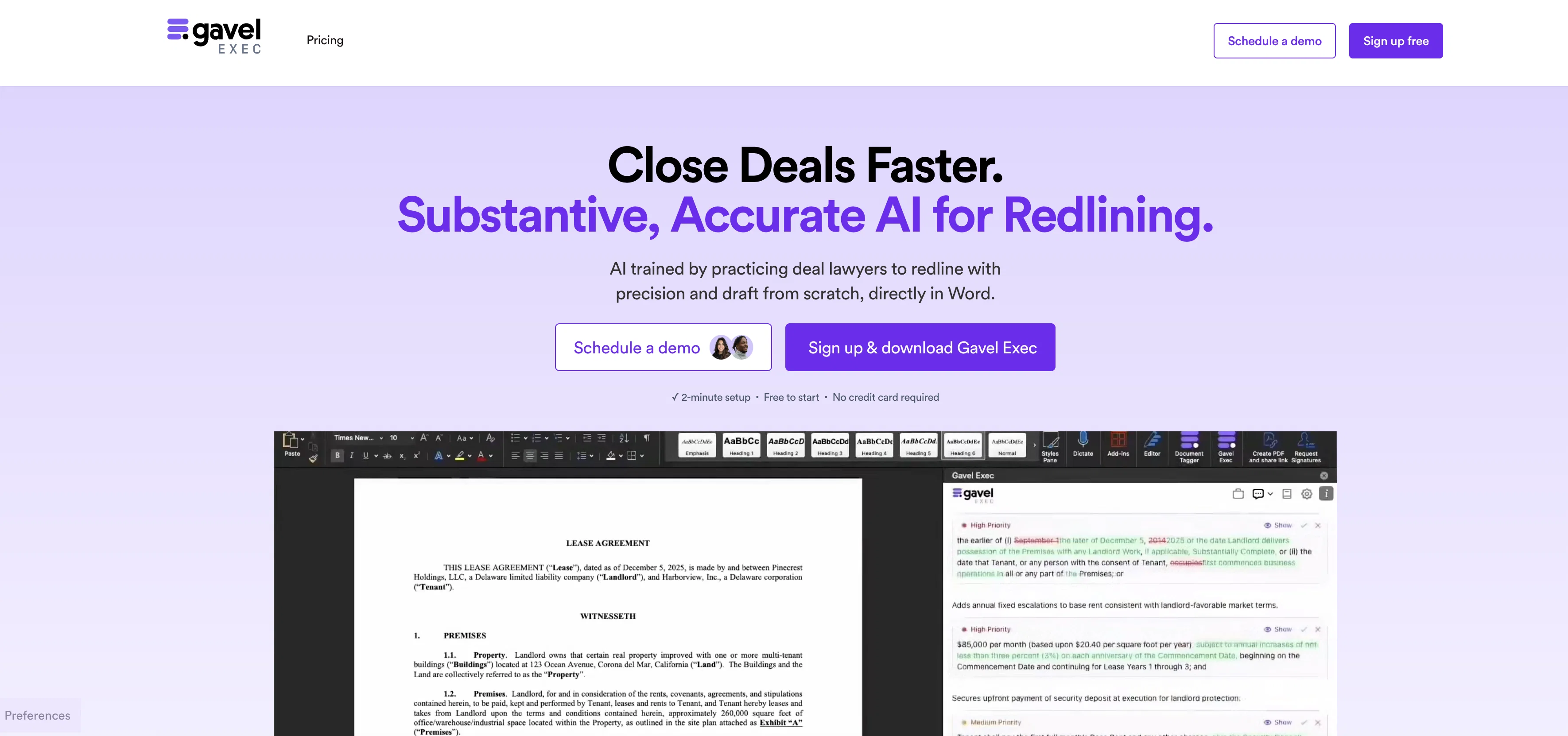
Gavel Exec is an AI legal assistant developed to streamline contract drafting, redlining, and negotiation processes. This tool, specifically designed for transactional attorneys, functions directly within Microsoft Word, offering seamless integration with familiar workflows.
It is capable of drafting contracts from scratch, redlining, and providing accurate AI insights to expedite deal closures within your legal practice. Gavel Exec leverages its legal AI training to support fast drafting and precise redlining processes.
This AI tool enables the use of prior deals' insights for redlining entire agreements instantly and facilitates the drafting of new clauses or longer agreements from an extensive repository of transactional documents.
It ensures consistency across your team by employing built-in playbooks, or those developed by your firm. Furthermore, Gavel Exec benchmarks against common standards and affords expert insights to establish a 'market' with confidence.
Gavel Exec also offers unique features such as instant redlines and comments, aligning across documents, rewriting any clause grounded in authority, and generation of firm playbooks.
It maintains an Enterprise-Grade Security and Privacy with Zero Data Retention Agreement across all AI models. Gavel Exec is trusted by numerous legal firms and organizations for its competent, secure, and accurate AI assistantship in the legal domain.
Access & connections
Where you can use Gavel Exec.
Platforms
Capabilities
What this tool accepts, produces, and is strongest at.
Input
- Text
Output
- Text
Supported features
- Legal
- Assistant
- Docs
- Automation
- Text Generation
- Rewrite
- Citations
- Instant file search
- Integrations
- Team Collaboration
Show 1 more
- SOC 2 Compliance
Pros & cons
Pros
- Microsoft Word integration
- Drafts directly in software
- Trained by practicing lawyers
- Capabilities of smarter redlining
- Instant drafting from repository
- Benchmarks against common standards
- Offers legal insights
- Generates custom playbooks
Show 40 more
- Ensures team consistency
- Features enterprise-grade security
- Compliant with HIPAA
- Includes Zero Data Retention
- Supports GDPR and CCPA
- Rewrites legal clauses
- Handles contract Drafting and Redlining
- Operates directly in Word
- Leverages prior deals' insights
- Creates firm playbooks
- Instant redlines and comments
- Aligns across documents
- Handles any clause
- Generates shareable playbooks
- Offers deal-ready comments
- Secure and trusted worldwide
- Responsive to user style
- Adapts to user's input
- Catches drafting errors
- No credit card required
- Transparent pricing
- Privacy regulations compliant
- Secure databases
- Continuous security testing
- Accessible security team
- Built for transactional attorneys
- Instant rewriting based on priority
- Document alignment feature
- Automatic redlining
- Rewrites clauses to fit deal
- Able to run playbooks
- Generates client-friendly summaries
- Uses AES-256 encryption
- Firm rules adaptable
- Aids in negotiation
- Fast drafting support
- Saves negotiation time
- Benchmarks against the market
- Provisions and guidelines access
- Increases legal practice efficiency
Cons
- Microsoft Word exclusive
- Limited to legal documents
- No mobile app
- Absence of multi-language support
- Potentially hefty learning curve
- Depends on quality of prior deals
- Requires extensive document repository
- Might lack niche-specific insights
Show 1 more
- Possibly expensive for small firms
Compare alternatives
Similar tools in the catalog — with a clear reason to open each one.

Draftlex AI ✓
PaidCreate diverse contracts 10x faster with AI
Why look Typically cheaper
Full comparison
DraftCheck ✓
Free TrialYour digital contract assistant for error-free documents.
Why look Typically cheaper
Full comparison
Zetane ✓
Free TrialCompress document work from days to minutes
Why look Typically cheaper
Full comparison
DealDraft AI ✓
FreemiumGenerate, negotiate, and e-sign contracts with AI
Why look Typically cheaper
Full comparison
Better Draft ✓
Free TrialYour AI writing partner, trained on craft, tuned to your voice.
Why look Typically cheaper
Full comparison
ContractMaker.ai ✓
Free TrialDraft, review, and redline contracts with AI.
Why look Typically cheaper
Full comparisonReleases 1
FAQ 12
What is Gavel Exec?
How does Gavel Exec integrate with Microsoft Word?
What does the smarter redlining feature of Gavel Exec do?
What kind of legal documents can Gavel Exec redline?
Can Gavel Exec adapt to my personal style and rules for rewriting legal clauses?
How does Gavel Exec assist in drafting documents?
Can Gavel Exec provide a benchmark for common legal standards?
What is a Custom Playbook in Gavel Exec?
How secure is my data when using Gavel Exec?
What type of encryption does Gavel Exec use?
Is Gavel Exec compliant with GDPR and CCPA?
Does Gavel Exec offer HIPAA compliance?
Related tools
Recommended

MarketAlerts.ai ✓
FreemiumInvest smarter with AI on your side

Free AI Video Upscaler ✓
FreeUpscale videos or images with AI for free, right in your browser

B12 AI Website Builder ✓
FreemiumAI-powered website builder

Thea ✓
FreemiumAI study tools to master material, not just memorize it.

TheLibrarian.io ✓
Free TrialYour WhatsApp AI assistant for instant productivity.

Automateed ✓
Free TrialCreate eBooks effortlessly with Automateed, the AI-powered writing tool.