Image editing

Flux 2 AI | Free Online Advanced Flux.2 AI Image Generator & Editor

Free AI image generator & editor for photoreal results.

Source rating 5.0 (85) 25k views 25k/mo traffic 0 saves Paid
More categories (10)

Verdict

A quick read before you dig into the full page.

Best if
You are artists and need: Virtual outfit previews from mirror selfies
Skip if
You need a free plan with no credit card
Pick this when
Paid · From $15.99 / mo

Overview

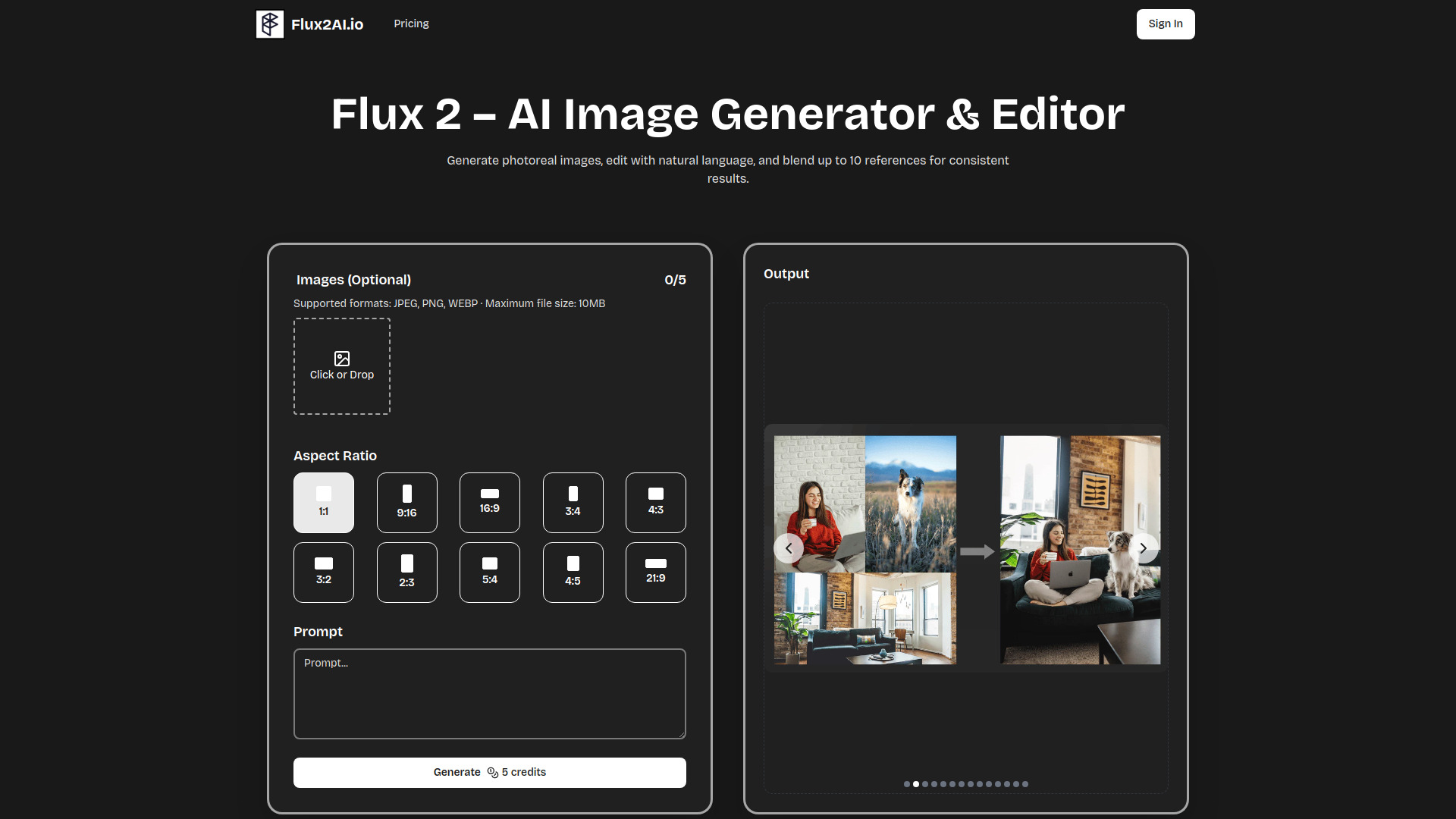
Flux 2 AI is a free online advanced AI image generator and editor developed by Black Forest Labs. It functions as an AI image model suite for both text-to-image and image-to-image creation. Users can blend up to 10 reference images, edit with plain text, and quickly render photoreal results. Flux 2 is designed to maintain the original composition while applying described styles or changes, offering full creative control. It generates photorealistic visuals, refines details with natural language edits, and merges multiple references for consistent style across various projects.

Flux 2 AI | Free Online Advanced Flux.2 AI Image Generator & Editor screenshot

Best for

Short scenarios where Flux 2 AI | Free Online Advanced Flux.2 AI Image Generator & Editor tends to shine.

  • Virtual outfit previews from mirror selfies

    Best for Artists

  • Product scene swaps for studio-quality lifestyle shots in campaigns

    Best for Marketers

  • Mocking up product photos before studio reservations

    Best for Hobbyists

  • Producing campaign graphics for marketing in minutes

    Best for Game developers

  • Iterating game assets quickly with concept-art presets

    Best for Interior designers

  • Turning client sketches into refined interior renders

    Best for Social media managers

  • Generating diverse social media posts from a single prompt

    Best for Product photographers

Example outputs 1

Sample generations and before/after results for Flux 2 AI | Free Online Advanced Flux.2 AI Image Generator & Editor.

Access & connections

Where you can use Flux 2 AI | Free Online Advanced Flux.2 AI Image Generator & Editor.

Platforms

Web

Capabilities

What this tool accepts, produces, and is strongest at.

Highlights

  • Text-to-image and image-to-image creation
  • Blend up to 10 reference images for consistent style
  • Edit images with natural language (plain text)
  • Generates photorealistic results quickly
  • Preserves original scene structure and composition
  • Advanced super-resolution and AI denoising for crisp details
  • Cloud rendering, requiring no local installs or GPU

People also view

Tools that often show up alongside Flux 2 AI | Free Online Advanced Flux.2 AI Image Generator & Editor in collections and comparisons.

FAQ 9

What is Flux 2 AI?
Flux 2 AI is a free online advanced AI image generator and editor developed by Black Forest Labs. It functions as an AI image model suite for both text-to-image and image-to-image creation. Users can blend up to 10 reference images, edit with plain text, and quickly render photoreal results. Flux 2 is designed to maintain the original composition while applying described styles or changes, offering full creative control. It generates photorealistic visuals, refines details with natural language edits, and merges multiple references for consistent style across various projects.
How to use Flux 2 AI?
To use Flux 2 AI, first create an account. Then, you can either upload a clear, well-lit photo or describe your idea using a text prompt. Next, explain the desired style, colors, or changes you'd like to see. Finally, hit generate to preview, adjust, and save your high-quality AI-generated image. Advanced sliders are available for fine-tuning strength, aspect ratio, and batch size.
What is Flux 2?
Flux 2 is Black Forest Labs’ next-generation AI image suite that instantly turns text prompts and reference photos into realistic images, allowing for photorealistic visuals and detailed refinements.
Why choose Flux 2?
Flux 2 helps you skip hours of manual editing by allowing you to describe desired changes, preview ideas instantly, and maintain brand colors consistently. Its cloud renderer delivers pixel-perfect drafts in seconds, freeing you to focus on creativity.
How do I start using Flux 2?
Create an account, upload or describe your idea, and hit generate. Onboarding tips guide first-time users, while advanced sliders allow pros to fine-tune settings for production workflows.
What are credits and how do they work?
Each image generation deducts credits. Credits refresh with your chosen plan, or you can top up anytime if needed.
Can I change my plan anytime?
Yes, you can upgrade or downgrade your plan whenever you like, and any unused credits will remain in your balance.
Do unused credits roll over?
Monthly credits expire each cycle, while credits from yearly bundles last for the full term of the subscription.
Can I cancel my subscription?
Yes, you can cancel your subscription at any time, and you will retain any remaining credits until their expiration date.
Flux 2 AI | Free Online Advanced Flux.2 AI Image Generator & Editor From $15.99 / mo
