

Flutch ✓
AI sales infrastructure for service businesses
Verdict
A quick read before you dig into the full page.
- Best if
- AI sales infrastructure for service businesses
- Skip if
- Not a replacement for full BI; complex reporting will still live in Looker/PowerBI/SQL
- Pick this when
- Central place to operate multiple conversational agents across a company
Considering Younet instead? Compare side by side
Overview

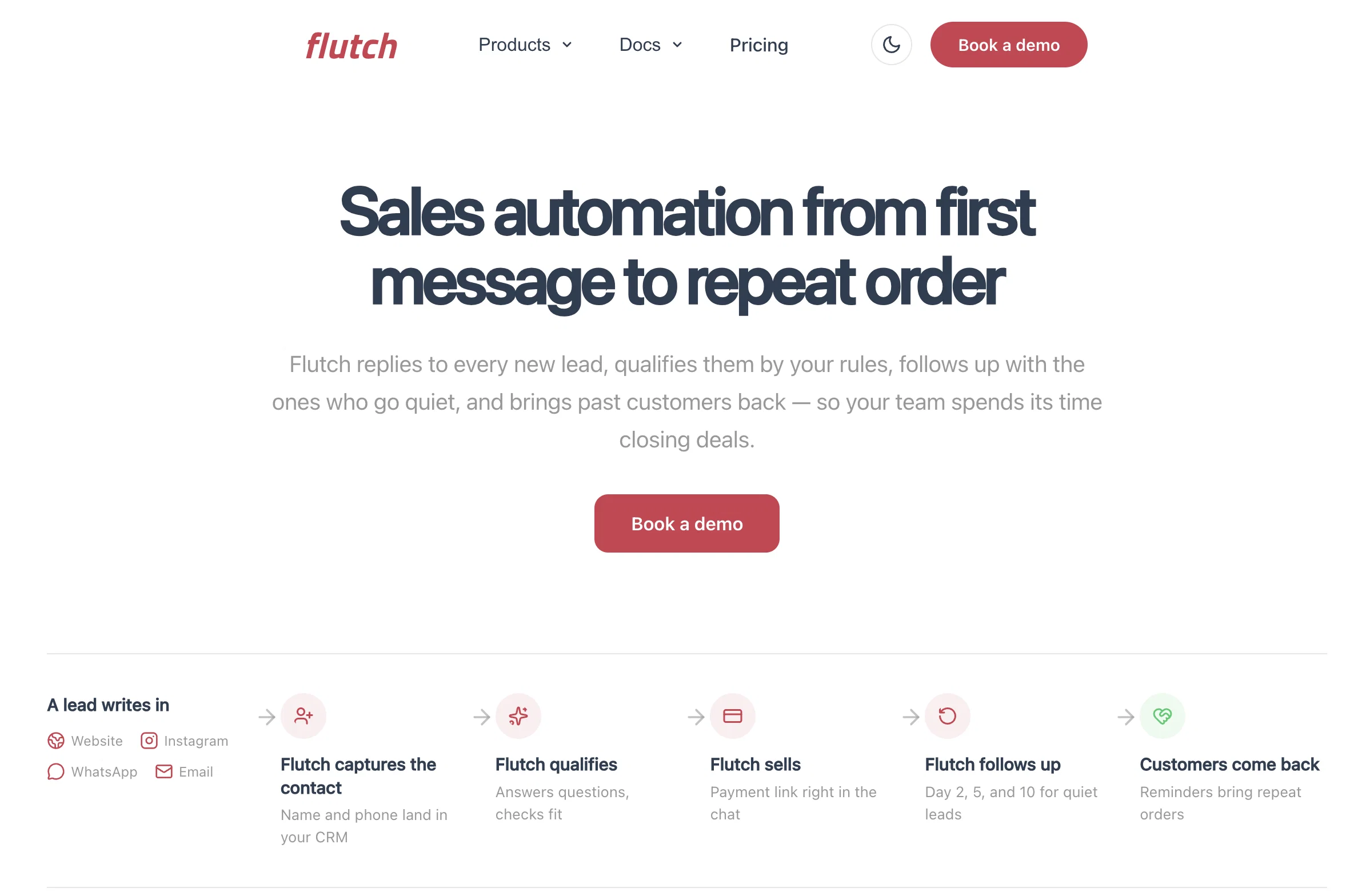
Flutch deploys AI infrastructure for service businesses — sales agents that capture inbound across every channel, qualify leads against your rules, follow up automatically, and sync to your CRM.
Our team builds a configured industry pack for your vertical (roofing, HVAC, law, med-spa, home services), launches it on your real leads in 7–10 business days, and stays on as your AI-ops team.
- Product Analytics: Dau/mau, Retention, Funnels, Conversions
- Observability (per Agent + Org-level): Latency, Tokens, Error Rate, Failures
- Agent Configuration Versioning: Multiple Versions, Compare, Promote Best
- Usage Limits: Per User Group Limits By Messages/tokens/budget
- Alerts: Notify When Budgets/limits Are Near Threshold
- Channel Integrations: Whatsapp, Telegram, Slack, Discord, Messenger, Instagram
- A/b Experiments: Compare Agent Versions On Selected Metrics
- Pre-release Acceptance Tests: Run Scenario Suites Before Rollout
- Conversation Audit Log (human-readable): Full Dialog + Step-by-step Processing Trace
- Copilot: Helps Operate The Platform Without Deep Platform Knowledge
- Agent Creation + Templates: Built-in Templates For Fast Setup
- Shareable Chat Ui: Create Agent → Share Link → Others Can Chat
- Knowledge Management: Articles/files; Reuse Kb Across Agents
- Sdk For Langgraph: Devs Build The Graph; Sdk Wraps Endpoints + Memory Mgmt
- Model Gateway: Use Built-in Provider Keys; One Billing Surface For Models
- User Management & Access Control: Private / Company / Public; Roles/permissions
Access & connections
Where you can use Flutch, and what it plugs into.
Platforms
Capabilities
What this tool accepts, produces, and is strongest at.
Input
- API
- Tabular
- Text
Output
- Tabular
- API
- Text
Highlights
- Agents
- API
- MCP
- Open Source
Supported features
- Agents
- API
- MCP
- Open Source
Pros & cons
Pros
- Central place to operate multiple conversational agents across a company
- Works for both engineering and operators: technical metrics plus readable conversation logs
- Supports safe iteration: versioning, A/B comparisons, and pre-release scenario tests
- Helps keep usage predictable with budgets/limits and threshold alerts
- Deploys the same agent to multiple messaging channels without rebuilding integrations each time
- Lets teams share and reuse knowledge bases across multiple agents
- Allows quick internal trials via templates and a shareable chat UI
- Integrates well with LangGraph-based workflows via SDK (endpoints + memory handled for you)
Show 3 more
- Can connect existing LangChain-based agents (e.g., n8n) for analytics
- Simplifies model access and billing via a single model gateway
- Supports access control (private / company / public) and basic role-based permissions
Cons
- Outcome/ROI analytics depends on clean event tracking and reliable CRM/support/booking data
- Initial setup requires integrations, event mapping, and agreed “success” definitions
- Attribution to deals can be uncertain in multi-touch or offline sales processes
- Not a replacement for full BI; complex reporting will still live in Looker/PowerBI/SQL
- May be too heavy for small pilots, low-volume bots, or a single internal assistant
- Some enterprises require BYOK / strict vendor allowlists; a shared model gateway may not fit
- Coverage of external frameworks is incomplete (no native CrewAI or LlamaIndex yet)
- Messaging channels can add policy/API constraints that affect what’s possible to automate
Show 2 more
- Deep customization of workflows or data models may still require engineering work
- Storing conversation logs can trigger security/compliance reviews and retention requirements
Compare alternatives
Similar tools in the catalog — with a clear reason to open each one.

Younet ✓
Free TrialAI Agent Orchestration and Automation. Build your agentic business.
Why look Typically cheaper
Full comparison
Agents by Athena AI ✓
Free TrialCreate AI agents for any task
Why look Typically cheaper
Full comparison
Rumora ✓
PaidAI agents will find and mention your brand in viral videos comments
from $249/mo
Full comparison
Watermelon ✓
FreemiumHandle up to 96% of your support automatically
Free + from $99/mo
Full comparison

ChatNode ✓
Free TrialAI Agents for customer service that feel human
Why look Typically cheaper
Full comparisonReleases 1
FAQ 12
What is Flutch?
🛠️ 1
tool
wrote:
Flutch is an analytics and governance layer for conversational AI agents. It helps teams operate multiple agents in one place: track performance, manage versions and rollouts, control usage and budgets, and review conversations with an audit trail.
Who is it for?
🛠️ 1
tool
wrote:
Teams running conversational agents in production: engineering/platform teams, AI teams, and operators (RevOps, Support Ops, CX, product owners) who need visibility and control across agents, channels, and versions.
How is this different from LLM observability tools?
🛠️ 1
tool
wrote:
LLM observability focuses on technical signals (latency, errors, tokens, traces). Flutch is built to run agents as a business system: versioning, rollouts, experiments, audits, limits, and analytics that operators can use.
Do you build agents or only monitor them?
🛠️ 1
tool
wrote:
Both are possible. You can create agents using templates inside Flutch, or connect existing agents built with other stacks (e.g., LangGraph / LangChain-based systems like n8n).
Can I connect my existing agent framework?
🛠️ 1
tool
wrote:
Yes for LangGraph and LangChain-based setups (including n8n). Native support for CrewAI and LlamaIndex is not available yet.
What channels can agents run on?
🛠️ 1
tool
wrote:
Common messaging channels including WhatsApp, Telegram, Slack, Discord, Messenger, Instagram (availability may depend on each platform’s API and policies).
What does “agent versioning” mean in practice?
🛠️ 1
tool
wrote:
Each agent has multiple configurations/versions. You can test versions, compare performance, and control rollouts so changes are tracked and reversible.
How do A/B tests work?
🛠️ 1
tool
wrote:
You can split traffic between agent versions and compare results using selected metrics (usage, conversions/funnel steps, quality scores, etc.), then promote the better-performing version.
What are acceptance tests?
🛠️ 1
tool
wrote:
Scenario-based tests you run before releasing an update. They help catch regressions and risky behavior using a predefined set of conversations and edge cases.
Does Flutch offer on-premise deployment?
What is the conversation audit log?
🛠️ 1
tool
wrote:
A human-readable log of the full dialogue plus a trace of how the agent processed the message and produced the response, designed for non-developers as well.
How do cost controls work?
🛠️ 1
tool
wrote:
You can set limits per user group (messages, tokens, budget) and receive alerts when thresholds are approaching.
Related tools
Recommended

Mindsmith ✓
FreemiumPlatform for building and sharing eLearning content

Trickle Magic Canvas ✓
FreemiumTurn your ideas into live apps and websites with AI.

Devento ✓
FreemiumOwn the web. Build full-stack production ready apps with AI.

D-ID ✓
FreemiumCreate AI-generated videos with ease

Limecube ✓
FreemiumTransforming the way websites are created with AI.

Claude ✓
FreemiumBuilding reliable, interpretable AI systems