Web scraping

Firecrawl Dev

Firecrawl turns websites into LLM-ready data with scraping and crawling capabilities.

Source rating 5.0 (68) 1.4M views 1.4M/mo traffic 0 saves Freemium
More categories (8)

Free + from $9/mo for 1000 credits

Verdict

A quick read before you dig into the full page.

Best if
You are aI developers and need: Powering AI assistants with real-time web content
Skip if
You need enterprise SLAs or a fully managed team plan right away
Pick this when
Freemium · Free + from $9/mo for 1000 credits

Overview

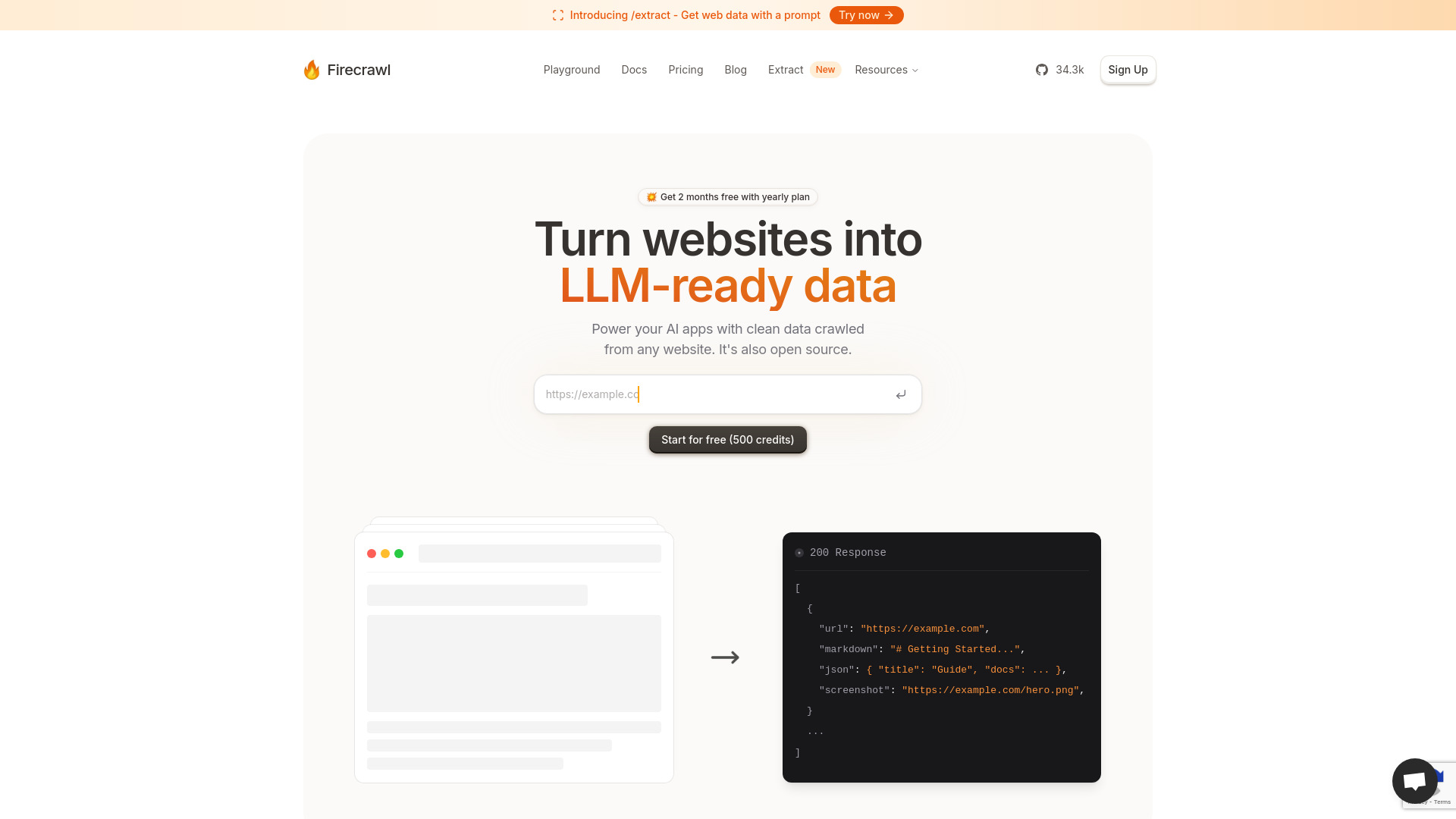
Firecrawl is a tool designed to turn any website into LLM-ready data. It offers capabilities to scrape and crawl websites, extracting data in various formats like Markdown, JSON, and screenshots. It is open source and provides features like rotating proxies, orchestration, rate limits handling, and smart waiting for dynamic content. Firecrawl integrates with well-known tools and workflows, allowing users to enhance their AI applications with clean data crawled from any website.

Firecrawl Dev screenshot

Best for

Short scenarios where Firecrawl Dev tends to shine.

  • Powering AI assistants with real-time web content

    Best for AI developers

  • Enhancing sales data with web information

    Best for Data scientists

  • Adding scraping capabilities to code editors

    Best for Researchers

  • Enabling customers to build AI apps with web data

    Best for AI platform developers

  • Extracting comprehensive information for in-depth research

    Best for Lead enrichment specialists

How it works

To use Firecrawl, you can start with a free plan and scale as your project expands. It offers scraping and crawling functionalities, allowing you to extract data from specific URLs or entire websites. The extracted data can be obtained in formats like Markdown, JSON, or as screenshots. You can use the provided Python, Node.js, or cURL code snippets to integrate Firecrawl into your applications.

Example outputs 1

Sample generations and before/after results for Firecrawl Dev.

Access & connections

Where you can use Firecrawl Dev.

Platforms

Web

Capabilities

What this tool accepts, produces, and is strongest at.

Highlights

  • Web scraping
  • Web crawling
  • Data extraction in Markdown, JSON, and screenshot formats
  • Dynamic content handling
  • Rotating proxies
  • Rate limits management
  • Open-source availability
  • Media Parsing

People also view

Tools that often show up alongside Firecrawl Dev in collections and comparisons.

FAQ 12

What is Firecrawl?
Firecrawl is a tool designed to turn any website into LLM-ready data. It offers capabilities to scrape and crawl websites, extracting data in various formats like Markdown, JSON, and screenshots. It is open source and provides features like rotating proxies, orchestration, rate limits handling, and smart waiting for dynamic content. Firecrawl integrates with well-known tools and workflows, allowing users to enhance their AI applications with clean data crawled from any website.
How to use Firecrawl?
To use Firecrawl, you can start with a free plan and scale as your project expands. It offers scraping and crawling functionalities, allowing you to extract data from specific URLs or entire websites. The extracted data can be obtained in formats like Markdown, JSON, or as screenshots. You can use the provided Python, Node.js, or cURL code snippets to integrate Firecrawl into your applications.
What is Firecrawl?
Firecrawl turns any website into LLM-ready data.
What sites work?
Firecrawl can scrape and crawl most websites, including those with dynamic content.
Who can benefit from using Firecrawl?
Developers, data scientists, and AI platform developers can benefit from using Firecrawl.
Is Firecrawl open-source?
Yes, Firecrawl is open-source.
How does Firecrawl handle dynamic content on websites?
Firecrawl handles JavaScript, SPAs, and dynamic content loading with minimal configuration.
Can Firecrawl crawl websites without a sitemap?
Yes, Firecrawl can crawl websites without a sitemap.
What formats can Firecrawl convert web data into?
Firecrawl can convert web data into Markdown, JSON, and screenshots.
Does it respect robots.txt?
Yes, Firecrawl respects robots.txt.
Where can I find my API key?
Your API key can be found in your Firecrawl account settings.
How many credits do scraping, crawling, and extraction cost?
Scraping and crawling cost 1 credit per page, while extraction has separate pricing.
Firecrawl Dev Free + from $9/mo for 1000 credits