Data analysis

Feedback Navigator

AI platform to extract insights from user feedback data and create dashboards.

Source rating 5.0 (55) 0 views 0 saves Freemium
More categories (7)

Free + from $15 / month

Verdict

A quick read before you dig into the full page.

Best if
AI platform to extract insights from user feedback data and create dashboards
Skip if
You need enterprise SLAs or a fully managed team plan right away
Pick this when
Freemium · Free + from $15 / month

Overview

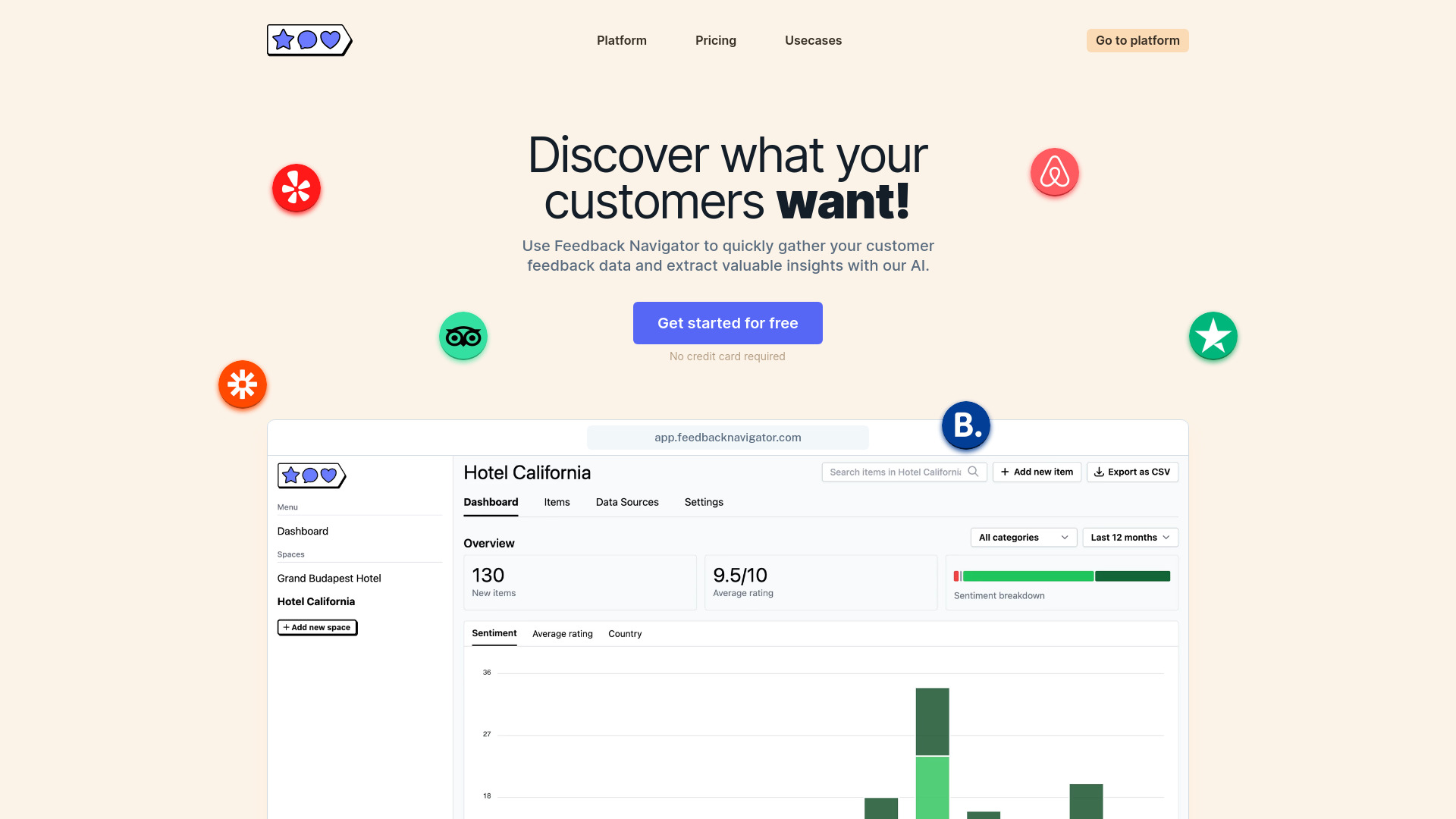
Feedback Navigator is an AI-powered platform designed to help businesses quickly extract valuable insights from user feedback data. It allows business owners, property managers, product teams, and consultants to organize user feedback into insightful dashboards within minutes using AI and built-in data sources. The platform supports pulling in customer feedback from platforms like Trustpilot, Booking.com, and Yelp, as well as uploading CSV files or using an API. It offers features like custom categories, sentiment analysis, request detection, custom workflows via webhooks, and CSV export.

Feedback Navigator screenshot

Access & connections

Where you can use Feedback Navigator, and what it plugs into.

Platforms

Web

Integrations

Capabilities

What this tool accepts, produces, and is strongest at.

Highlights

  • Built-in data sources
  • Custom categories
  • Sentiment analysis
  • Request detection
  • Custom workflows via webhooks
  • CSV export

FAQ 8

What is Feedback Navigator?
Feedback Navigator is an AI-powered platform designed to help businesses quickly extract valuable insights from user feedback data. It allows business owners, property managers, product teams, and consultants to organize user feedback into insightful dashboards within minutes using AI and built-in data sources. The platform supports pulling in customer feedback from platforms like Trustpilot, Booking.com, and Yelp, as well as uploading CSV files or using an API. It offers features like custom categories, sentiment analysis, request detection, custom workflows via webhooks, and CSV export.
How to use Feedback Navigator?
Users can connect data sources like Trustpilot, Booking.com, and Yelp, or upload CSV files. The AI then analyzes the feedback, allowing users to define custom categories, perform sentiment analysis, detect requests, and set up custom workflows.
How is credit consumed?
One credit is consumed each time a user feedback is analyzed.
What data sources are supported?
The platform supports platforms like Trustpilot, Booking.com, and Yelp, as well as CSV file uploads and API integration.
What are custom categories?
Custom categories allow users to define specific categories to be detected in the provided feedback.
What is sentiment analysis?
Sentiment analysis uses large language models to extract accurate sentiment from the overall feedback as well as each detected category.
What is request detection?
Request detection provides a quick overview of the most common requests from customers, enabling businesses to act on them.
What are custom workflows?
Custom workflows use webhooks to trigger custom actions when a new review is analyzed.
Feedback Navigator Free + from $15 / month