

Factory.ai ✓
Assign tickets to AI for autonomous coding.
Trial; then from $20/mo
Verdict
A quick read before you dig into the full page.
- Best if
- Assign tickets to AI for autonomous coding
- Skip if
- Possibly expensive for startups
- Pick this when
- Autonomous coding agents
Considering Younet instead? Compare side by side
Overview
Factory Linear & Jira is an AI-powered product management tool designed to automate the task-to-code process. The tool employs autonomous coding agents, or 'Droids', that convert tasks into code, allowing for a smoother, faster, and more efficient workflow.
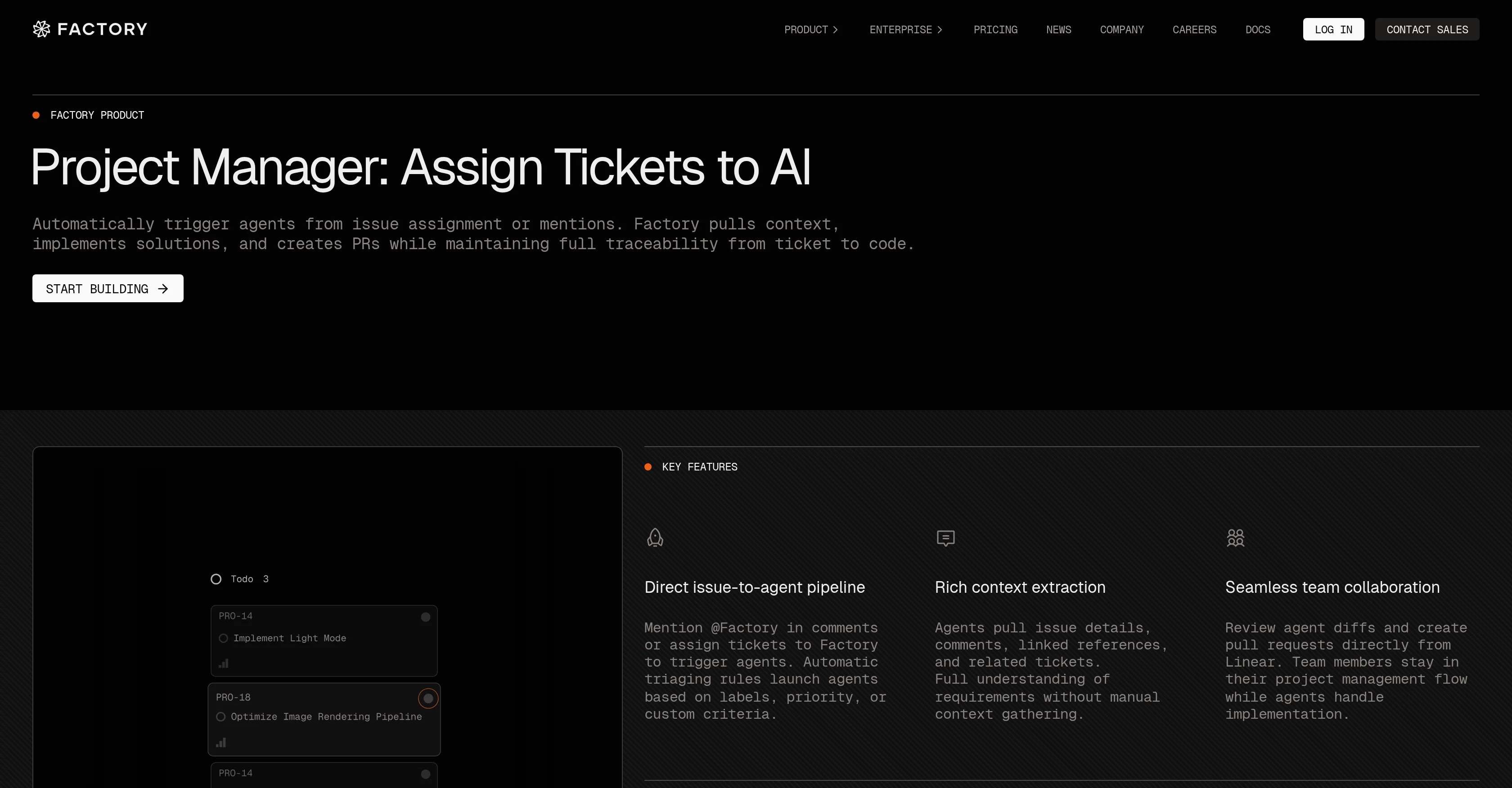
Users can trigger these agents by assigning an issue to them or by simply mentioning them in comments. These AI agents also have the capability to pull in multiple context data from issue details, comments, and related tickets to further aid in the development process.
This means less manual context gathering, thereby reducing the overall workload of the dev team. A key feature of this AI tool is its ability to launch agents based on set criteria such as labels and priority, resulting in an automated triaging process.
It can complete full tickets, from tackling bug reports to catering feature requests, achieving a one-shot issue resolution. Another primary value proposition is bridging the gap between product managers and engineers by reducing miscommunication and handoff friction.
Moreover, these 'Droids' can follow users through their workflow without losing context, providing a seamless collaboration platform across multiple tools.
They are aptly usable in different interfaces including Terminal, IDE, Browser, Slack, Jira, and CLI, offering flexibility in handling diverse workflows.
Designed to start within the IDE, the tool can be extended into a full workflow, from managing design docs to automating review processes, making it a comprehensive solution for coding and project management tasks.
Access & connections
Where you can use Factory.ai, and what it plugs into.
Platforms
Capabilities
What this tool accepts, produces, and is strongest at.
Input
- Text
Output
- Code
Highlights
- Agents
Supported features
- Agents
- Automation
- Computer Use
- CLI
Pros & cons
Pros
- Autonomous coding agents
- Context data pull
- Automated ticket assignment
- Automated triage
- One-shot issue resolution
- Seamless cross-tool integration
- Reduced communication friction
- Workflow flexibility
Show 31 more
- Operates in multiple interfaces
- Handle diverse workflows
- Full workflow capability
- Issue-to-agent pipeline
- Rules-based agent triggering
- Rich context extraction
- Team collaboration facilitation
- Quick triage response
- Bridges product-management-to-engineering gap
- Works in Browser, Slack, Jira
- Works in Terminal, IDE, CLI
- Starts within IDE
- Automation of review processes
- Maintains full traceability
- Creates Pull Requests
- Handles implementation
- Autonomous bug fixing
- Autonomously completes tickets
- Completes feature requests
- Allows for priority setting
- Custom criteria agent launch
- Linked references extraction
- Manages design docs
- Reduces manual context gathering
- Reduces overall dev workload
- Enhances workflow efficiency
- Smoother workflow
- Faster task completion
- Less handoff friction
- Secures data privacy
- Complies with security standards
Cons
- Limited to specific interfaces
- Lack of code customisation
- Possibly reduced dev skills usage
- Autonomous agents may miss nuances
- May compromise sensitive data
- Possibly expensive for startups
- One-shot resolution might fail
- Potential communication barriers with 'Droids'
Show 1 more
- May impact traditional development jobs
Compare alternatives
Similar tools in the catalog — with a clear reason to open each one.

Younet ✓
Free TrialAI Agent Orchestration and Automation. Build your agentic business.
Why look Typically cheaper
Full comparison
Agents by Athena AI ✓
Free TrialCreate AI agents for any task
Why look Typically cheaper
Full comparison
Rumora ✓
PaidAI agents will find and mention your brand in viral videos comments
from $249/mo
Full comparison
Watermelon ✓
FreemiumHandle up to 96% of your support automatically
Why look Offers a public API
Full comparison

ChatNode ✓
Free TrialAI Agents for customer service that feel human
Why look Offers a public API
Full comparisonReleases 1
FAQ 12
What is Factory Linear & Jira?
How does Factory Linear & Jira use AI?
What are the 'Droids' in Factory Linear & Jira?
How do the Droids convert tasks into code?
How does Factory Linear & Jira automate the task-to-code process?
What interfaces can be used with Factory Linear & Jira?
How can users trigger the autonomous coding agents in Factory Linear & Jira?
How does Factory Linear & Jira pull in multiple context data?
What is the automated triaging process in Factory Linear & Jira?
How does Factory Linear & Jira handle bug reports and feature requests?
How does Factory Linear & Jira improve communication between product managers and engineers?
How does Factory Linear & Jira offer seamless collaboration?
Related tools
Recommended

echowin ✓
FreemiumCreate & Deploy AI Agents for Phone, Chat & Discord

The SEO Agent ✓
Free TrialOne keyword in, one ranking post out.

Disclaimr — State compliance alerts for RIAs ✓
FreeThe SEC tells you. Fifty states don't. Disclaimr watches all of them.

ACME.BOT - No-Slop AI SEO Agent That Interviews You ✓
Free TrialInterviews you, then writes and publishes your blog. No Slop.

Invent | AI Customer Support Agents for any channel ✓
Free TrialYour AI business agent platform, on any channel

AI agency Copilot ✓
Free TrialStand out and win more clients with personalised AI recommendations