

Personal assistant 2026 Rank: #1620
Elvean ✓
Private AI workspace for Mac
Verdict
A quick read before you dig into the full page.
- Best if
- Private AI workspace for Mac
- Skip if
- Potentially complex Linux container usage
- Pick this when
- Tailored for Mac users
Considering Notis instead? Compare side by side
Overview
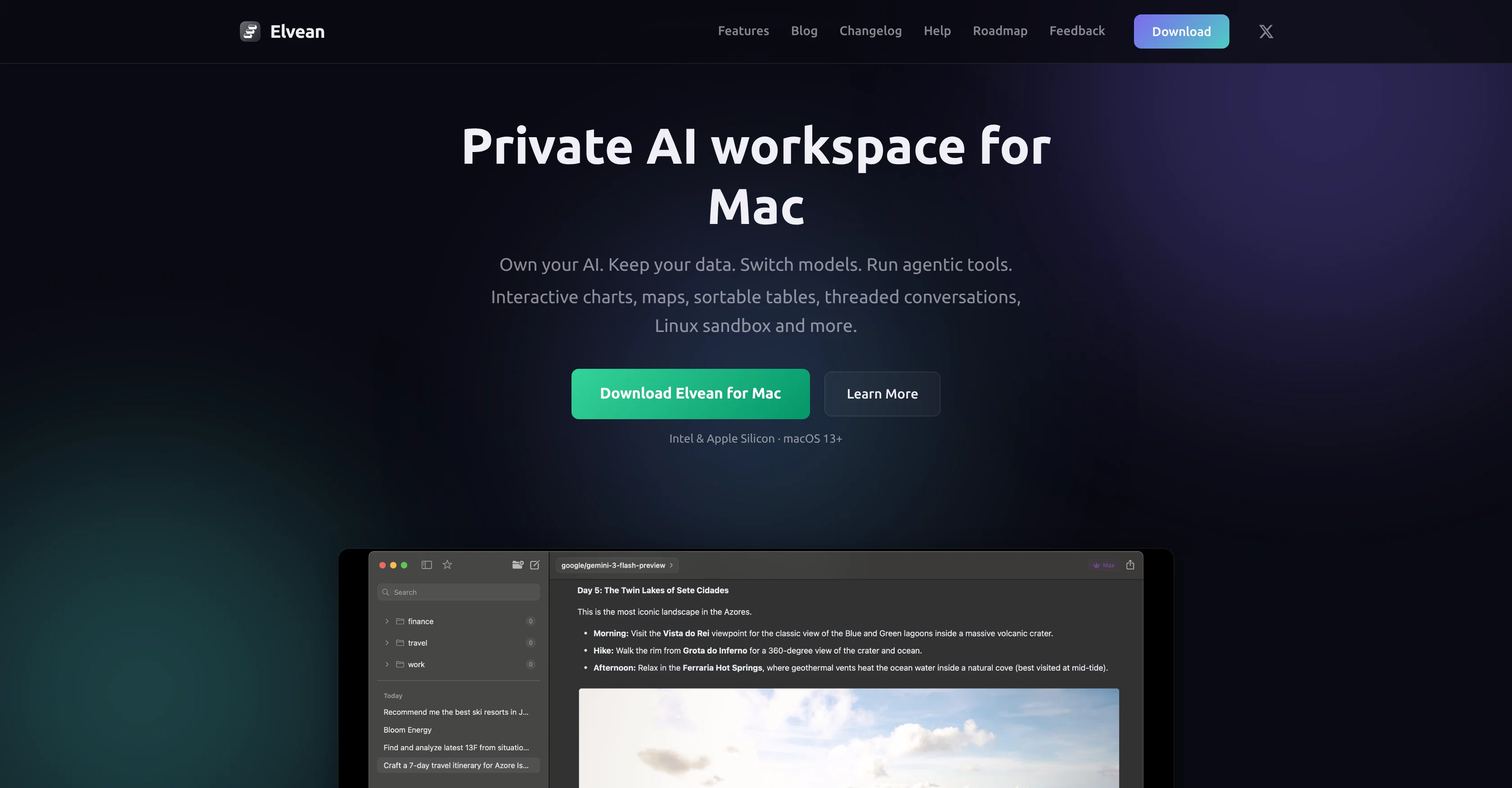
Elvean is a comprehensive AI workspace and client tailored for Mac users. It provides an interface for seamless interaction with various AI models including Ollama, Claude, Gemini, and many more.
It supports both local and cloud-based AI models. Elvean's versatility allows users to run agentic tools, and create interactive charts, maps, and sortable tables.
In addition, it is capable of supporting threaded conversations and a Linux sandbox. The workspace is built for the convenience of Mac users. Elvean offers the feature to switch models during a conversation.
This AI client enables the operation of local models offline or interactive with cloud models using personalized keys. Elvean's unique features include agents that search the web, read calendars and write code.
Results can be displayed as charts, maps, and tables, rather than just text. It also empowers users to create a knowledge base that the model can use to search, read, and write during conversations.With Elvean, users work within a single application, reducing the need to switch between models like ChatGPT, Claude, or various browser tabs.
The tool enables users to connect to every major AI provider and manages local models in one consistent interface. Elvean also presents AI responses in an engaging manner, rendering interactive charts, sortable tables, explorable maps, and browsable image galleries, all inline within the conversation.
Elvean also supports multi-step tasks and provides seamless integration with tools like web search, the Apple Calendar, and the ability to execute commands.One of the distinguishing features of Elvean is the provision of an isolated Linux container for each project, allowing AI to execute commands, install packages, and write files.
Also, it enables structured and organized conversations, gives access to a system-wide prompt panel, and ensures data privacy by ensuring that conversations never touch their servers.
Access & connections
Where you can use Elvean.
Platforms
Capabilities
What this tool accepts, produces, and is strongest at.
Input
- API
- Tabular
- Image
- Text
- Audio
Output
- Audio
- Tabular
- API
- Text
- Image
Highlights
- Agents
- Local
- Open Source
Supported features
- Assistant
- Agents
- Runs Locally
- Code Assistant
- Web browsing
- Open Source
- Memory
Pros & cons
Pros
- Tailored for Mac users
- Supports local and cloud-based models
- Generates interactive charts, maps, tables
- Supports threaded conversations
- Linux sandbox support
- Model-switching mid-conversation
- Offline operation of local models
- Web searching agents
Show 44 more
- Calendar reading agents
- Code writing agents
- Allows knowledge base creation
- Single application workflow
- Manages local models consistently
- Supports multi-step tasks
- Integration with web search
- Integration with Apple calendar
- Executes commands
- Provides isolated Linux container
- Organizes conversations systematically
- System-wide prompt panel access
- Guaranteed data privacy
- Multi-model support
- Enables structured data visualization
- Built-in tools panel
- API keys secure in macOS
- Rendered charts, tables inline
- Agentic research mode
- Real Linux environment provided
- Allows project folder access
- Threaded conversation support
- Optimized for Apple Silicon and Intel
- Native SwiftUI application
- Built-in terminal panel
- Commands for code writing agents
- Dark mode compatibility
- Extraction of key facts automatically
- Local models run fully offline
- Keeps the data private
- Metal-accelerated local inference
- Produces action-oriented workflows
- Smooth planning and follow-through
- Handles multi-step execution
- Creates interactive image galleries
- Automatically-arranged image grids
- Model executes commands in container
- Access to artifact from project folder
- Project-specific isolated container
- Allows direct interaction with Linux terminal
- Branching off conversation without losing context
- Folder organization within conversations
- Text-to-speech, PDF attachments
- Token usage tracking
Cons
- Mac-only
- No support for Windows
- No mobile version
- Requires manual model switching
- Potentially complex Linux container usage
- No explicit multi-language support
- No free multi-step tasks
- Offline operation limited to local models
Show 2 more
- External service data privacy dependant
- Limited built-in tools integration
Compare alternatives
Similar tools in the catalog — with a clear reason to open each one.

Notis ✓
Free TrialThe first WhatsApp assistant that runs on your ChatGPT and Claude subscriptions
Free + from $13/mo
Full comparison
Alice - AI Automation App ✓
Free TrialStop chatting. Start doing.
Why look Offers a public API
Full comparison

Assindo ✓
Free TrialManaged AI agent like OpenClaw but with real phone calls included
Why look Typically cheaper
Full comparison

Botlor ✓
Free TrialYour AI butler that books, shops, creates, advises.
Why look Higher community rating
Full comparisonReleases 1
FAQ 12
What is Elvean and who is it tailored for?
What types of AI models can Elvean interact with?
Does Elvean support only local AI models or cloud-based ones as well?
What are some key features of Elvean?
How does Elvean ensure data privacy?
What are the unique features of Elvean?
How does Elvean help in data visualization?
Can Elvean support threaded conversations?
What is the advantage of having a single application workflow in Elvean?
How does Elvean aid in knowledge base creation?
What roles do agents play in Elvean?
Can Elvean switch models during an ongoing conversation?
Related tools
Recommended

Serno ✓
FreemiumCustom AI experts that map what one AI can't

Axey ✓
FreemiumYour all-in-one AI partner

Gamut ✓
Free TrialBuild agents that 10x your outreach leads

Claude ✓
FreemiumBuilding reliable, interpretable AI systems

AppDeploy ✓
FreeDeploy real apps directly from ChatGPT or Claude

2PR ✓
Freemium2pr All-in-One AI Tool to Easily Create Winning Linkedin Posts