
EasySite
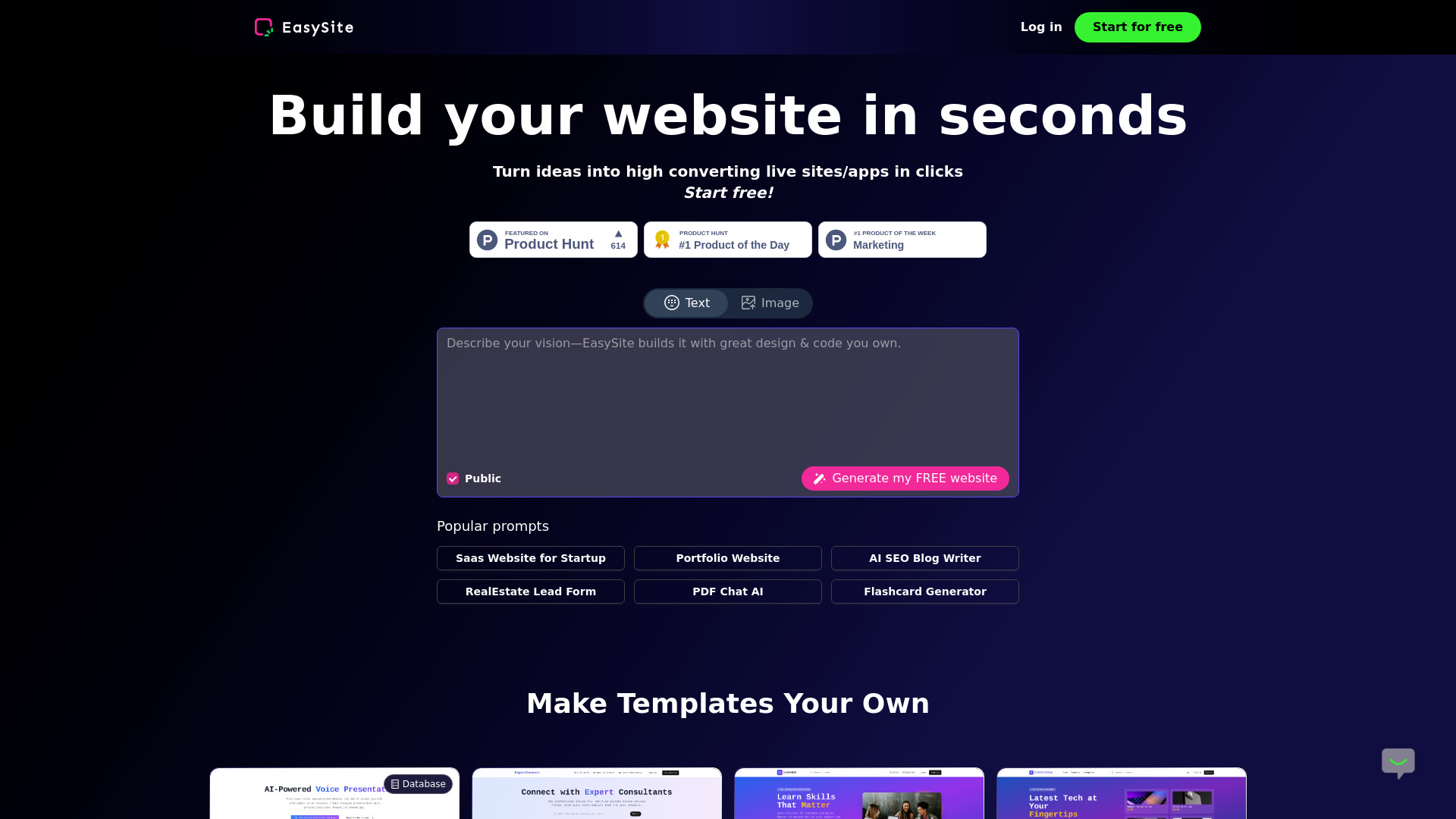
EasuSite is AI Website Builder with built-in database. It Builds Working Apps & Websites Just by Chatting with AI
Source rating 5.0
(92)
0 views
0 saves
Freemium
Free + from $10 / month
Verdict
A quick read before you dig into the full page.
- Best if
- EasuSite is AI Website Builder with built-in database. It Builds Working Apps & Websites Just by Chatting with AI
- Skip if
- You need enterprise SLAs or a fully managed team plan right away
- Pick this when
- Freemium · Free + from $10 / month
Overview
Build database-driven websites & apps with AI in seconds. Features built-in database, mobile conversion, chat widgets, analytics. WordPress/Netlify ready. Try it for Free.
Access & connections
Where you can use EasySite, and what it plugs into.
Platforms
Integrations
Capabilities
What this tool accepts, produces, and is strongest at.
Highlights
- Built-in Database
- Built-in Chat Widget for Customer Service
- One Click to Mobile App
- Alternative to Retool: Vibe-code your database for analytics report
- Integration to Wordpress, Hostinger and Netlify
FAQ 2
What is EasySite?
Build database-driven websites & apps with AI in seconds. Features built-in database, mobile conversion, chat widgets, analytics. WordPress/Netlify ready. Try it for Free.
How to use EasySite?
Create Your First Project
Step 1 To get started, head over to easysite.ai and create an account.
Step 2 Once registered, you’ll be able to login to create your first project.
Step 3 Begin by entering a simple initial prompt, and let EasySite handle the rest. This prompt serves as the foundation for any project within EasySite, empowering you to turn your ideas into reality instantly.
EasySite Dashboard
Here you kickstart your project with a single prompt.
Browse through your entire collection of projects, including the latest and featured ones.
Get started quickly with a template from our popular prompts and explore creations from the community.
Take control of your account by viewing and editing your profile. Tailor your settings to match your preferences.
Stay on top of your account details and adjusting your settings as needed.
Experiment with Labs features like Chat mode—toggle them on or off.
Upgrade or downgrade your plan with ease, adapting to your changing needs without interruption.
Project Overview: every project follows a structured workflow:
Effortless Editing: Utilize a chat-based interface for seamless modifications.
Visual Enhancements: Attach images or videos to enhance precision and inspire edits.
Component Editing: Select and visually edit components for a cohesive design experience.
Mode Switching: Easily toggle between edit mode and chat mode.
Version Control: Track changes with version history and restore previous versions as needed.
Navigation: Effortlessly navigate through project pages.
Backend Integration: Integrate with Supabase for robust backend capabilities.
Deployment: Publish, deploy, and share your project using a preview link (don't forget to re-publish after making changes).
Responsive Design: Switch between web and mobile views for optimal responsive design.
Instant Updates: Refresh the preview modal to see changes instantly.
Direct Access: Open your project directly using the preview link.
Step 1 To get started, head over to easysite.ai and create an account.
Step 2 Once registered, you’ll be able to login to create your first project.
Step 3 Begin by entering a simple initial prompt, and let EasySite handle the rest. This prompt serves as the foundation for any project within EasySite, empowering you to turn your ideas into reality instantly.
EasySite Dashboard
Here you kickstart your project with a single prompt.
Browse through your entire collection of projects, including the latest and featured ones.
Get started quickly with a template from our popular prompts and explore creations from the community.
Take control of your account by viewing and editing your profile. Tailor your settings to match your preferences.
Stay on top of your account details and adjusting your settings as needed.
Experiment with Labs features like Chat mode—toggle them on or off.
Upgrade or downgrade your plan with ease, adapting to your changing needs without interruption.
Project Overview: every project follows a structured workflow:
Effortless Editing: Utilize a chat-based interface for seamless modifications.
Visual Enhancements: Attach images or videos to enhance precision and inspire edits.
Component Editing: Select and visually edit components for a cohesive design experience.
Mode Switching: Easily toggle between edit mode and chat mode.
Version Control: Track changes with version history and restore previous versions as needed.
Navigation: Effortlessly navigate through project pages.
Backend Integration: Integrate with Supabase for robust backend capabilities.
Deployment: Publish, deploy, and share your project using a preview link (don't forget to re-publish after making changes).
Responsive Design: Switch between web and mobile views for optimal responsive design.
Instant Updates: Refresh the preview modal to see changes instantly.
Direct Access: Open your project directly using the preview link.
Related tools
Recommended




EasySite
Free + from $10 / month