

Multimedia vv1.1.1 2026 Rank: #819
each::labs ✓
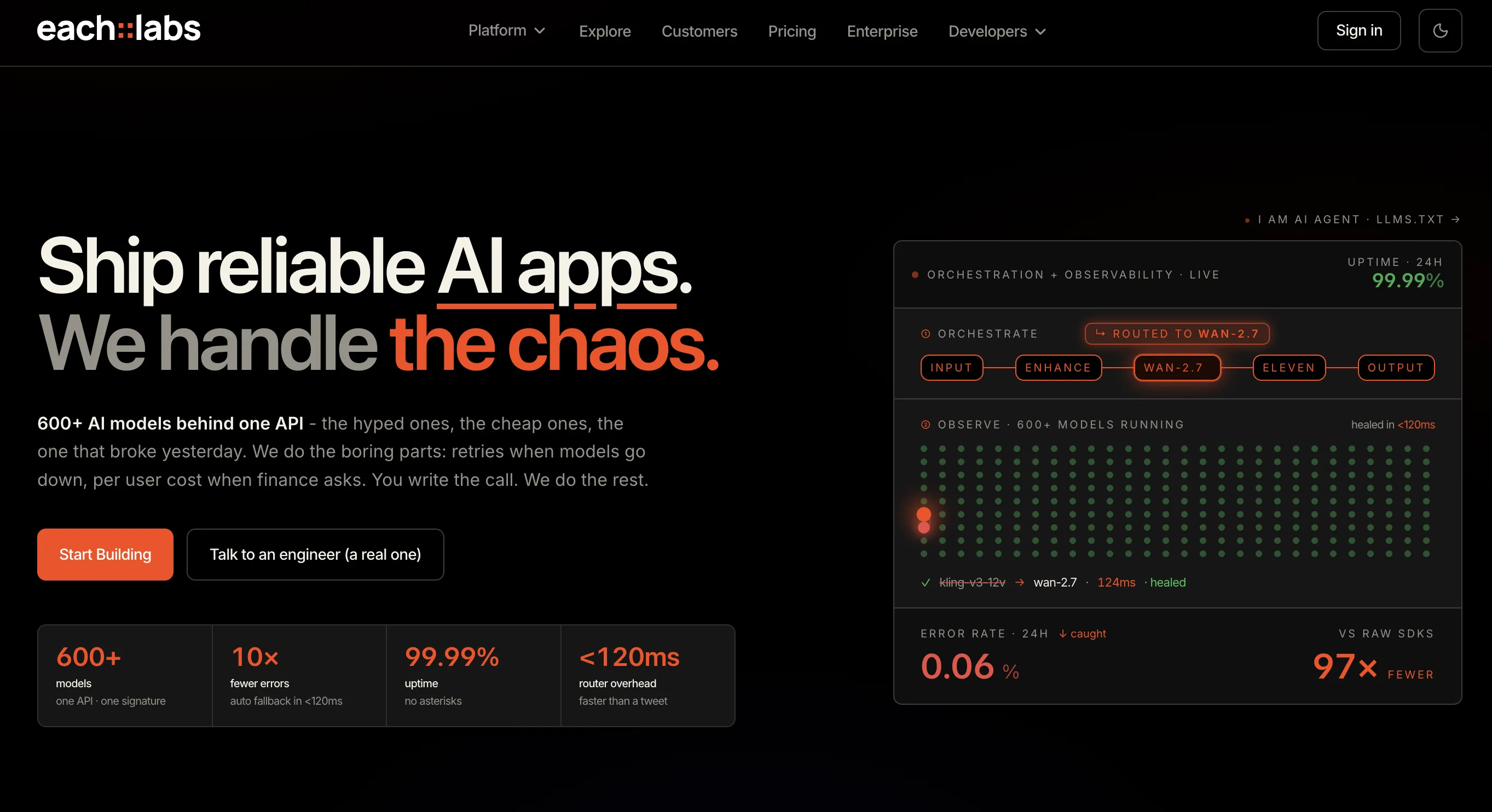
The production layer for generative AI.
Verdict
A quick read before you dig into the full page.
- Best if
- The production layer for generative AI
- Skip if
- Limited rate in free plan
- Pick this when
- Handles orchestration
Considering VoooAI instead? Compare side by side
Overview


The platform provides access to leading models from providers such as MiniMax, Hailuo, ElevenLabs, and Runway. Available models include Flux.2 for fast image-to-image editing and text-to-image generation, Kling v2.6 for motion transfer using reference videos, GPT Image 1.5 for context-aware, high-definition image generation, and PixVerse v5.5 for image-to-video creation and transition animations.
each::labs also develops its own image models under the Flint family. The first model, flint-image, generates four distinct images from a single prompt in one API call for $0.20, compared with $0.60 for a standard generation. Additional Flint models are being rolled out, including native 4K image generation and editing at the same per-call price.
Everything is billed on a pay-per-call basis with no subscription required. The platform also includes automatic model fallback and 24/7 support to help teams run reliable generative AI workloads in production.
- One Api For Image, Video, Voice, And Llms
- Visual No-code Ai Workflow Builder
- Automatic Model Fallback
- Per-call Billing, No Subscription
- 24/7 Engineering Support
Access & connections
Where you can use each::labs.
Platforms
Capabilities
What this tool accepts, produces, and is strongest at.
Input
- API
- 3D
- Image
- Text
- Video
- Audio
Output
- Audio
- Video
- 3D
- API
- Text
- Image
Highlights
- API
Supported features
- API
Pros & cons
Pros
- Handles orchestration
- Handles execution
- Handles scaling
- Text-to-Image Generation
- Video Editing
- Voice Recognition
- Motion Transfer
- Animation Generation
Show 28 more
- High-Definition Images
- Developer-Friendly Platform
- App Development
- Custom Software Development
- Consumer Applications
- Flexible Workflow Engine
- Models from Top Providers
- Image-to-Image Editing
- High-Quality Transition Animations
- Visuals from Text Prompts
- Private Beta
- Early Access
- Secure Inference Endpoints
- Access Control
- Token-Based Authentication
- Rate Limiting
- Real-Time Interaction
- Exclusive Updates
- Collaborative Space
- Data Encryption
- Secure Access Controls
- Regular Security Updates
- Flexible Plan Options
- Ready-to-use workflows
- Powerful Integrations
- 3 simple steps setup
- Designed to be fast, secure, scalable
- API Authorization
Cons
- In private beta
- Potential waitlist participation
- Limited to only visual models
- Scalability not free
- Premium features at cost
- Limited rate in free plan
- No support for non-visual models
- Reliance on external model providers
Show 2 more
- Needs manual model integration
- No on-premise solution mentioned
Compare alternatives
Similar tools in the catalog — with a clear reason to open each one.

VoooAI ✓
FreemiumGenerate a Multimedia workflow with one sentence.Support OpenClaw
Why look Freemium alternative
Full comparison
Masonry ✓
FreemiumOne prompt, every AI model: compare image and video generation across all
Why look Freemium alternative
Full comparison
Artlist | The Ultimate Creative AI Ecosystem ✓
FreemiumStart Creating Without Limits
Why look Freemium alternative
Full comparison
Higgsfield AI ✓
Free TrialAI Video Generator & Image Generator
Why look Stronger for image work
Full comparison

Releases 2
This release introduces Flint, a new family of each::labs image models designed to deliver frontier-quality results with production-ready economics.
- flint-image: Generate four distinct images from a single prompt in one call for $0.20, compared with $0.60 for a standard generation.
- Flexible output controls: Set the output format and aspect ratio for each run, so generated images fit directly into your layout.
- Available across each::labs: Access Flint through the API at api.eachlabs.ai or the visual no-code AI Flows builder, with pay-per-call pricing and no subscription required.
- Coming next: Additional Flint models for clean 4K image generation and editing, available at the same $0.20 per-call price.
FAQ 12
What is Eachlabs?
How does Eachlabs facilitate the deployment of AI models in app development?
What is the range of AI models available in the Eachlabs marketplace?
What are the functionalities of the Flux 2, GPT Image, and PixVerse models in Eachlabs?
How does Eachlabs enable motion control transfer in video animation?
What type of highly detailed images can Eachlabs generate?
In what ways can Eachlabs enhance the app development process?
How does the Eachlabs' flexible workflow engine support developers?
What does it mean to create AI workflows in seconds with Eachlabs?
How can Eachlabs' AI models be integrated into apps?
How does Eachlabs' model deployment system work?
What is the process to integrate Eachlabs' AI functionality into my existing app?
Related tools
Recommended
InstaWebAI ✓
FreemiumCreate, launch and grow your business website all in one platform

Pagesmith.ai ✓
FreemiumCreate stunning SEO and GEO optimized websites with AI

B12 AI Website Builder ✓
FreemiumAI-powered website builder

Automateed ✓
Free TrialCreate eBooks effortlessly with Automateed, the AI-powered writing tool.

Recall ✓
FreemiumSummarize Anything, Forget Nothing!

Notis ✓
Free TrialThe first WhatsApp assistant that runs on your ChatGPT and Claude subscriptions