
Dinnerfy
AI-powered meal planning and grocery shopping app with personalized recipes and automated lists.
Source rating 5.0
(93)
0 views
0 saves
Unknown
Verdict
A quick read before you dig into the full page.
- Best if
- AI-powered meal planning and grocery shopping app with personalized recipes and automated lists
- Pick this when
- AI-powered meal planning and grocery shopping app with personalized recipes and automated lists
Overview
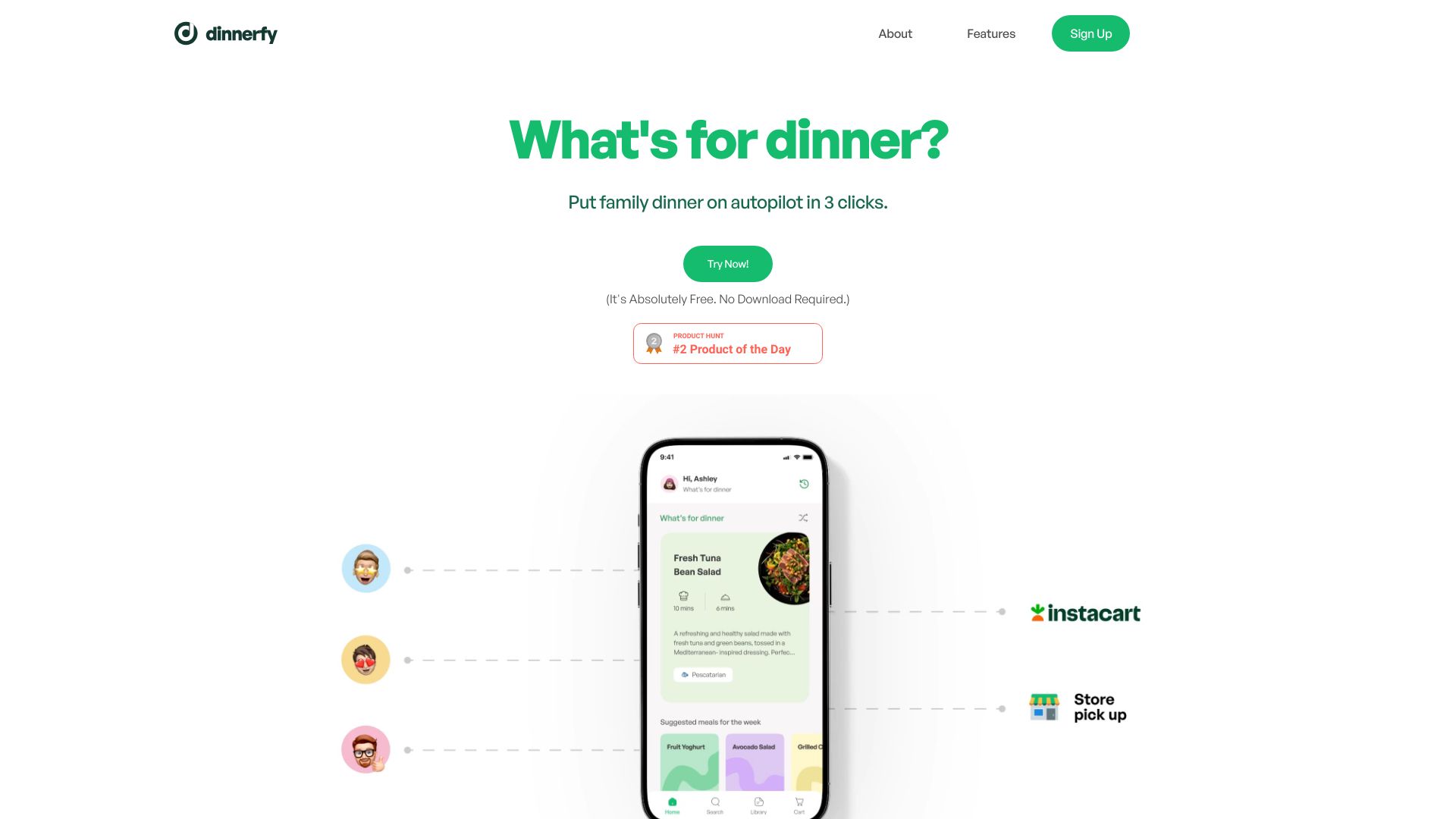
Dinnerfy is an AI app designed to automate meal planning and grocery shopping. It allows users to add dietary preferences to receive weekly menus and recipe suggestions from experts. The app compiles a grocery list for easy delivery orders and learns user tastes over time for hassle-free cooking.
Access & connections
Where you can use Dinnerfy.
Platforms
Capabilities
What this tool accepts, produces, and is strongest at.
Highlights
- Automated meal planning
- Personalized recipe suggestions
- Grocery list compilation
- Instacart integration for grocery delivery
- RecipeBox for storing personal recipes
FAQ 8
What is Dinnerfy?
Dinnerfy is an AI app designed to automate meal planning and grocery shopping. It allows users to add dietary preferences to receive weekly menus and recipe suggestions from experts. The app compiles a grocery list for easy delivery orders and learns user tastes over time for hassle-free cooking.
How to use Dinnerfy?
Sign up, swipe to indicate your food preferences, and Dinnerfy will generate personalized dinner menus and grocery lists. You can then order groceries for delivery or cook using the provided recipes.
How to get started using Dinnerfy?
A short video shows you how to get started.
Is my data safely handled and stored?
Dinnerfy takes your privacy seriously. They don't store payment information, and all personal information is stored in an encrypted format and never sold to others. For more detail, please visit their Privacy Policy.
How do I add the Dinnerfy app to my phone?
Dinnerfy is a Progressive Web App (PWA) which means it runs on any internet browser. There isn't anything you need to download, so you won't find Dinnerfy in Apple's App Store or Google's Play Store. However, you can easily add Dinnerfy to your device's home screen so it appears alongside all your other apps. First visit app.dinnerfy.com , then (on iOS) click the share icon below the URL followed by "Add to Home Screen" or (for Android) click the 3 stacked dots to the right of the URL.
How do I toggle my home screen between Calendar View and Standard View?
You can easily toggle between these modes by clicking on your profile picture in the upper left of the home screen and toggling the "Calendar View" switch.
How do I add my own recipes to the Dinnerfy RecipeBox?
To store all your recipes securely online, start by clicking on your profile picture at the top left of the home screen. Then, select 'RecipeBox' and click on 'Upload.' You have three options: select 'Magic' to have Dinnerfy automatically create the recipe for you, choose 'Text' to manually enter the recipe into your RecipeBox, or pick 'Link' to add a recipe from another website by pasting its link.
How do I get my groceries delivered by Instacart?
First, tap the Cart icon at the bottom right of your Dinnerfy screen and confirm your meal choices. Then, click 'Proceed' and adjust your grocery list by removing items you have and adding others you need. Next, press the Instacart button to transfer your list to the "Dinnerfy Cart." To finish, either sign up for an Instacart account or log in to your existing one, choose your store, and check out.
Related tools
Recommended


Dinnerfy