
DigitalSeal Studio
AI-powered platform for creating custom digital seals and stamps.
Source rating 5.0
(54)
861 views
861/mo traffic
0 saves
Paid
From $1.99
Verdict
A quick read before you dig into the full page.
- Best if
- AI-powered platform for creating custom digital seals and stamps
- Skip if
- You need a free plan with no credit card
- Pick this when
- Paid · From $1.99
Overview
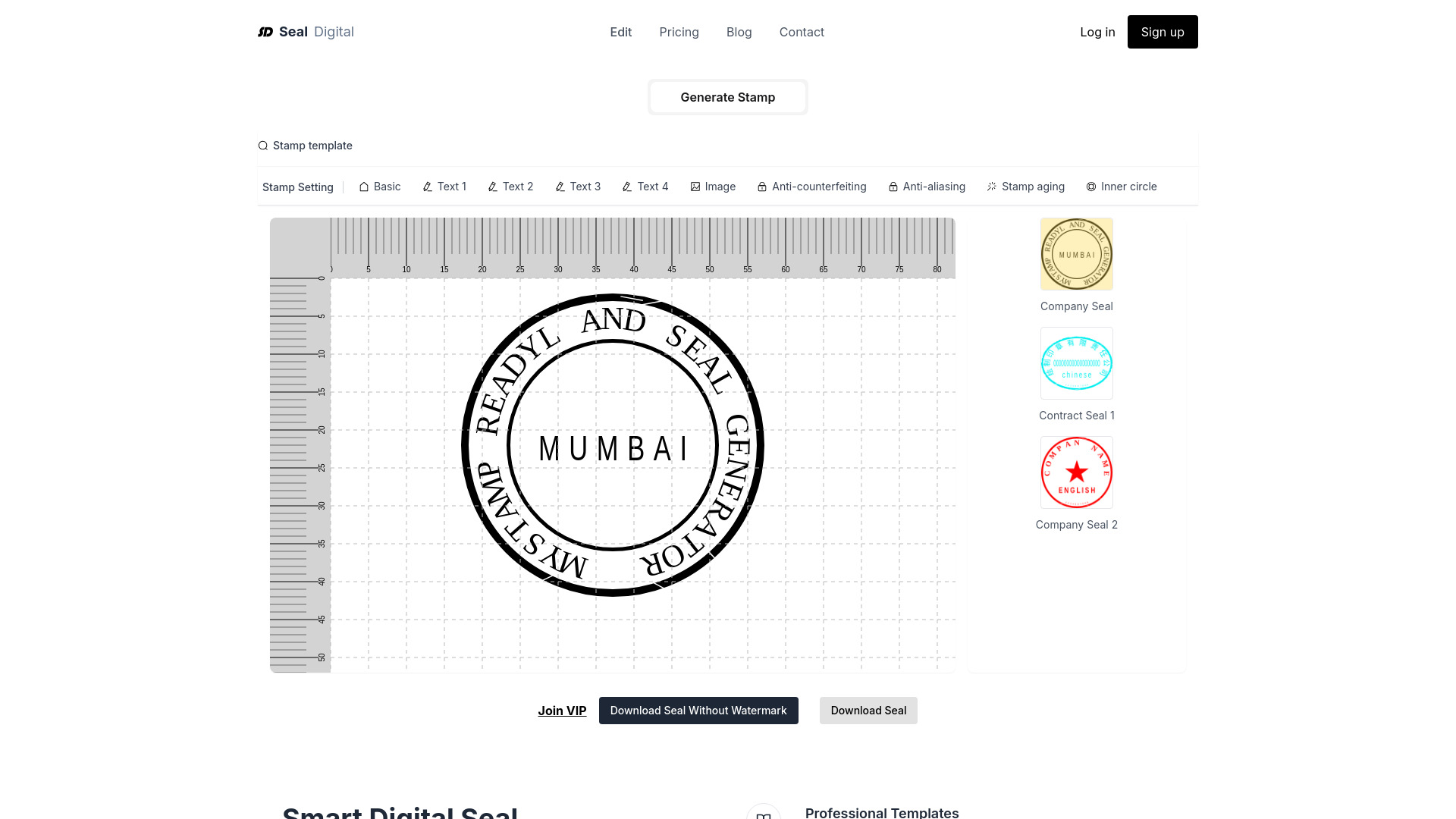
SealDigital.com is an AI-powered online platform that allows users to create professional digital seals and stamps for business and personal use. It offers customizable templates and design tools to create company logo stamps, branded stamps, and electronic signatures. Users can download their designs in PNG, SVG, PDF, and DOCX formats.
Access & connections
Where you can use DigitalSeal Studio.
Platforms
Capabilities
What this tool accepts, produces, and is strongest at.
Highlights
- AI-powered seal design
- Customizable templates
- Multiple download formats (PNG, SVG, PDF, DOCX)
- Aging and anti-counterfeiting effects
- Text and image customization
FAQ 9
What is SealDigital?
SealDigital.com is an AI-powered online platform that allows users to create professional digital seals and stamps for business and personal use. It offers customizable templates and design tools to create company logo stamps, branded stamps, and electronic signatures. Users can download their designs in PNG, SVG, PDF, and DOCX formats.
How to use SealDigital?
Choose a template or create a blank stamp, then customize colors, fonts, sizes, and add features like aging and anti-counterfeiting. Download the stamp in various formats after payment (or a watermarked PNG for free).
How long does it take to make a stamp?
Making a stamp on https://sealsdigital.com takes only a few seconds. Set up the properties in the toolbar and click the generate stamp button. After payment, the stamp will be generated in 3-5 seconds.
What are the benefits of creating digital stamps?
Digital stamps save costs, improve efficiency, reduce paper usage, are convenient, and easy to manage. They can be used digitally or sent to a physical stamp engraving shop.
Can the stamp be displayed properly in PDF format?
Yes, the platform supports creating PDF stamp images that can be embedded in PDF files and display normally.
Are there any issues making stamps on mobile devices?
The website is gradually becoming compatible with mobile devices, but using a computer is recommended for convenience and optimal compatibility.
Will there be a watermark after downloading the created stamp?
No, paid stamps have no watermarks. Only free downloaded stamps have watermarks.
Is it more cost-effective to make stamps online or to find someone to engrave them?
Creating stamps online is cheaper as it doesn't require physical stamp engraving shops.
Are the prices for creating stamps all the same?
Yes, the price for making stamps is consistent regardless of the template or format, and includes exporting PDF/PNG/SVG/DOCX formats.
Related tools
Recommended

DigitalSeal Studio
From $1.99