Verdict

A quick read before you dig into the full page.

Best if
You are uI/UX designers and need: Building beautiful, functional sites with Figma and Framer components
Skip if
You need enterprise SLAs or a fully managed team plan right away
Pick this when
Freemium · Free + from $49

Overview

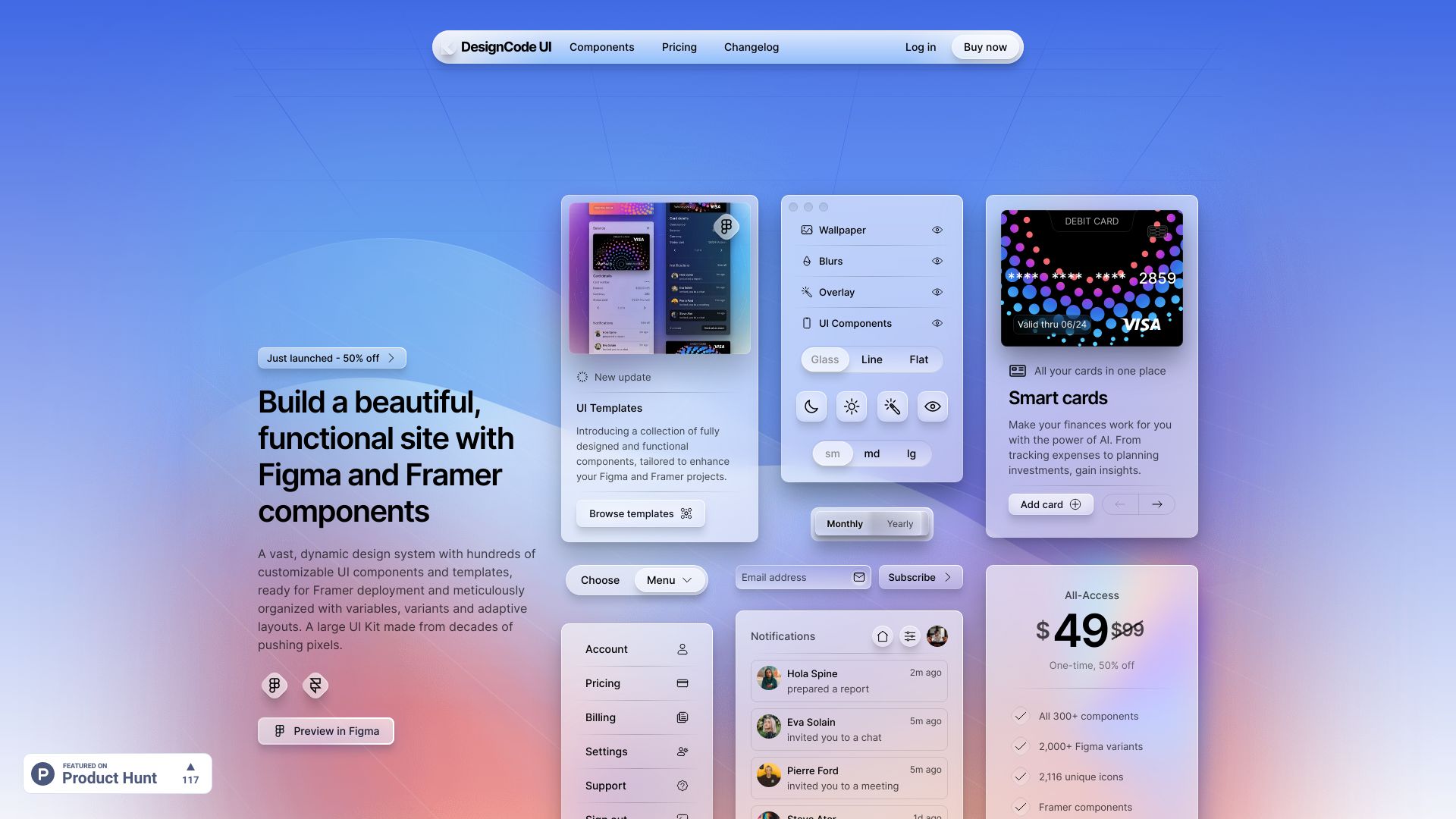
DesignCode UI is a vast, dynamic design system with hundreds of customizable UI components and templates, ready for Framer deployment and meticulously organized with variables, variants and adaptive layouts. It includes Figma and Framer components, offering an expansive design system with hundreds of Figma UI components and templates, ready for Framer integration. The UI kit is made from decades of expertise in UI/UX design.

DesignCode UI screenshot

Best for

Short scenarios where DesignCode UI tends to shine.

  • Building beautiful, functional sites with Figma and Framer components

    Best for UI/UX designers

  • Optimizing design processes with Figma's Variables and Framer's true implementation

    Best for Web developers

  • Ensuring design consistency and creating adaptable design systems

    Best for Product designers

Example outputs 1

Sample generations and before/after results for DesignCode UI.

Access & connections

Where you can use DesignCode UI, and what it plugs into.

Platforms

Web

Integrations

Capabilities

What this tool accepts, produces, and is strongest at.

Highlights

  • Hundreds of customizable UI components and templates
  • Figma and Framer compatibility
  • Meticulously organized with variables, variants, and adaptive layouts
  • Comprehensive guides and documentation

People also view

Tools that often show up alongside DesignCode UI in collections and comparisons.

FAQ 8

What is DesignCode UI?
DesignCode UI is a vast, dynamic design system with hundreds of customizable UI components and templates, ready for Framer deployment and meticulously organized with variables, variants and adaptive layouts. It includes Figma and Framer components, offering an expansive design system with hundreds of Figma UI components and templates, ready for Framer integration. The UI kit is made from decades of expertise in UI/UX design.
How to use DesignCode UI?
DesignCode UI provides Figma and Framer files that can be downloaded after purchase. These files contain components and templates that can be customized and integrated into your design projects. A license code is provided for commercial use.
What payment options are available for DesignCode UI purchases?
We accept payments through Stripe via LemonSqueezy. This includes major credit/debit cards.
What is DesignCode UI’s refund policy?
We offer a 30-day satisfaction guarantee for DesignCode UI. If you’re not completely satisfied within 30 days of your purchase, reach out to us for a full refund.
Does DesignCode UI offer customer support?
Yes, we provide dedicated customer support for all DesignCode UI users. If you have any questions or need assistance, feel free to contact us via email or through our support portal.
How can I access my DesignCode UI downloads after purchase?
After purchasing DesignCode UI, you can find your Figma and Framer files, along with your unique license on Lemon Squeezy. Log in on LemonSqueezy.com, go to 'My Orders', click on DesignCode UI, find the downloads in 'Files', and find your license under 'Licenses'.
How frequently are DesignCode UI components updated?
Our components are updated daily to stay abreast of the latest trends and technologies in design and coding. Subscribers will receive notifications about new updates and access them immediately.
How does your License work?
After purchase, you will get a License code. This is your valid code that gives you the right to use our UI Kit commercially on any project, as long as you don't redistribute our project. If there are any copyright strikes in the future, you can reference this code.
DesignCode UI Free + from $49
