
CreateOS
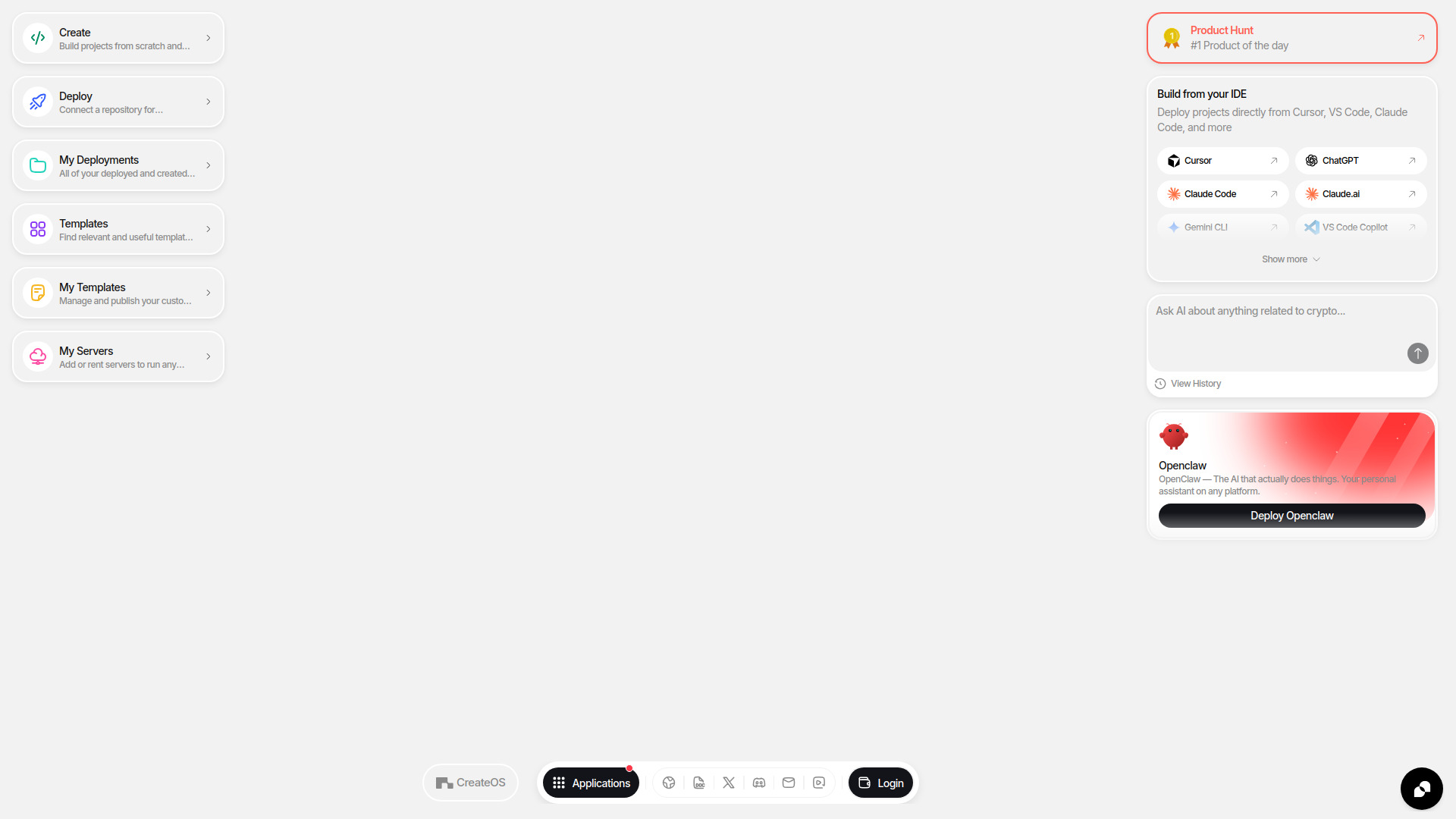
Unified workspace to build, deploy, and scale apps with AI-assisted one-click execution.
Source rating 5.0
(95)
420 views
420/mo traffic
0 saves
Unknown
Verdict
A quick read before you dig into the full page.
- Best if
- Unified workspace to build, deploy, and scale apps with AI-assisted one-click execution
- Pick this when
- Unified workspace to build, deploy, and scale apps with AI-assisted one-click execution
Overview
CreateOS is a unified workspace and execution environment designed to build, deploy, and scale applications without the complexity of DevOps or tool sprawl. It provides an all-in-one workflow that allows users to move from concept to live deployment and monetization seamlessly. The platform features AI-assisted execution (Vibe-coding), a template marketplace, and one-click deployment options, supporting deep integrations with popular IDEs and AI tools like Cursor, VS Code, and Claude.
Access & connections
Where you can use CreateOS, and what it plugs into.
Platforms
VS Code
Integrations
Capabilities
What this tool accepts, produces, and is strongest at.
Highlights
- AI-assisted execution and Vibe-coding
- One-click deployment with no DevOps required
- Deep integration with IDEs (Cursor, VS Code, Claude Code)
- Unified execution environment for full-stack apps
- Template marketplace for rapid application development
- Decentralized infrastructure and server management
FAQ 5
What is CreateOS?
CreateOS is a unified workspace and execution environment designed to build, deploy, and scale applications without the complexity of DevOps or tool sprawl. It provides an all-in-one workflow that allows users to move from concept to live deployment and monetization seamlessly. The platform features AI-assisted execution (Vibe-coding), a template marketplace, and one-click deployment options, supporting deep integrations with popular IDEs and AI tools like Cursor, VS Code, and Claude.
How to use CreateOS?
Users can start by building from scratch using 'Vibe-code' with an AI model or by connecting a GitHub repository for automated builds. They can also leverage the template marketplace for quick starts. Deployments can be handled with one click, and developers can connect their IDEs like Cursor or VS Code to deploy projects directly to the CreateOS environment or rented servers.
What does 'Vibe-code' mean on CreateOS?
Vibe-coding is an AI-driven development approach where users can build applications using natural language prompts and the AI model of their choice within the CreateOS environment.
Can I deploy existing projects to CreateOS?
Yes, you can connect a repository for automated builds or run a pre-built container for one-click deployment.
Which IDEs are supported?
CreateOS supports deployment directly from Cursor, VS Code, Claude Code, ChatGPT, Gemini CLI, and VS Code Copilot.
Related tools
Recommended




CreateOS