

Music 2026 Rank: #1516
Create Music AI ✓
Turn text into royalty-free songs instantly.
Trial; then from $10.49/mo
Verdict
A quick read before you dig into the full page.
- Best if
- Turn text into royalty-free songs instantly
- Skip if
- Customer service for paid plans only
- Pick this when
- Generates original, royalty-free music
Considering Suno instead? Compare side by side
Overview
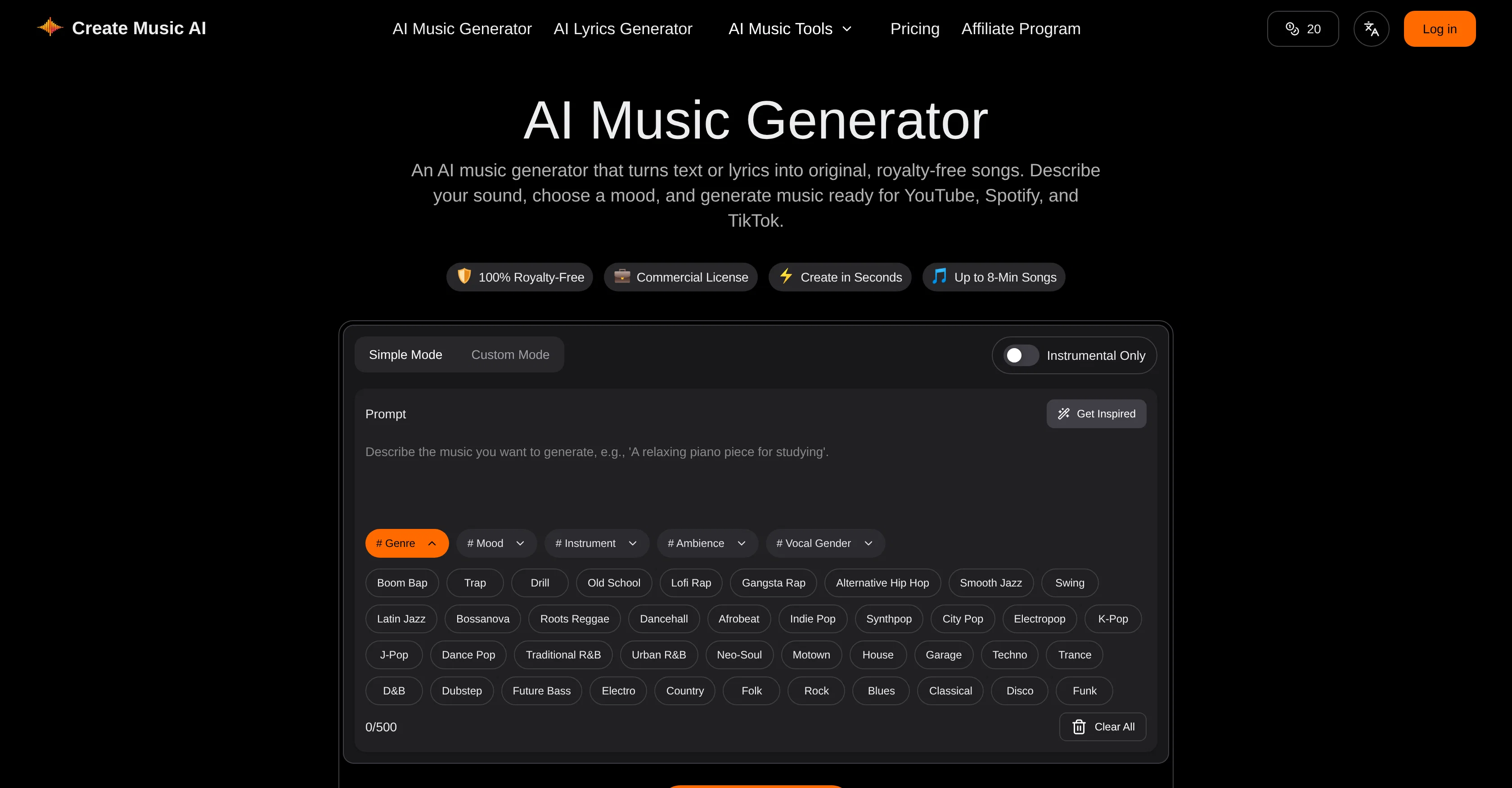
AI Music Generator is a tool designed to help users create original, royalty-free music. The tool uses artificial intelligence to turn text or lyrics into complete songs.
Users can describe their desired sound, select a mood and the AI engine will generate music that is suitable for multiple platforms including YouTube, Spotify, and TikTok.
All generated music includes a commercial license, allowing it to be used in a range of contexts without needing additional licensing or encountering copyright claims.
Beyond music generation, the tool offers functionality to write lyrics, remove vocals, and separate stems for refining generated music. It also features MIDI-tools for editing and BPM analysis, providing a comprehensive toolkit accessible on a single platform.
A selection of generated tracks is provided to demonstrate the versatility of the AI engine, suggesting its ability to create sounds ranging from soundtracks to high-energy dance tracks.
The simplicity of the application process is emphasized, with users able to turn text prompts into full-length songs in a few simple steps. Overall, AI Music Generator offers an innovative solution for creators seeking a user-friendly tool for generating original, royalty-free music.
Access & connections
Where you can use Create Music AI, and what it plugs into.
Platforms
Integrations
Capabilities
What this tool accepts, produces, and is strongest at.
Input
- Text
Output
- Audio
Supported features
- Music Generation
Pros & cons
Pros
- Generates original, royalty-free music
- Utilizes text or lyrics input
- Songs fit user-selected genre, mood, and style
- Features lyrics writing
- Features vocal removing
- Features stem splitting
- Offers MIDI editing
- Performs BPM analysis
Show 34 more
- Songs commercially licensed
- Ability to create full-length songs
- Tool has music analysis capabilities
- BPM, key, tempo, and mood detection
- Audio to MIDI conversion
- 30-second music preview
- Music suitable for multiple platforms
- Generates music in styles fitting user needs
- Functionality to write lyrics
- Functionality to remove vocals
- Ability to separate stems
- MIDI-tools for editing and BPM analysis
- Text to song generation
- Offers a selection of generated tracks
- Users can refine generated music
- Users can describe desired sound
- Functionality to turn text prompts into songs
- User-friendly application process
- Creates sounds ranging from soundtracks to high-energy dance tracks
- Platform includes a commercial license
- Tracks download as WAV or MP3
- Music can be up to 8 minutes long
- Suitable for YouTube, Spotify, TikTok
- Offers both Instrumental and with vocals music
- Advanced music analyzer
- Unlimited downloads with paid plans
- 24/7 email support with paid plans
- Concurrent tasks based on plan
- Songs safe for monetization on streaming platforms
- Music fit for different purposes: podcasts, films, games, ads
- Can be used for client work
- Customizable genre, mood, tempo, instruments
- Download in both WAV or MP3 format
- Far longer songs (up to 8 minutes) than typical music generators
Cons
- Limited to 8-minute songs
- 30-second preview time
- Charges for additional features
- Lacks offline capabilities
- No mobile application
- Regional language limitations
- Potential quality inconsistencies
- Rendering time required
Show 2 more
- Restricted music generations in Free plan
- Customer service for paid plans only
Compare alternatives
Similar tools in the catalog — with a clear reason to open each one.


Tunee ✓
FreemiumChat with AI to create music and music video in minutes.
Why look Offers a public API
Full comparison
Singify ✓
PaidSingify Your World – Create, Cover, Inspire
Why look Typically cheaper
Full comparison
AirMusic ✓
Free TrialAI music generator and music video creator in one platform.
Free + from $11.9/mo
Full comparison
MakeBestMusic-Al Song Generator ✓
Free TrialTurn Ideas into Original Music – Your AI Songmaker
Free + from $14.9/mo
Full comparison
MusicStar.ai ✓
Free TrialPersonalized music with automated genre and lyrics.
Why look Typically cheaper
Full comparisonReleases 1
Imported reviews 2
needed background instrumentals for a demo track and this delivered. the beats are clean and royalty free which is huge.
needed some background tracks for a festival recap video and this came through. not groundbreaking but it's free and actually sounds decent. way better than those generic stock music sites
FAQ 12
What is Create Music AI?
How does Create Music AI create songs from text or lyrics?
Can I use Create Music AI to create songs in any genre?
Can Create Music AI generate instrumentals?
What are the music analysis features of Create Music AI?
What are the different editing options in Create Music AI?
Can I preview songs before I download them in Create Music AI?
How is the music generated by Create Music AI licensed?
Is Create Music AI suitable for marketers and advertisers?
What is the procedure to convert text into songs in Create Music AI?
Can I safely use music created on Create Music AI for my YouTube videos?
Is the Create Music AI toolkit able to remove vocals from the tracks?
Related tools
Recommended

MusicMakerApp ✓
FreemiumGenerate studio-quality music with AI from text.

MuseGen ✓
Free TrialTurn ideas into full-length songs with AI.

D-ID ✓
FreemiumCreate AI-generated videos with ease

BeatViz AI Music Video Generator ✓
FreemiumTransform your music into stunning visual experiences with AI

Viyou AI Image Generator ✓
FreemiumTransform text and images into stunning videos and visuals.

PromptFix ✓
FreemiumAI Prompt Optimizer & Analyzer