

Personal assistant 2026 Rank: #262
CraftBot ✓
The agent that builds and operates its own Saas tools
Verdict
A quick read before you dig into the full page.
- Best if
- The agent that builds and operates its own Saas tools
- Skip if
- Complex installation process
- Pick this when
- Operates 24/7
Considering Notis instead? Compare side by side
Overview



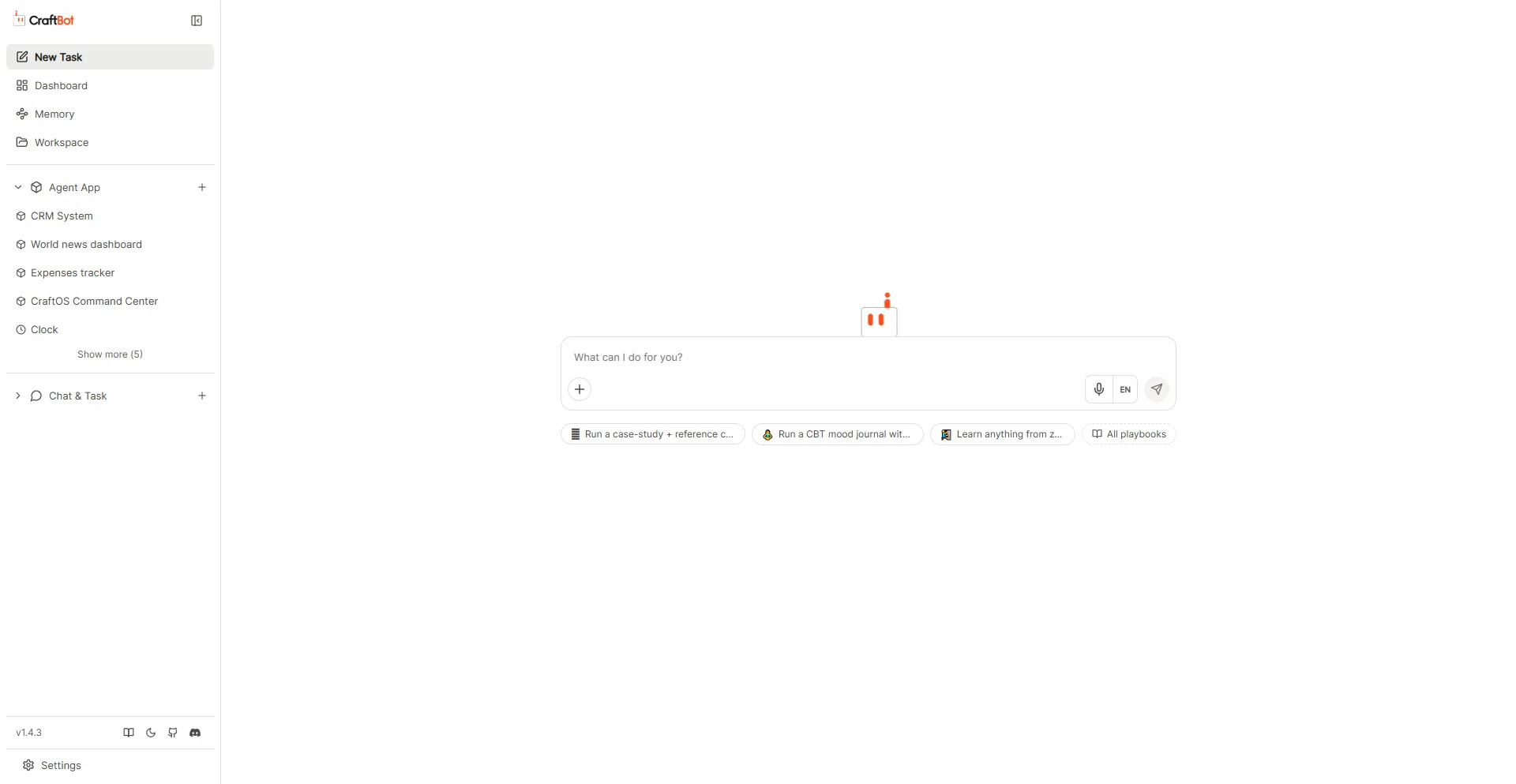
CraftBot is a Personal AI Assistant designed to operate within your machine round-the-clock. Developed by CraftOS, the assistant is tailor-made to interpret tasks, plan actions, and execute them autonomously with the aim of achieving your set goals.
It is designed to learn user preferences and objectives and helps to plan and initiate tasks proactively, thus serving as a tool for managing life goals.
Key features include a flexible LLM provider system that supports multiple models, and a memory system that distills and consolidates daily events. The assistant can understand user preferences, habits, and life goals, with capabilities to perform planning and initiate tasks aimed at helping the user make life improvements.
CraftBot offers a 'Living UI', where custom apps can be built, imported, or evolved inside it. The agent is aware of the UI's state and can manipulate its data.
It supports integration with a slew of external tools like Google Workspace, Slack, Notion, Zoom, LinkedIn, Discord, and Telegram. CraftBot can be extended to integrate with external tools and services via the Model Context Protocol (MCP), and it has an extensible skills framework with built-in skills for various tasks like planning, research, and code review.
It is cross-platform, fully supporting Windows, macOS, and Linux platforms.
Access & connections
Where you can use CraftBot, and what it plugs into.
Platforms
Capabilities
What this tool accepts, produces, and is strongest at.
Input
- API
- Code
- Tabular
- Image
- Text
- Video
- Audio
Output
- Code
- Tabular
- API
- Text
- Image
Highlights
- Agents
- MCP
- Open Source
- Local
- No Signup
Supported features
- Agents
- MCP
- Open Source
- Runs Locally
- No Signup
Pros & cons
Pros
- Operates 24/7
- Autonomous task interpretation
- Proactive planning
- Goal management
- User preference learning
- Event consolidation
- Living UI
- Custom app development
Show 38 more
- UI state awareness
- Google Workspace integration
- Slack integration
- Notion integration
- Zoom integration
- LinkedIn integration
- Discord integration
- Telegram integration
- Supports Model Context Protocol
- Extensible skills framework
- Task planning skill
- Research skill
- Code review skill
- Git operations skill
- Cross-platform support
- Windows, macOS, Linux compatibility
- CraftOS developed
- Switch between language models
- Flexible language model providers
- Memory system for daily events
- OAuth support
- External app integration
- Platform-specific code variants
- Docker containerization
- Supports Google Gemini
- Supports Anthropic Claude
- Supports BytePlus
- Supports local Ollama models
- Skills for personal and professional growth
- Assists in achieving user-specific objectives
- Supports task automation
- Can distil and consolidate daily events
- Proactive agent learns user preferences
- Awareness of the UI's state
- Can manipulate UI data
- Integration with external tools
- Built-in skills for various tasks
- Can improve user's life
Cons
- GUI mode deprecated
- Requires manual task approval
- Complex installation process
- Dependency on external API keys
- Indirect control (task interpretation)
- No in-built code review
- Memory consolidation only at midnight
- Limited built-in task skills
Compare alternatives
Similar tools in the catalog — with a clear reason to open each one.

Notis ✓
Free TrialThe first WhatsApp assistant that runs on your ChatGPT and Claude subscriptions
Free + from $13/mo
Full comparison
Alice - AI Automation App ✓
Free TrialStop chatting. Start doing.
Why look Offers a public API
Full comparison


Releases 1
FAQ 12
What exactly is CraftBot?
How does CraftBot operate?
What are the key features of CraftBot?
How does the MCP feature of CraftBot work?
What external applications can CraftBot integrate with?
Which language model providers does CraftBot support?
What functionality does CraftBot's UI provide?
How does the proactive learning feature work in CraftBot?
How can CraftBot be used for professional growth?
In what programming languages is CraftBot available?
Does CraftBot have support for OAuth?
What external tools can be integrated with CraftBot?
Related tools
Recommended

AppDeploy ✓
FreeDeploy real apps directly from ChatGPT or Claude

DeepSeek ✓
FreeUnravel the mystery of AGI with curiosity

Voice-Generator.com ✓
FreeGenerate AI voice for anything you want.

AgentSwarms ✓
FreeLearn, Build and Run Agentic AI on your Browser!

Kin - Personal AI Advisors ✓
FreePrivacy-first & designed your for mind, and life at work

Claude ✓
FreemiumBuilding reliable, interpretable AI systems