

Craft ✓
Your space for notes, tasks, and big ideas.
Free + from $1.99/month per person
Verdict
A quick read before you dig into the full page.
- Best if
- You are students and need: Managing daily notes and to-do lists
- Skip if
- Possible learning curve
- Pick this when
- Task management functionality
Considering DeskribAI instead? Compare side by side
Overview
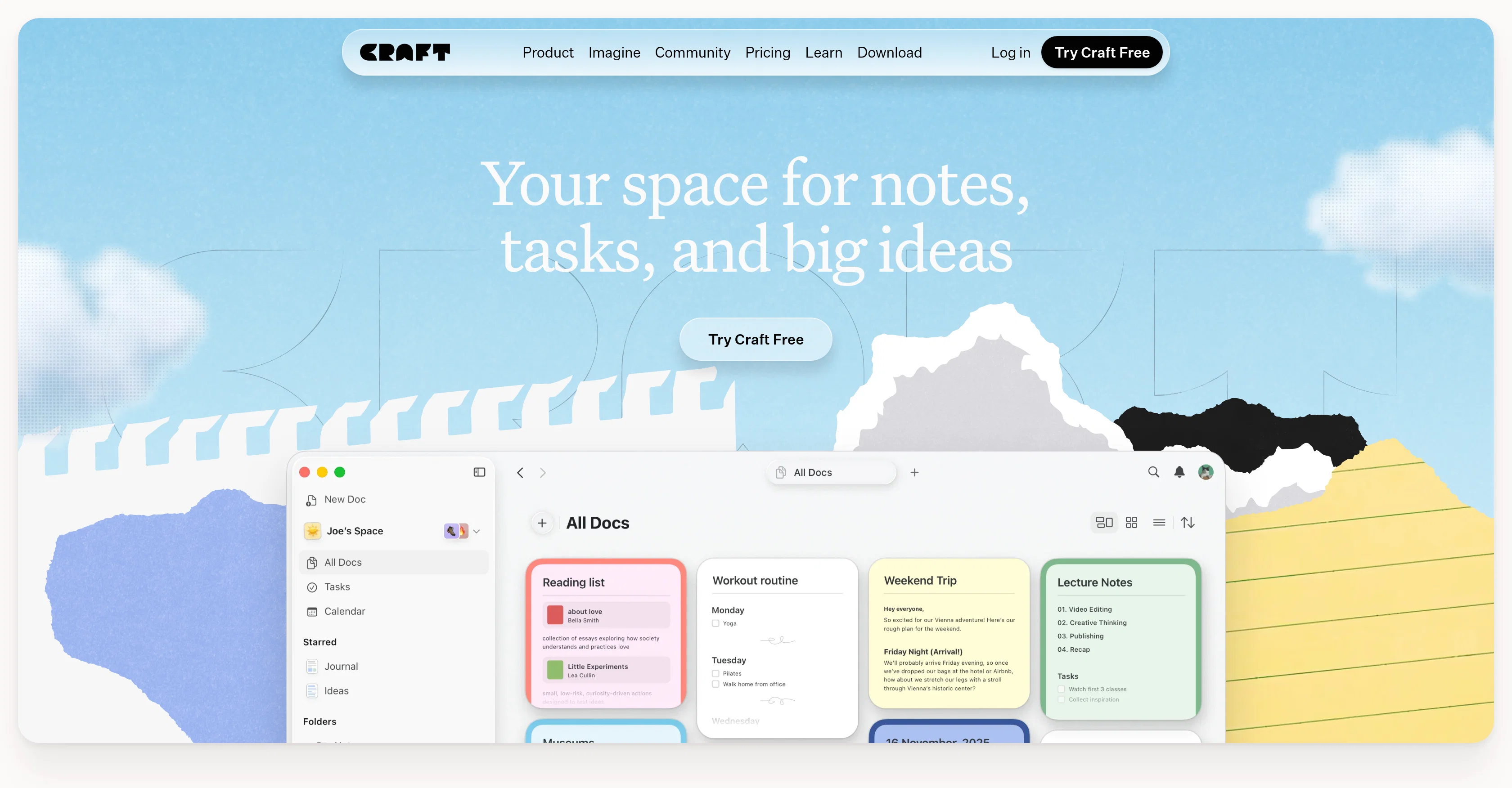
Craft is a versatile productivity tool designed to facilitate note-taking, task management, project planning, and documentation with a focus on simplicity and an aesthetically pleasing user interface.
Designed for a diverse range of professional and personal applications, Craft serves as a workspace for content ranging from meeting notes, project plans, to creative ideas.
Offering a flexible platform across devices, Craft provides seamless workflow where users can jot down ideas and refine them at their convenience. In addition to its core features, Craft supports various templates, whiteboards, and AI-powered writing tools, providing a diverse set of resources for content creation.
One of Craft's key features includes publishing options, which allows documents created within the platform to be shared easily. Craft also offers integration options, enabling users to connect to third-party tools, thereby extending the functionality and utility of the platform.
The tool is said to be user-centric, allowing customization of functions to fit individual needs. It embeds tasks directly into documents, connecting ideas with execution.
While it offers free usage, additional premium features are also accessible.
Best for
Short scenarios where Craft tends to shine.
-
Managing daily notes and to-do lists
Best for Students
-
Organizing research and learning materials
Best for Researchers
-
Writing documents and articles
Best for Writers
-
Planning projects and tasks
Best for Project managers
-
Sharing notes and documents with others
Best for Creative professionals
Example outputs 1
Sample generations and before/after results for Craft.
Access & connections
Where you can use Craft.
Platforms
Capabilities
What this tool accepts, produces, and is strongest at.
Input
- Text
Output
- Tabular
- Text
- Image
Pros & cons
Pros
- Task management functionality
- Document writing aids
- Project planning tools
- Versatile professional and personal use
- Flexible across different devices
- Seamless workflow
- Supports note-taking
- Assortment of templates
Show 28 more
- Integration of whiteboards
- Content sharing features
- Publishing options
- Supports third-party integrations
- User-function customization
- Tasks embedded into documents
- Free usage option
- Premium features available
- User-centric design
- Attractive user interface
- Diverse content creation options
- Used for diverse applications
- Visual aids for organization
- Direct task embedding
- Ideal for both professional and personal use
- Flexible, adaptive structure
- Ability to share documents
- Integration with other software tools
- Availability of premium features
- Customizable user experience
- Adapts to user's needs
- Efficient content organization
- Smooth navigation
- Supports complex databases
- Provides workspace adaptation
- Assists in defining trackable ideas
- Offers different data-view modes
- Ability to organize with spaces, tags
Cons
- Limited templates variety
- High emphasis on aesthetics
- Overly simplified task management
- No offline mode mentioned
- Possible learning curve
- Embedded tasks can be confusing
- Premium features behind paywall
- Unclear third-party integration scope
Show 1 more
- Lack of version control
Compare alternatives
Similar tools in the catalog.
People also view
Tools that often show up alongside Craft in collections and comparisons.

DocNexus ✓
Free TrialWrite Smarter. Deliver Faster.

WriteDoc.ai ✓
Free TrialGenerate beautiful documents with AI

Spell ✓
FreemiumAI-powered document writing copilot
Quillz ✓
FreemiumWrite better assignments in half the time.

Formzil ✓
PaidInstantly create and publish online forms
DeskribAI ✓
FreemiumCreate beautiful documents with AI
ShakespeareAI ✓
Free TrialGenerate professional books using artificial intelligence.

Panvoxx ✓
Free TrialOne platform. 10 models. Write, create, solve.
Releases 1
In the news
Launch coverage and community mentions for Craft.
FAQ 12
What is Craft?
How does Craft help in document creation?
What are some key features of Craft?
Is Craft free for all users?
How does the real-time collaboration work in Craft?
Can I customize my documents in Craft?
How does Craft ensure GDPR compliance?
What kind of templates does Craft offer for document creation?
What editing tools does Craft provide?
Can Craft be used by businesses?
How does Craft's AI Assistant enhance my writing?
What options does Craft offer for sharing documents?
Related tools
Recommended

LearningStudioAI ✓
Free TrialAI-powered authoring tool for effortless online course creation.

VenturusAI ✓
FreemiumBusiness idea analysis and reporting.

AI Course Creator ✓
FreemiumAI-powered course creation in minutes.

Spellbook ✓
UnknownContract Drafting and Review for legal professionals.

GPTExcel ✓
FreemiumGenerate spreadsheet formulas with AI

Scisummary ✓
Free TrialCutting-edge scientific articles summarization.