

ContentIn ✓
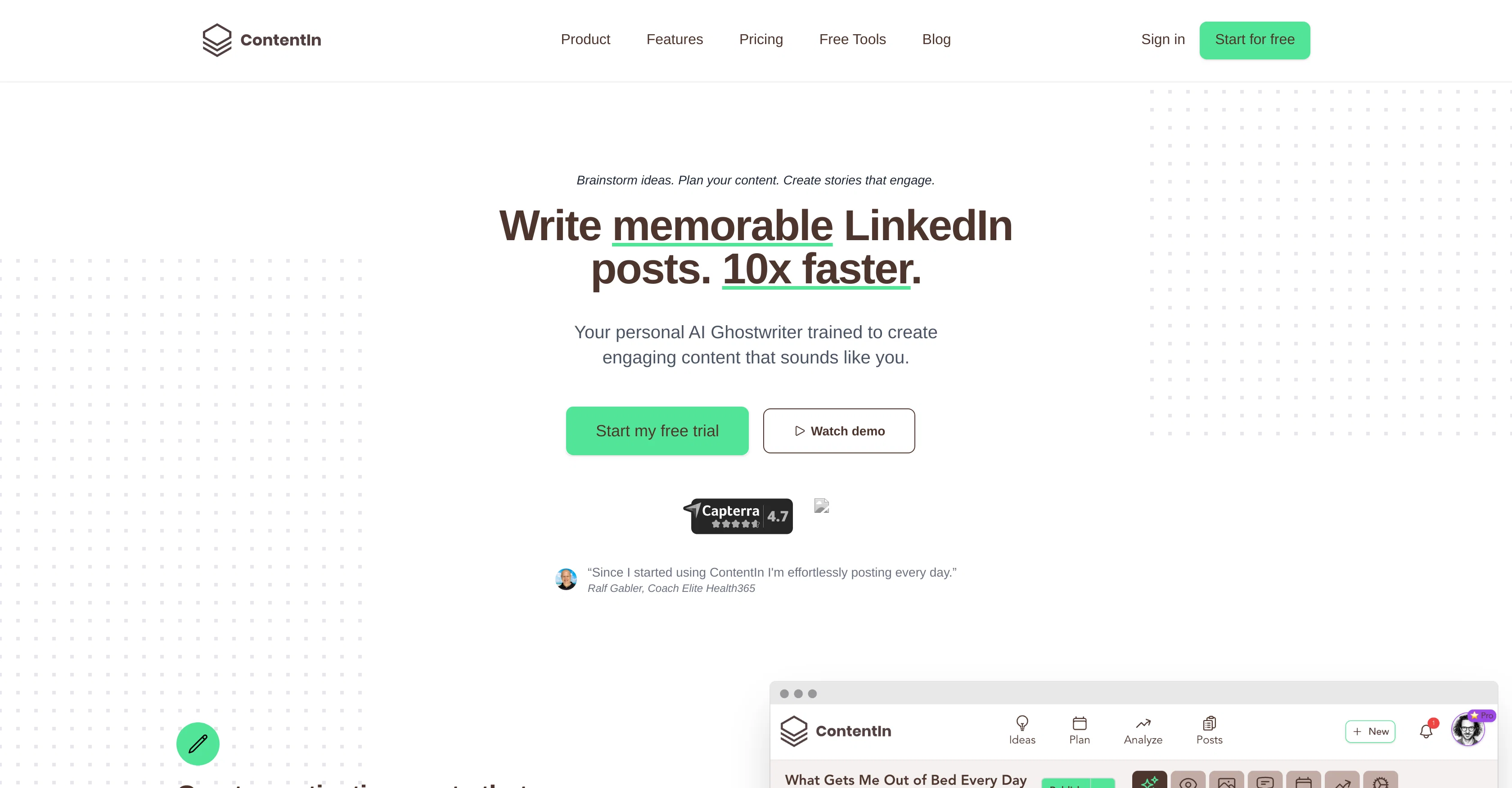
Write memorable LinkedIn posts 10x faster.
Trial; then from $15.85/mo
Verdict
A quick read before you dig into the full page.
- Best if
- You are solopreneurs and need: Creating engaging LinkedIn content
- Skip if
- Limited analytical capabilities
- Pick this when
- Specially designed for LinkedIn
Considering 2PR instead? Compare side by side
Overview
ContentIn is an AI-powered tool designed to assist users in creating engaging LinkedIn content. It's particularly aimed at helping individuals and small businesses to build their personal brands on the platform.
ContentIn's main feature is an AI Ghostwriter that generates content that is authentically voiced to sound like the user. The AI Ghostwriter also aids in content planning, offering users clarity on what and when to post to achieve the appropriate balance of professional and entertaining posts.
Furthermore, ContentIn offers an idea generator and an idea manager, providing users an endless stream of potential posts and a space to store their thoughts for future content.
Notably, the AI tool is trained to assist with creating posts that resonate with users' audience, especially through its ability to write in the user's own voice.
The overall goal of ContentIn is to allow its users to plan a week's worth of LinkedIn posts in significantly less time, from conception of ideas to posting and analysis, enabling users to establish a strong online presence and engage with their community better.
Best for
Short scenarios where ContentIn tends to shine.
-
Creating engaging LinkedIn content
Best for Solopreneurs
-
Planning and scheduling LinkedIn posts
Best for Small business owners
-
Generating content ideas
Best for Social media consultants
-
Analyzing post performance
Best for LinkedIn Agency Owners
-
Repurposing viral content
Best for Business Coaches
-
Creating quote images
Best for Public Speaking Consultants
-
Automating LinkedIn engagement with AI comments
Best for Solopreneurs
Example outputs 1
Sample generations and before/after results for ContentIn.
Access & connections
Where you can use ContentIn, and what it plugs into.
Platforms
Integrations
Capabilities
What this tool accepts, produces, and is strongest at.
Input
- Text
Output
- Text
Pros & cons
Pros
- Specially designed for LinkedIn
- Tailored for personal branding
- Features for small businesses
- Post templates available
- Post scheduling feature
- Idea generation capability
- Audience targeting feature
- Idea manager for storing thoughts
Show 14 more
- Weekly content planning in less time
- Post analytics available
- Company accounts support
- Free and paid plans
- Viral template library
- Posts scheduler
- Image, GIFs, videos, carousels support
- Endless idea generator
- Schedule comments feature
- Repurpose posts feature
- Idea creation from URLs
- Quote image creator
- Create ideas from websites
- Post ideas from websites
Cons
- Only for LinkedIn content
- Lacks multi-platform integration
- No post-editing features
- Limited analytical capabilities
- No collaborative capabilities
- Doesn't support multiple languages
- Lacks robust customization options
- No API for integration
Show 1 more
- Poor customer support details
Compare alternatives
Similar tools in the catalog — with a clear reason to open each one.

2PR ✓
Freemium2pr All-in-One AI Tool to Easily Create Winning Linkedin Posts
Why look Offers a public API
Full comparison
Taplio ✓
FreemiumThe LinkedIn growth tool to turn content into pipeline
Why look Better for writing
Full comparison
Cclarity ✓
Free TrialYour authentic LinkedIn voice meets intelligent lead generation
Why look Higher community rating
Full comparison
MagicPost ✓
FreemiumEfficient LinkedIn post generation.
Why look Higher community rating
Full comparisonPeople also view
Tools that often show up alongside ContentIn in collections and comparisons.
Taplio ✓
FreemiumThe LinkedIn growth tool to turn content into pipeline

Typoro ✓
FreemiumTransform your LinkedIn posts into engagement magnets.

Postline.ai ✓
FreemiumThe best AI LinkedIn posts
MagicPost ✓
FreemiumEfficient LinkedIn post generation.
Cclarity ✓
Free TrialYour authentic LinkedIn voice meets intelligent lead generation
2PR ✓
Freemium2pr All-in-One AI Tool to Easily Create Winning Linkedin Posts

PostGod ✓
Free TrialCreate LinkedIn posts that sound like you

LinkedGrow ✓
FreemiumAI LinkedIn content tool with your own API key.
Releases 1
FAQ 12
What is ContentIn?
Who is the primary audience for ContentIn?
What are the main features of ContentIn?
Can ContentIn generate content that sounds like me?
How does ContentIn's AI Ghostwriter work?
What is the Idea Generator feature in ContentIn?
How can ContentIn help with content planning?
How efficient is ContentIn at creating LinkedIn posts?
How can ContentIn assist with my personal branding on LinkedIn?
What kind of analytics does ContentIn provide for LinkedIn posts?
What role does AI play in ContentIn's content creation process?
How does ContentIn's Post Scheduler function?
Related tools
Recommended

VenturusAI ✓
FreemiumBusiness idea analysis and reporting.

TutorAI ✓
FreemiumInstant knowledge on any topic

Stunning ✓
PaidBuild AI-powered websites in seconds

Business Idea Generator AI ✓
FreeGenerate innovative business ideas with AI

D-ID ✓
FreemiumCreate AI-generated videos with ease

AI Lawyer ✓
Free TrialInstant legal advice and document creation at your fingertips